
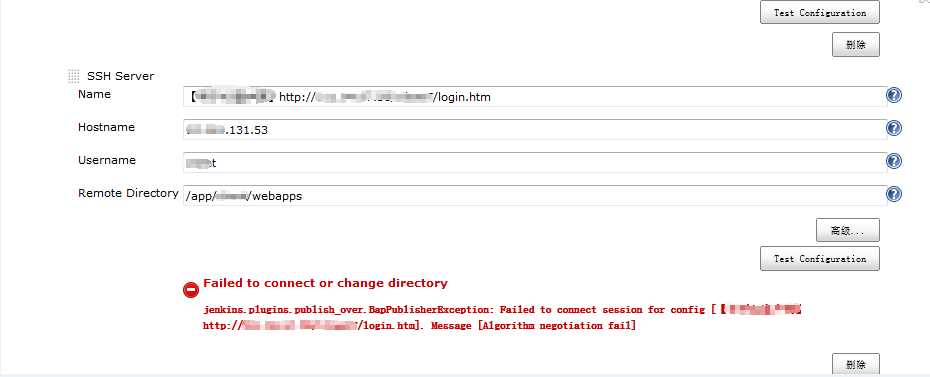
服务器升级openssh之后jenkins构建报错了,报错信息如下:
Failed to connet or change directory
jenkins.plugins.publish_over.BapPublisherException:Failed to connect session for config.....Message [Algorithm negotiation fail]
升级前ssh版本:OpenSSH_5.3p1
升级后sshl版本:OpenSSH_6.8pl
解决办法:
修改/etc/ssh/sshd_config配置文件,在最后添加如下内容:
Ciphers aes128-cbc,aes192-cbc,aes256-cbc,aes128-ctr,aes192-ctr,aes256-ctr,3des-cbc,arcfour128,arcfour256,arcfour,blowfish-cbc,cast128-cbc

MACs hmac-md5,hmac-sha1,umac-64@openssh.com,hmac-ripemd160,hmac-sha1-96,hmac-md5-96

KexAlgorithms diffie-hellman-group1-sha1,diffie-hellman-group14-sha1,diffie-hellman-group-exchange-sha1,diffie-hellman-group-exchange-sha256,ecdh-sha2-nistp256,ecdh-sha2-nistp384,ecdh-sha2-nistp521,diffie-hellman-group1-sha1,curve25519-sha256@libssh.org
重启sshd服务后,问题解决。
解决Failed to connect session for conifg 故障
原文:http://www.cnblogs.com/Eivll0m/p/4690086.html