
今天需要在代码中动态的给一个布局添加一个imageview,现在把方法记录如下。直接看demo代码
//创建容器
        final LinearLayout layout = new LinearLayout(this);
        //设置背景
        layout.setBackgroundColor(0x7700ffff);
        //设置垂直排列
        layout.setOrientation(LinearLayout.VERTICAL);
        //设置控件水平居中
        layout.setGravity(Gravity.CENTER_HORIZONTAL);
        //创建属性
        LinearLayout.LayoutParams layoutParams = new LinearLayout.LayoutParams(300,300);
        addContentView(layout, layoutParams);


        //创建控件image
        ImageView imageView = new ImageView(this);
        imageView.setBackgroundColor(0xffff0000);
        LinearLayout.LayoutParams layoutParams2 = new LinearLayout.LayoutParams(100,100);

        //设置子控件的margin数值
        layoutParams2.leftMargin=50;
        layoutParams2.topMargin=50;
        //添加到容器
        layout.addView(imageView, layoutParams2);

        //创建textiew
        TextView textView = new TextView(this);
        textView.setText("textview");
        LinearLayout.LayoutParams layoutParams3 = new LinearLayout.LayoutParams(LayoutParams.WRAP_CONTENT,LayoutParams.WRAP_CONTENT);
        //设置padding
        layoutParams3.leftMargin=70;
        layoutParams3.topMargin=20;
        layout.addView(textView, layoutParams3);
看效果图
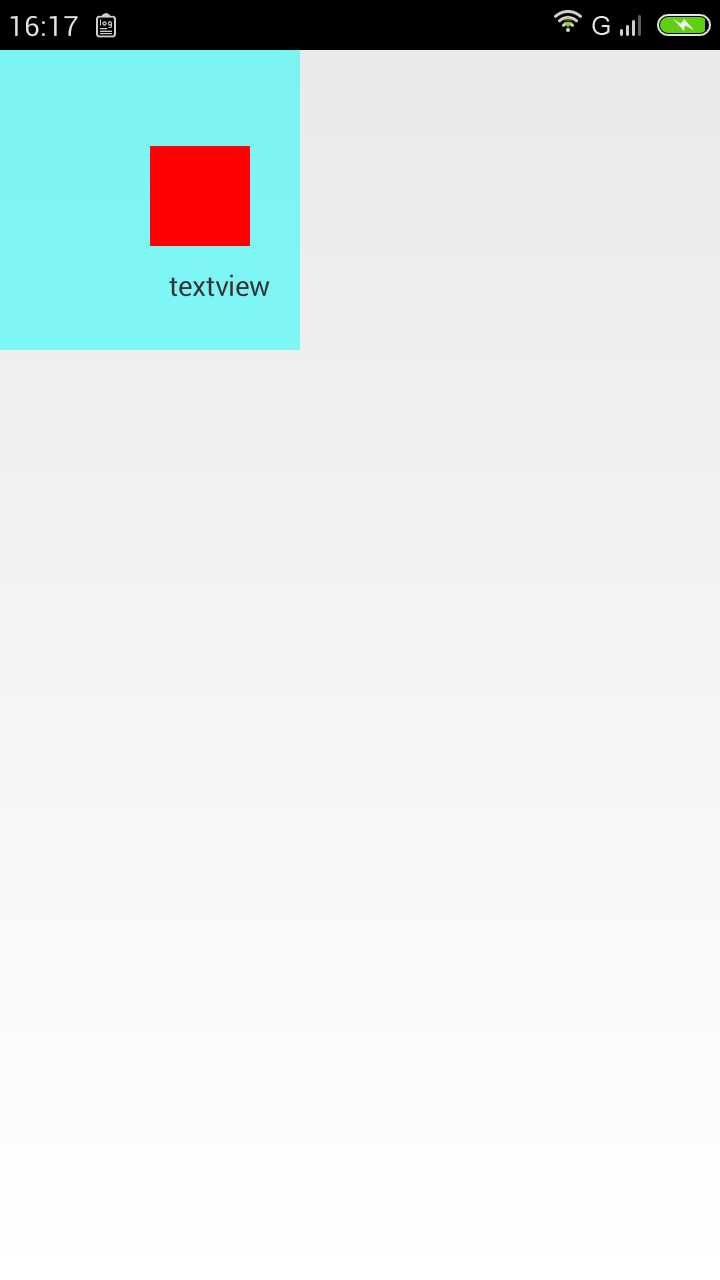
其实,代码中动态添加view,就跟使用xml一样的,xml中有的属性,都可以通过代码设置实现。这些属性,要么通过创建的控件(imageview)方法来设,要么就是通过
LayoutParams
其实,在这个类里面主要含有的是margin相关属性,下面是它源码的一部分
            this.leftMargin = source.leftMargin;
            this.topMargin = source.topMargin;
            this.rightMargin = source.rightMargin;
            this.bottomMargin = source.bottomMargin;
            this.startMargin = source.startMargin;
            this.endMargin = source.endMargin;
原文:http://www.cnblogs.com/zhangshuli-1989/p/zhangshuli_layout_158131625.html