
Task failed because "resgen.exe" was not found, or the correct Microsoft Windows SDK is not installed. The task is looking for "resgen.exe" in the "bin" subdirectory beneath the location specified in the InstallationFolder value of the registry key HKEY_LOCAL_MACHINE\SOFTWARE\Microsoft\Microsoft SDKs\Windows\v7.0A\WinSDK-NetFx35Tools-x86. You may be able to solve the problem by doing one of the following: 1) Install the Microsoft Windows SDK. 2) Install Visual Studio 2010. 3) Manually set the above registry key to the correct location. 4) Pass the correct location into the "ToolPath" parameter of the task. (MSB3091)
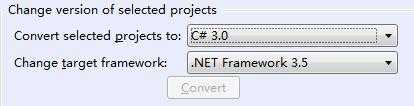
注意版本是否匹配
关于编译报错Task failed because "resgen.exe" was not found
原文:http://www.cnblogs.com/ji84899/p/4956122.html