
1、BGP公认必遵属性:as-path、next-hop、origin
origin: i表示IBGP通过network命令发布的路由
e表示EGP重发布进来的路由
?表示从IGP重分布或静态路由
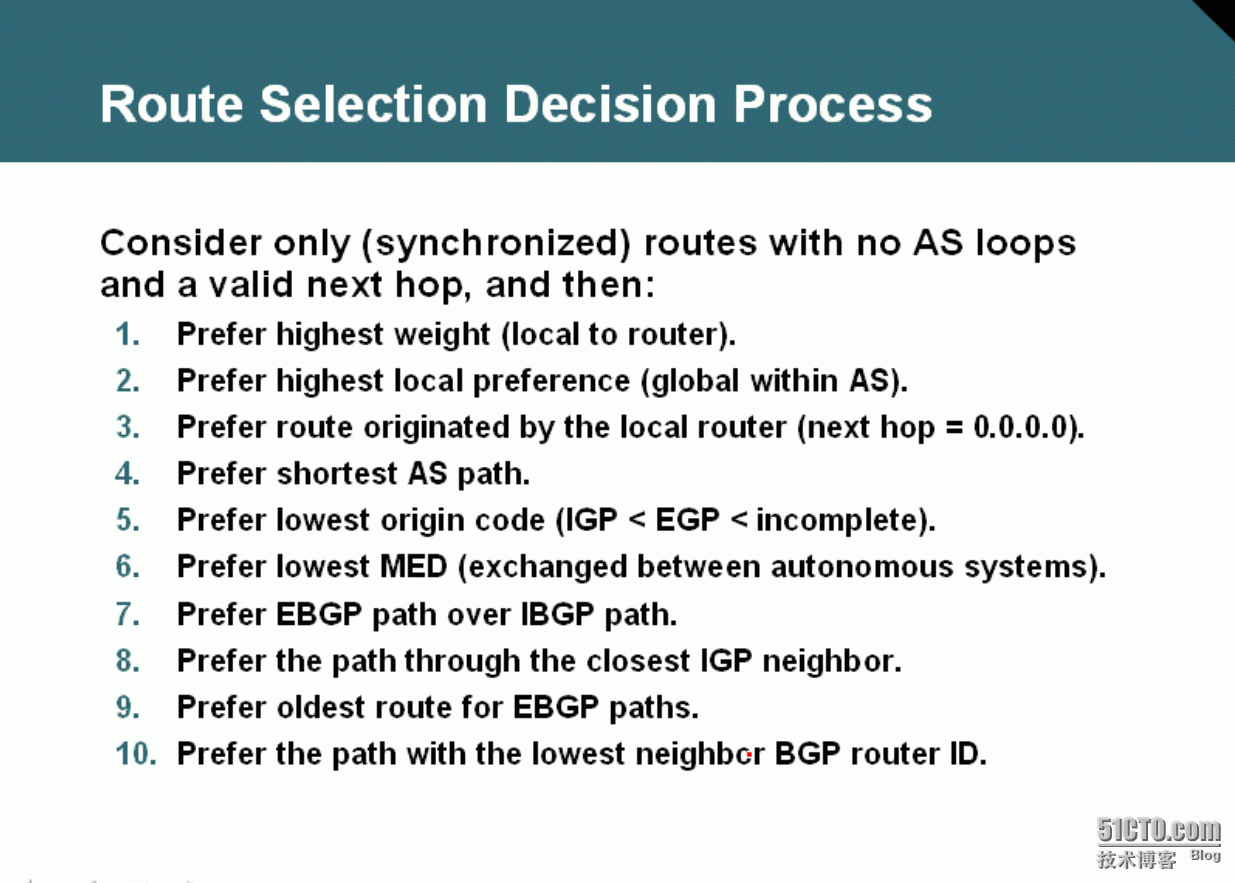
2、BGP存在多跳最优路由时的选路依据
3、Weight选路解析
| 属性 | 传播范围 | 默认值 | 优先值 | 应用方向 | 备注 |
| weight | 本地路由器 | 本地路由器32768,其他路由器0 | 大值优先 | IN | CISCO私有 |
修改weight值得方法:
方法一:全部修改邻居传过来的路由的weight值,例如:neighbor 1.1.1.1 weight 1
方法二:部分修改邻居传过来的路由的weight值,例如:
ip prefix-list 1 seq 5 permit 33.33.33.0/24
route-map W permit 10
match ip address prefix-list 1
set weight 1
route-map W permit 20
router bgp 4
neighbor 1.1.1.1 route-map W in
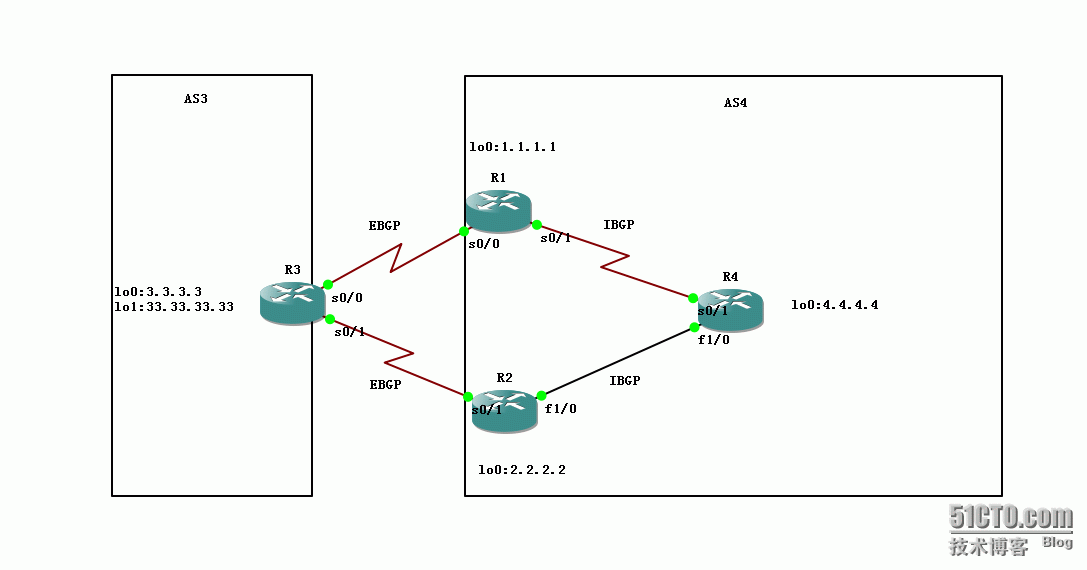
4、实验拓扑
 5、基础配置
R1配置
interface Loopback0
ip address 1.1.1.1 255.255.255.0
interface Serial0/0
ip address 13.1.1.1 255.255.255.0
interface Serial0/1
ip address 14.1.1.1 255.255.255.0
router ospf 110
router-id 1.1.1.1
log-adjacency-changes
network 1.1.1.0 0.0.0.255 area 0
network 14.1.1.0 0.0.0.255 area 0
router bgp 4
no synchronization
bgp router-id 1.1.1.1
neighbor 4.4.4.4 remote-as 4
neighbor 4.4.4.4 update-source Loopback0
neighbor 4.4.4.4 next-hop-self
neighbor 13.1.1.3 remote-as 3
no auto-summary
R2配置
interface Loopback0
ip address 2.2.2.2 255.255.255.0
interface Serial0/1
ip address 23.1.1.2 255.255.255.0
interface FastEthernet1/0
ip address 24.1.1.2 255.255.255.0
router ospf 110
router-id 2.2.2.2
network 2.2.2.0 0.0.0.255 area 0
network 24.1.1.0 0.0.0.255 area 0
router bgp 4
no synchronization
bgp router-id 2.2.2.2
neighbor 4.4.4.4 remote-as 4
neighbor 4.4.4.4 update-source Loopback0
neighbor 4.4.4.4 next-hop-self
neighbor 23.1.1.3 remote-as 3
no auto-summary
R3配置
interface Loopback0
ip address 3.3.3.3 255.255.255.0
interface Loopback1
ip address 33.33.33.33 255.255.255.0
interface Serial0/0
ip address 13.1.1.3 255.255.255.0
interface Serial0/1
ip address 23.1.1.3 255.255.255.0router bgp 3
no synchronization
bgp router-id 3.3.3.3
network 3.3.3.0 mask 255.255.255.0
network 33.33.33.0 mask 255.255.255.0
neighbor 13.1.1.1 remote-as 4
neighbor 23.1.1.2 remote-as 4
no auto-summary
R4配置
interface Loopback0
ip address 4.4.4.4 255.255.255.0
interface Serial0/1
ip address 14.1.1.4 255.255.255.0
interface FastEthernet1/0
ip address 24.1.1.4 255.255.255.0
router ospf 110
router-id 4.4.4.4
network 4.4.4.0 0.0.0.255 area 0
network 14.1.1.0 0.0.0.255 area 0
network 24.1.1.0 0.0.0.255 area 0
router bgp 4
no synchronization
bgp router-id 4.4.4.4
neighbor 1.1.1.1 remote-as 4
neighbor 1.1.1.1 update-source Loopback0
neighbor 2.2.2.2 remote-as 4
neighbor 2.2.2.2 update-source Loopback0
no auto-summary
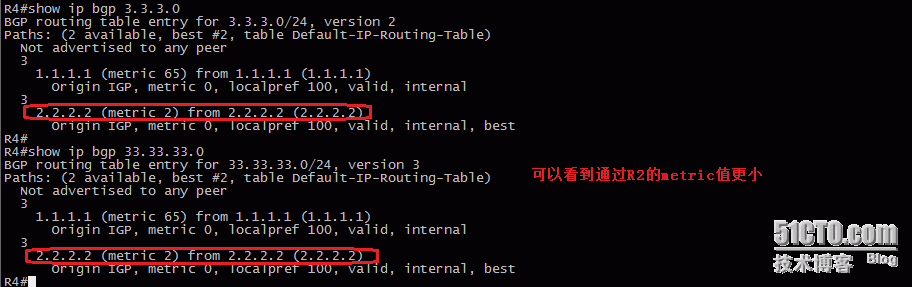
6、默认Weight选路
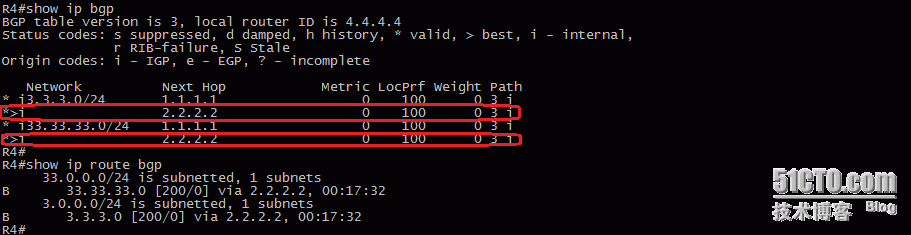
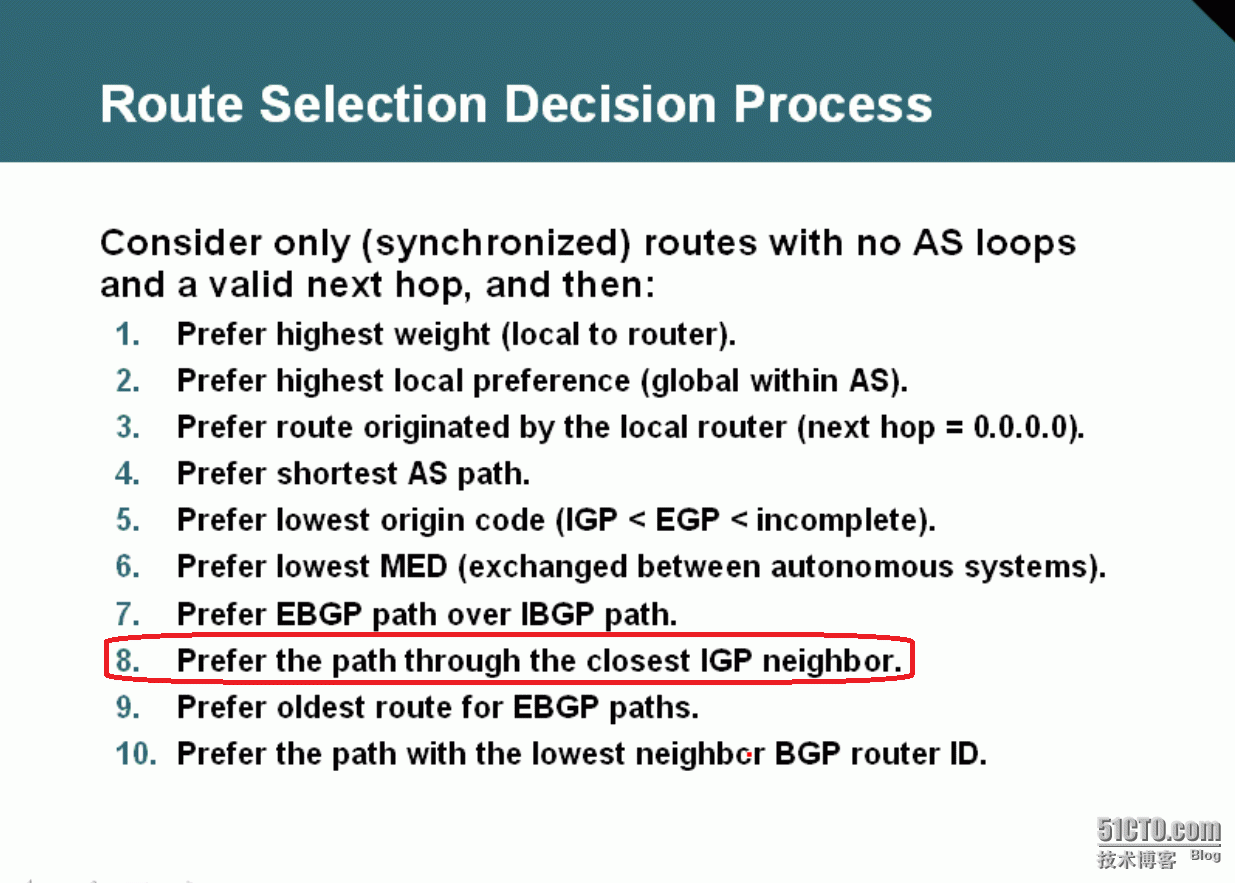 根据BGP选路原则第八条可以知道,R4到达3.3.3.0/24、33.33.33.0/24都是经过R2。
7、全部修改邻居传过来的路由的weight值
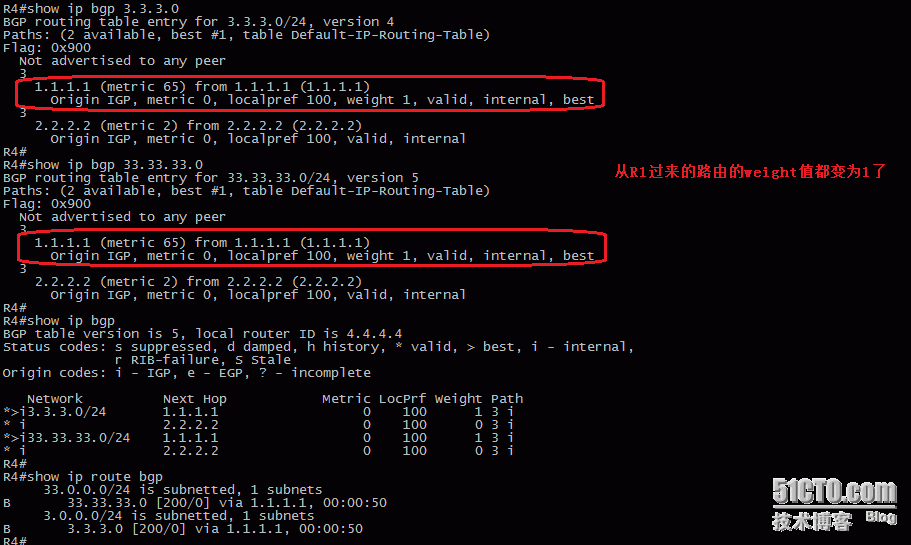
由前面可以R4到达3.3.3.0/24、33.33.33.0/24都是经过R2,我们通过修改Weight值将R4到达3.3.3.0/24、33.33.33.0/24都是经过R1。
R4配置
router bgp 4
neighbor 1.1.1.1 weight 1
8、全部修改邻居传过来的路由的weight值
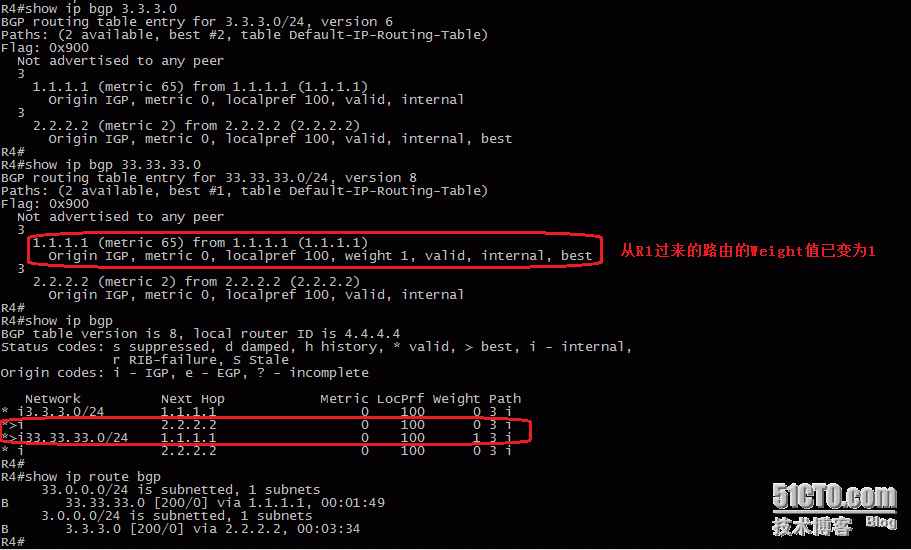
R4到达3.3.3.0/24、33.33.33.0/24都是经过R2,我们通过修改Weight值将R4到达3.3.3.0/24经过R2、达到33.33.33.0/24都是经过R1。
R4配置
ip prefix-list 1 seq 5 permit 33.33.33.0/24
route-map W permit 10
match ip address prefix-list 1
set weight 1
route-map W permit 20
router bgp 4
neighbor 1.1.1.1 route-map W in
本文出自 “开源殿堂” 博客,请务必保留此出处http://kaiyuandiantang.blog.51cto.com/10699754/1721947
原文:http://kaiyuandiantang.blog.51cto.com/10699754/1721947