
前言:目前只写了一个简单的Demo,图形界面还未写
一 简单介绍以及apikey获取
就我个人而言,目前有两个API是比较不错的,一个是百度的接口,另一个是图灵机器人(http://www.tuling123.com/)的接口。前者调用简单,而且没有使用次数限制(PS:据说还是有限制?);后者需要进行一系列身份认证,而且每天次数限制是5000(PS:貌似可以免费增加次数),但是它的优势是可以进行个性化设置,这点比较好。
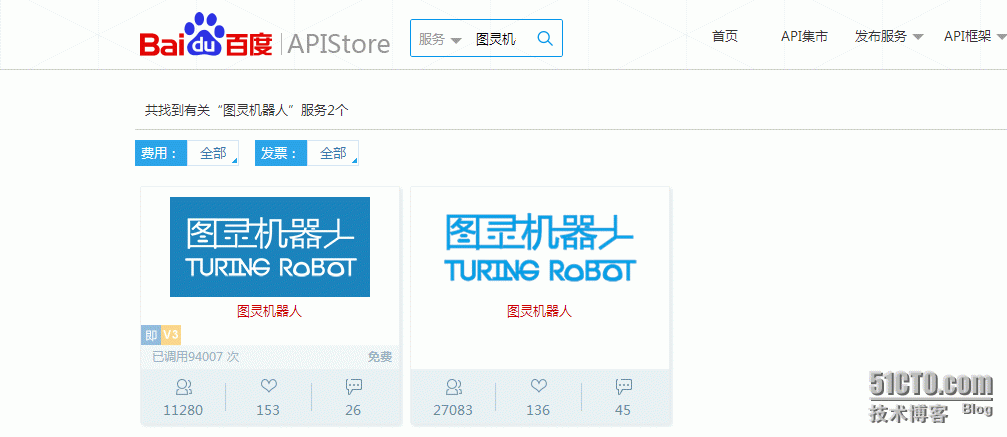
在这里为了方便演示,我使用百度的接口进行测试,申请地址是:http://apistore.baidu.com/apiworks/servicedetail/736.html
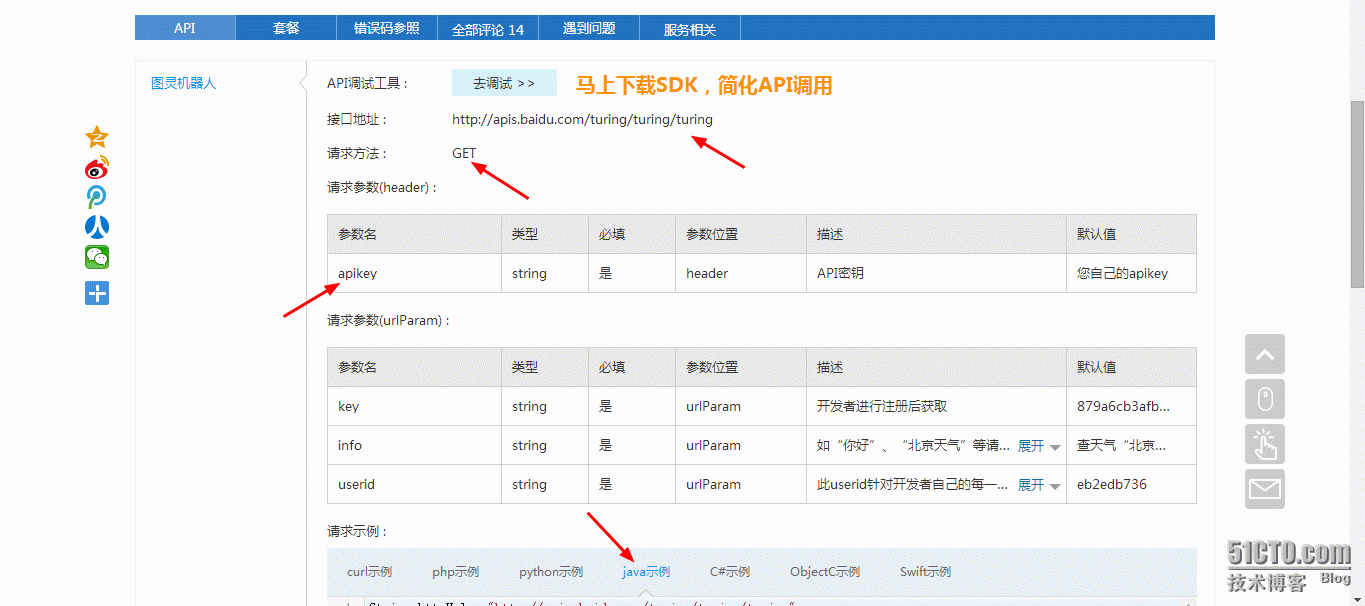
可以看到,请求参数有三个,分别是:key,info,userid,其中key和userid用默认值就可以了。当然最重要的是要在请求的header里添加上apikey这一项,点击这里就可以免费获取了:

注:要是对Java网络编程不是很熟悉的话,可以参考下方的Demo
二 一个简单的Demo
通过HttpURLConnection对指定的API发起GET请求,然后对返回的JSON数据进行简单的匹配,然后获取我们需要的回答,测试代码如下:
package action;

import java.io.BufferedReader;
import java.io.IOException;
import java.io.InputStream;
import java.io.InputStreamReader;
import java.net.HttpURLConnection;
import java.net.MalformedURLException;
import java.net.URL;
import java.util.regex.Matcher;
import java.util.regex.Pattern;

public class TuringRobot {

	public static void main(String[] args) {
		TuringRobot turing = new TuringRobot();
		String question = "北京天气";

		String temp = turing.getResponse("879a6cb3afb84dbf4fc84a1df2ab7319","您自己的apikey", question, "eb2edb736");
		System.out.println("小图:" + temp);

		String temp2 = turing.getResponse("879a6cb3afb84dbf4fc84a1df2ab7319","您自己的apikey", "你这么可爱,一定是个男孩子", "eb2edb736");
		System.out.println("小图:" + temp2);
	}

	/**
	 * 使用百度图灵机器人,获取回答
	 *
	 * @param key 默认值:879a6cb3afb84dbf4fc84a1df2ab7319
	 * @param ApiKey 在APIStore调用服务所需要的API密钥,申请地址:http://apistore.baidu.com
	 * @param info 想要请求的问题
	 * @param userid 用户id 默认值:eb2edb736
	 *
	 * @return 获取的回复
	 * */
	public String getResponse(String key,String ApiKey,String info,String userid){
		String httpUrl = "http://apis.baidu.com/turing/turing/turing?";
//		try {
//			info = URLEncoder.encode(info,"UTF-8");  //URL编码,可以不加
//		} catch (UnsupportedEncodingException e1) {
//			e1.printStackTrace();
//		}
		String httpArg = "key=" + key + "&info=" + info + "&userid=" + userid;
		try {
			URL url = new URL(httpUrl + httpArg);
			HttpURLConnection connection = (HttpURLConnection) url.openConnection();
			connection.setRequestMethod("GET");
			connection.setRequestProperty("apikey", ApiKey);

			InputStream inputStream = connection.getInputStream();
			BufferedReader reader = new BufferedReader(new InputStreamReader(inputStream,"UTF-8"));
			String line = "";
			String reg = "\"text\":\"(.*)?\",\"code\"";
			Pattern pattern = Pattern.compile(reg);
			Matcher matcher;
			while((line = reader.readLine()) != null){
				matcher = pattern.matcher(line);
				if(matcher.find())
					return matcher.group(1);
			}
		} catch (MalformedURLException e) {
			e.printStackTrace();
		} catch (IOException e) {
			e.printStackTrace();
		}
		return "";

	}

}
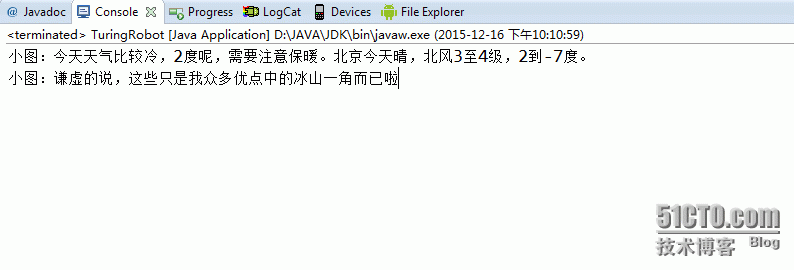
三 测试结果:
本文出自 “zifangsky的个人博客” 博客,请务必保留此出处http://983836259.blog.51cto.com/7311475/1726260
原文:http://983836259.blog.51cto.com/7311475/1726260