
 1 -(void)drawRect:(CGRect)rect
 2 {
 3     [[UIColor clearColor]setFill];
 4     UIRectFill(rect);
 5     NSInteger pulsingCount = 3;
 6     double animationDuration = 2;
 7
 8     CALayer * animationLayer = [[CALayer alloc]init];
 9     self.animationLayer = animationLayer;
10
11     for (int i = 0; i < pulsingCount; i++) {
12         CALayer * pulsingLayer = [[CALayer alloc]init];
13         pulsingLayer.frame = CGRectMake(0, 0, rect.size.width, rect.size.height);
14         pulsingLayer.backgroundColor = [UIColor colorWithRed:92.0/255.0 green:181.0/255.0 blue:217.0/255.0 alpha:1.0].CGColor;
15         pulsingLayer.borderColor = [UIColor colorWithRed:92.0/255.0 green:181.0/255.0 blue:217.0/255.0 alpha:1.0].CGColor;
16         pulsingLayer.borderWidth = 1.0;
17         pulsingLayer.cornerRadius = rect.size.height/2;
18
19         CAMediaTimingFunction * defaultCurve = [CAMediaTimingFunction functionWithName:kCAMediaTimingFunctionLinear];
20
21         CAAnimationGroup * animationGroup = [[CAAnimationGroup alloc]init];
22         animationGroup.fillMode = kCAFillModeBoth;
23         animationGroup.beginTime = CACurrentMediaTime() + (double)i * animationDuration/(double)pulsingCount;
24         animationGroup.duration = animationDuration;        animationGroup.repeatCount = HUGE_VAL;
25         animationGroup.timingFunction = defaultCurve;
26
27         CABasicAnimation * scaleAnimation = [CABasicAnimation animationWithKeyPath:@"transform.scale"];
28         scaleAnimation.autoreverses = NO;
29         scaleAnimation.fromValue = [NSNumber numberWithDouble:0.2];
30         scaleAnimation.toValue = [NSNumber numberWithDouble:1.0];
31
32         CAKeyframeAnimation * opacityAnimation = [CAKeyframeAnimation animationWithKeyPath:@"opacity"];
33         opacityAnimation.values = @[[NSNumber numberWithDouble:1.0],[NSNumber numberWithDouble:0.5],[NSNumber numberWithDouble:0.3],[NSNumber numberWithDouble:0.0]];
34         opacityAnimation.keyTimes = @[[NSNumber numberWithDouble:0.0],[NSNumber numberWithDouble:0.25],[NSNumber numberWithDouble:0.5],[NSNumber numberWithDouble:1.0]];
35         animationGroup.animations = @[scaleAnimation,opacityAnimation];
36
37         [pulsingLayer addAnimation:animationGroup forKey:@"pulsing"];
38         [animationLayer addSublayer:pulsingLayer];
39     }
40     self.animationLayer.zPosition = -1;//重新加载时,使动画至底层
41     [self.layer addSublayer:self.animationLayer];
42
43     CALayer * thumbnailLayer = [[CALayer alloc]init];
44     thumbnailLayer.backgroundColor = [UIColor whiteColor].CGColor;
45     CGRect thumbnailRect = CGRectMake(0, 0, 46, 46);
46     thumbnailRect.origin.x = (rect.size.width - thumbnailRect.size.width)/2.0;
47     thumbnailRect.origin.y = (rect.size.height - thumbnailRect.size.height)/2.0;
48     thumbnailLayer.frame = thumbnailRect;
49     thumbnailLayer.cornerRadius = 23.0;
50     thumbnailLayer.borderWidth = 1.0;
51     thumbnailLayer.masksToBounds = YES;
52     thumbnailLayer.borderColor = [UIColor whiteColor].CGColor;
53     UIImage * thumbnail = self.thumbnailImage;
54     thumbnailLayer.contents = (id)thumbnail.CGImage;
55     thumbnailLayer.zPosition = -1;
56     [self.layer addSublayer:thumbnailLayer];
57 }
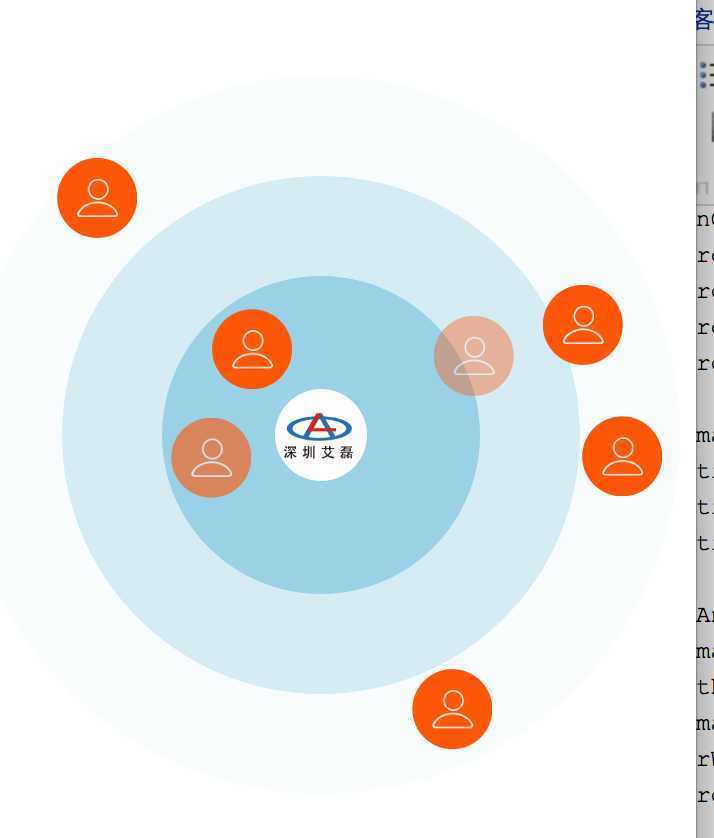

原文:http://www.cnblogs.com/machao/p/5135203.html