
1 Microsoft.International.Converters.PinYinConverter.ChineseChar cc=new Microsoft.International.Converters.PinYinConverter.ChineseChar(‘国‘);
1 string temp_1 = Microsoft.International.Converters.TraditionalChineseToSimplifiedConverter.ChineseConverter.Convert("中华人民共和国",
2
3 Microsoft.International.Converters.TraditionalChineseToSimplifiedConverter.ChineseConversionDirection.SimplifiedToTraditional);
1 string temp_2 = Microsoft.International.Converters.TraditionalChineseToSimplifiedConverter.ChineseConverter.Convert(temp_1,
2
3 Microsoft.International.Converters.TraditionalChineseToSimplifiedConverter.ChineseConversionDirection.TraditionalToSimplified);
1 1 string temp_4 = string.Format(new Microsoft.International.Formatters.EastAsiaNumericFormatter(), "{0:L}", 1234567890.45);
1 string temp_6 = string.Format(new Microsoft.International.Formatters.EastAsiaNumericFormatter(), "{0:Ln}", 1234567890.45);
1 string temp_7 = string.Format(new Microsoft.International.Formatters.EastAsiaNumericFormatter(), "{0:Lc}", 1234567890.45);
实例代码:
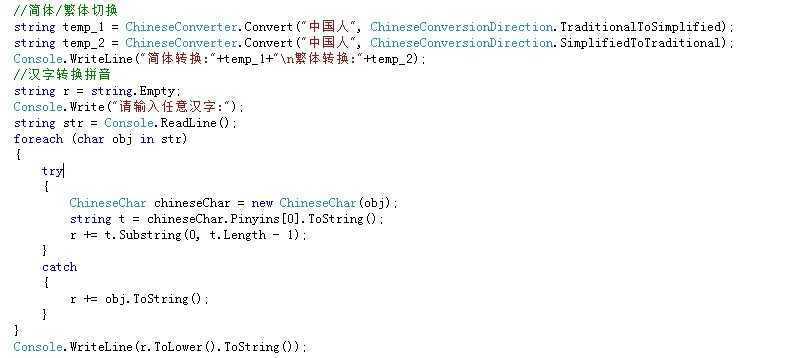
//简体/繁体切换
            string temp_1 = ChineseConverter.Convert("中国人", ChineseConversionDirection.TraditionalToSimplified);
            string temp_2 = ChineseConverter.Convert("中国人", ChineseConversionDirection.SimplifiedToTraditional);
            Console.WriteLine("简体转换:"+temp_1+"\n繁体转换:"+temp_2);
            //汉字转换拼音
            string r = string.Empty;
            Console.Write("请输入任意汉字:");
            string str = Console.ReadLine();
            foreach (char obj in str)
            {
                try
                {
                    ChineseChar chineseChar = new ChineseChar(obj);
                    string t = chineseChar.Pinyins[0].ToString();
                    r += t.Substring(0, t.Length - 1);
                }
                catch
                {
                    r += obj.ToString();
                }
            }
            Console.WriteLine(r.ToLower().ToString());
源码:
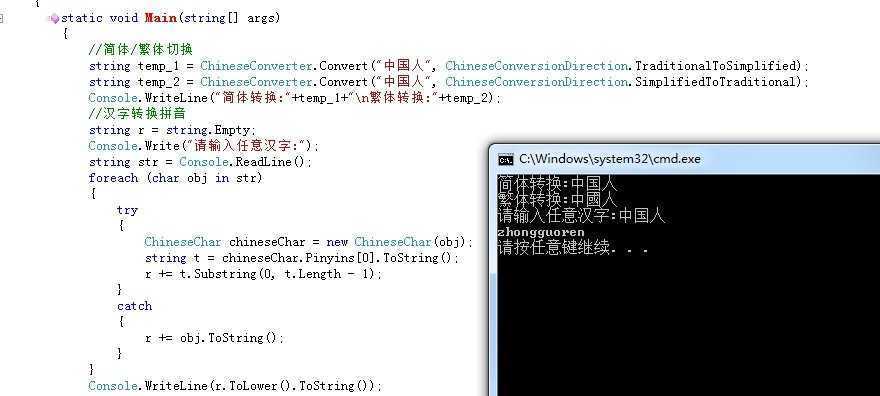
结果:
原文:http://www.cnblogs.com/cybing/p/5162907.html