首页 > 系统服务 > 详细

Use PowerShell Invoke-Command for Remoting

时间:2016-02-06 14:27:26      阅读:371      评论:0      收藏:0      [点我收藏+]

1:Get-Service  winrm | fl  (To ensure this service is running as below)

技术分享


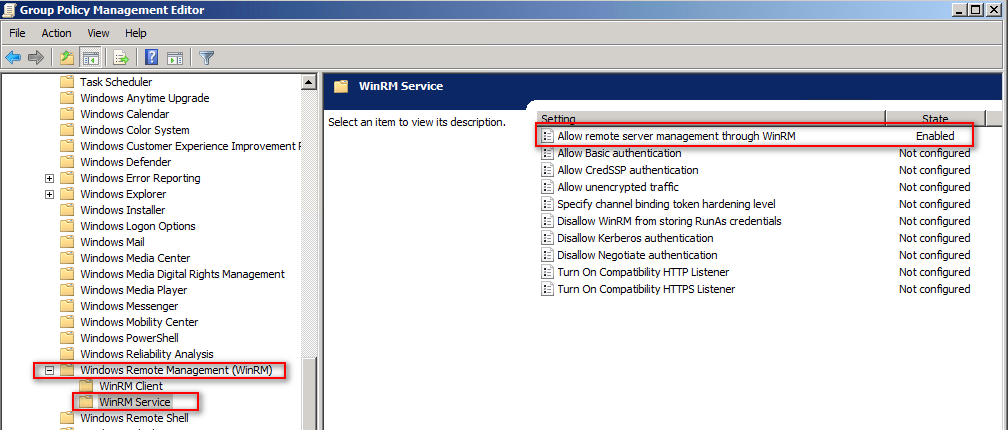
we can user group policy to batch enable this service
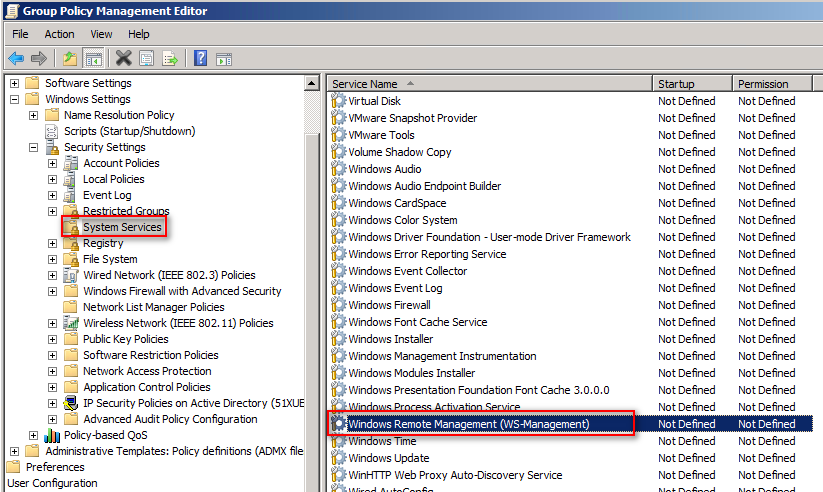
技术分享


2:Allow the service through Windows Firewall
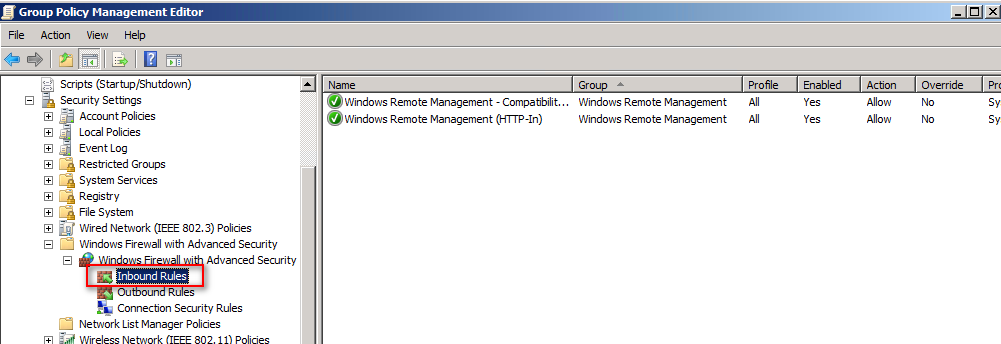
技术分享


3:Allow remote server management through WinRM
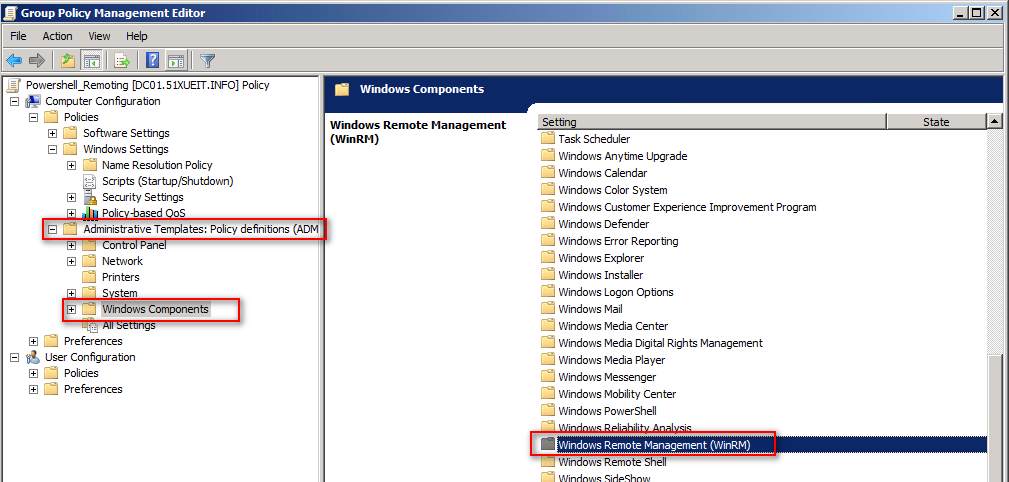
技术分享技术分享


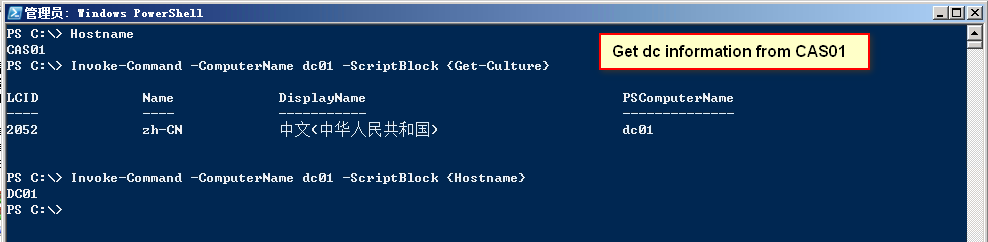
4:now we can Invoke command from remote server  as below
技术分享


Reference article as below

http://www.public.madeinengland.co.nz/how-to-remotely-add-features-to-many-windows-2008-r2-servers-using-powershell/

https://blogs.technet.microsoft.com/heyscriptingguy/2011/06/13/use-powershell-invoke-command-for-remoting/


one of the most important things is to read about_concept.

1: update-help

2: help about_concept

技术分享

Have a nice day!

Use PowerShell Invoke-Command for Remoting

原文:http://10500561.blog.51cto.com/10490561/1741300
(0)
(0)
   
举报
评论 一句话评论(0
关于我们 - 联系我们 - 留言反馈 - 联系我们:wmxa8@hotmail.com
© 2014 bubuko.com 版权所有
打开技术之扣,分享程序人生!