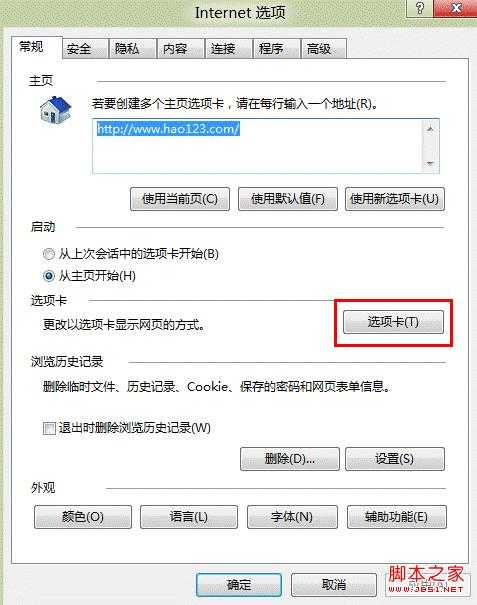
1、打开“Internet选项”——“常规”——“选项卡”;
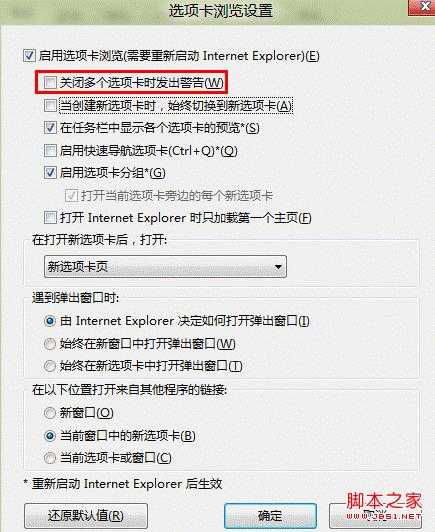
2、即可对“关闭多个选项卡时发出的警告”进行更改选择。
windows8如何禁用关闭多个选项卡时弹出的警告
原文:http://www.jb51.net/os/Windows8/86379.html