
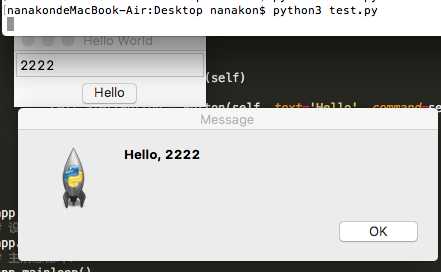
from tkinter import *
import tkinter.messagebox as messagebox

class Application(Frame):
    def __init__(self, master=None):
        Frame.__init__(self, master)
        self.pack()
        self.createWidgets()

    def createWidgets(self):
        self.nameInput = Entry(self)
        self.nameInput.pack()
        self.alertButton = Button(self, text=‘Hello‘, command=self.hello)
        self.alertButton.pack()

    def hello(self):
        name = self.nameInput.get() or ‘world‘
        messagebox.showinfo(‘Message‘, ‘Hello, %s‘ % name)

app = Application()
# 设置窗口标题:
app.master.title(‘Hello World‘)
# 主消息循环:
app.mainloop()
原文:http://www.cnblogs.com/jzm17173/p/5207385.html