
Android分享笔记(6) Android 自定义UI模板
需求千变万化,光是一个Topbar可能就要更改N次,如果说你使用的地方多,怎么办?一个一个的改?开玩笑,我们这么懒的程序员怎么能做这种体力老动。
于是,有了这篇博文。
先上图说明:
页面一:
左边一个Title,右边一个Title,可以更改文字颜色大小,左右背景可单独设定。

页面二:
左边一个LOGO,右边一个Title
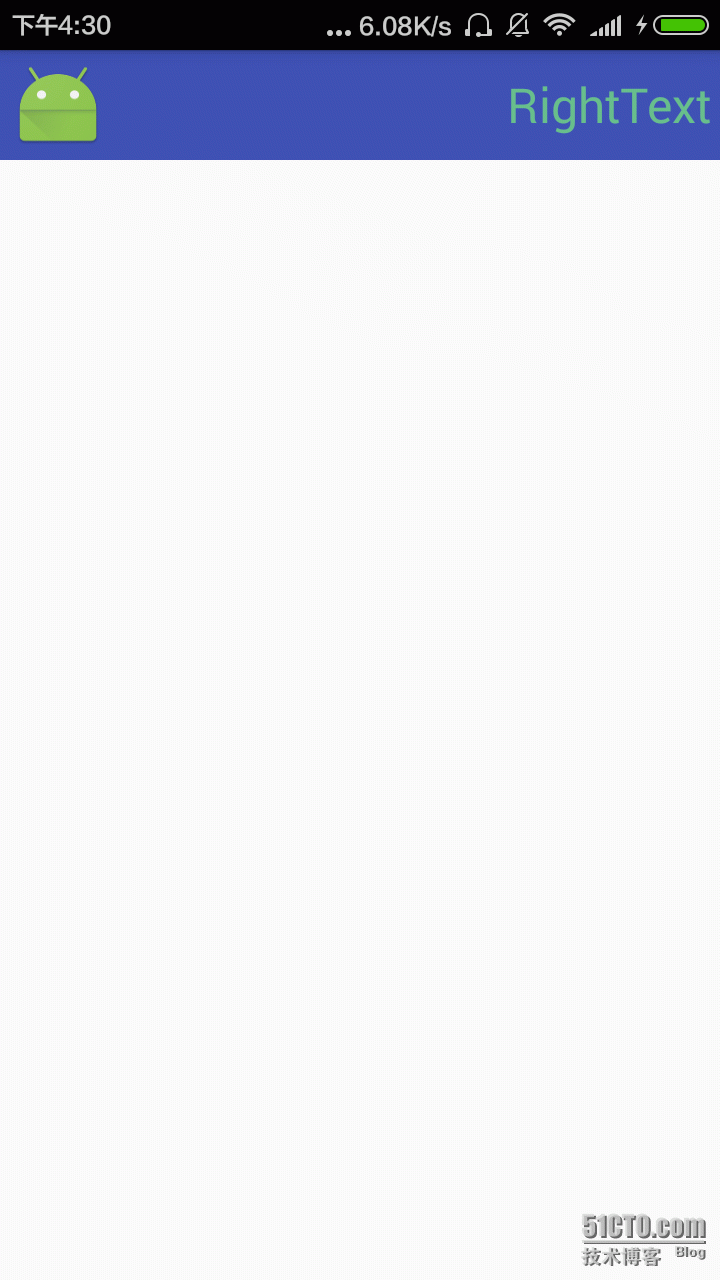
页面三:
中间添加了一个新功能。
左边一个LOGO,中间一个EditText,右边一个Title:
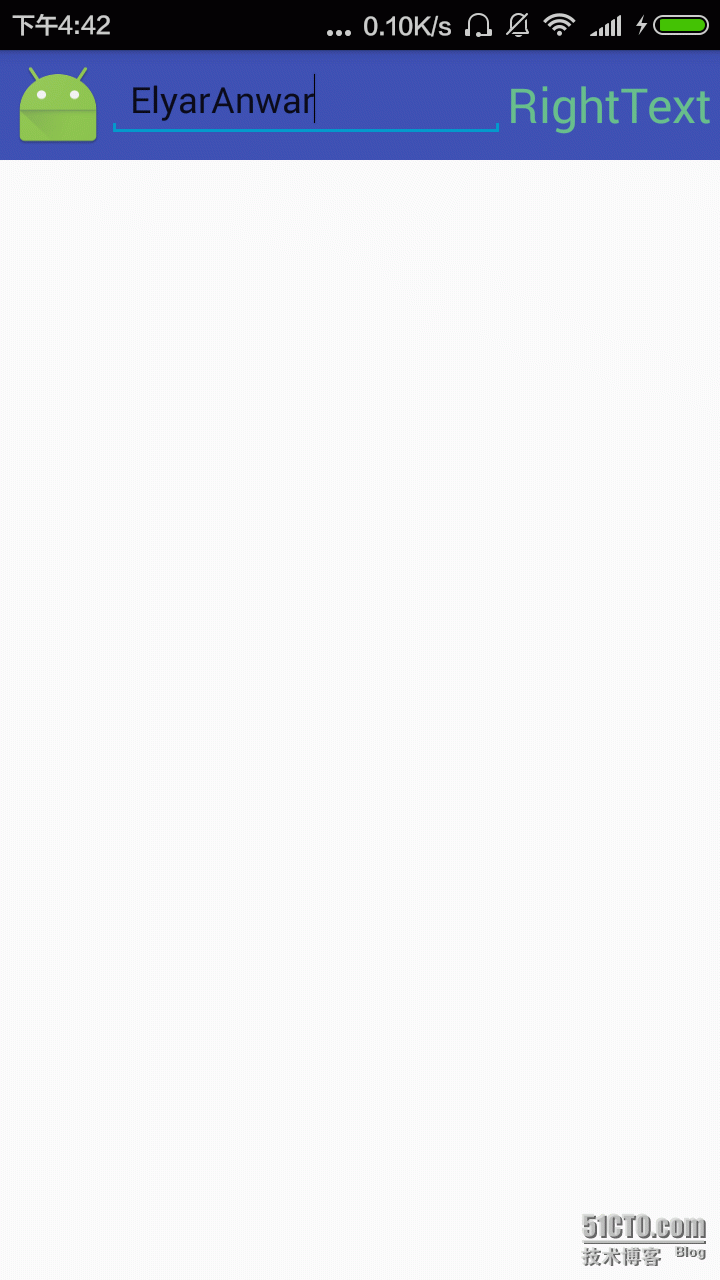
页面四:
左边一个LOGO,我不要右边的Title了,但留下中间一个EditText:

还好现在只是四页,如果是10几页改一个小小的地方都要晕了。
所以做一个UI模板,到哪儿都能用;
自定义UI模板:
第一步:自定义属性;
<resources>
    <declare-styleable name="SearchBar">
        <attr name="leftText" format="string" />
        <attr name="leftTextColor" format="color" />
        <attr name="leftTextSize" format="dimension" />
        <attr name="leftBackgroundDrawable" format="reference" />
        <attr name="leftBackgroundColor" format="color" />
        <attr name="rightText" format="string" />
        <attr name="rightTextColor" format="color" />
        <attr name="rightTextSize" format="dimension" />
        <attr name="rightBackgroundDrawable" format="reference" />
        <attr name="rightBackgroundColor" format="color" />
        <attr name="leftViewID" format="integer"/>
        <attr name="rightViewID" format="integer"/>
    </declare-styleable>
</resources>
第二步:自定义UI;
package com.app.elyar.practice01;

import android.content.Context;
import android.content.res.TypedArray;
import android.graphics.Color;
import android.graphics.drawable.Drawable;
import android.util.AttributeSet;
import android.view.Gravity;
import android.view.View;
import android.widget.RelativeLayout;
import android.widget.TextView;

/**
 * Created by ElyarAnwar on 2016/3/23.
 */
public class SearchBar extends RelativeLayout {

    private View mLeftView;
    private View mRightView;
    private Context mContext;

    private int mLeftViewID = 1001;
    private int mRightViewID = 1002;

    /**
     * 左侧标题
     */
    private String mLeftText;
    /**
     * 右侧标题
     */
    private String mRightText;
    /**
     * 左侧字体大小
     */
    private float mLeftTextSize;
    /**
     * 右侧字体大小
     */
    private float mRightTextSize;
    /**
     * 左侧字体颜色
     */
    private int mLeftTextColor = 16777215;
    /**
     * 右侧字体颜色
     */
    private int mRightTextColor = 16777215;

    private Drawable mLeftBackgroundDrawable;

    private int mLeftBackgroundColor=Color.TRANSPARENT;

    private Drawable mRightBackgroundDrawable;

    private int mRightBackgroundColor=Color.TRANSPARENT;


    public SearchBar(Context context) {
        this(context, null);
    }

    public SearchBar(Context context, AttributeSet attrs) {
        this(context, attrs, 0);
    }

    public SearchBar(Context context, AttributeSet attrs, int defStyleAttr) {
        super(context, attrs, defStyleAttr);
        init(context, attrs, defStyleAttr);
    }

    public void init(Context context, AttributeSet attrs, int defStyleAttr) {

        mLeftView = new TextView(context);
        RelativeLayout.LayoutParams mLeftParams = new RelativeLayout.LayoutParams(LayoutParams.WRAP_CONTENT, LayoutParams.MATCH_PARENT);
        mLeftParams.addRule(ALIGN_PARENT_LEFT, TRUE);
        ((TextView) mLeftView).setGravity(Gravity.CENTER);
        mLeftView.setLayoutParams(mLeftParams);


        mRightView = new TextView(context);
        ((TextView) mRightView).setGravity(Gravity.CENTER);
        RelativeLayout.LayoutParams mRightParams = new RelativeLayout.LayoutParams(LayoutParams.WRAP_CONTENT, LayoutParams.MATCH_PARENT);
        mRightParams.addRule(ALIGN_PARENT_RIGHT, TRUE);
        mRightView.setLayoutParams(mRightParams);


        TypedArray array = context.obtainStyledAttributes(attrs, R.styleable.SearchBar, defStyleAttr, 0);
        mLeftText = array.getString(R.styleable.SearchBar_leftText);
        mLeftTextSize = array.getDimensionPixelSize(R.styleable.SearchBar_leftTextSize, 16);
        mLeftTextColor = array.getColor(R.styleable.SearchBar_leftTextColor, mLeftTextColor);
        mRightText = array.getString(R.styleable.SearchBar_rightText);
        mRightTextSize = array.getDimensionPixelSize(R.styleable.SearchBar_rightTextSize, 16);
        mRightTextColor = array.getColor(R.styleable.SearchBar_rightTextColor, mRightTextColor);
        mLeftBackgroundColor = array.getColor(R.styleable.SearchBar_leftBackgroundColor, mLeftBackgroundColor);
        if(array.getDrawable(R.styleable.SearchBar_leftBackgroundDrawable)!=null){
            mLeftBackgroundDrawable = array.getDrawable(R.styleable.SearchBar_leftBackgroundDrawable);
            mLeftView.setBackgroundDrawable(mLeftBackgroundDrawable);
        }else {
            mLeftView.setBackgroundColor(mLeftBackgroundColor);
        }
        mRightBackgroundColor = array.getColor(R.styleable.SearchBar_rightBackgroundColor, mRightBackgroundColor);
        if(array.getDrawable(R.styleable.SearchBar_rightBackgroundDrawable)!=null){
            mRightBackgroundDrawable = array.getDrawable(R.styleable.SearchBar_rightBackgroundDrawable);
            mRightView.setBackgroundDrawable(mRightBackgroundDrawable);
        }else {
            mRightView.setBackgroundColor(mRightBackgroundColor);
        }
        mLeftViewID = array.getResourceId(R.styleable.SearchBar_leftViewID,mLeftViewID);
        mRightViewID = array.getResourceId(R.styleable.SearchBar_rightViewID,mRightViewID);
        array.recycle();
        ((TextView) mLeftView).setText(mLeftText);
        ((TextView) mLeftView).setTextColor(mLeftTextColor);
        ((TextView) mLeftView).setTextSize(mLeftTextSize);
        ((TextView) mRightView).setText(mRightText);
        ((TextView) mRightView).setTextColor(mRightTextColor);
        ((TextView) mRightView).setTextSize(mRightTextSize);


        mLeftView.setId(mLeftViewID);
        mRightView.setId(mRightViewID);
        addView(mLeftView);
        addView(mRightView);
    }
}
第三步:引用自定义UI模板;
<RelativeLayout xmlns:android="http://schemas.android.com/apk/res/android"
    xmlns:app="http://schemas.android.com/apk/res-auto"
    android:layout_width="match_parent"
    android:layout_height="match_parent">

    <com.app.elyar.practice01.SearchBar
        android:layout_width="match_parent"
        android:layout_height="55dp"
        app:leftTextColor="#68BF8B"
        app:leftTextSize="12sp"
        android:id="@+id/SercView"
        app:leftBackgroundDrawable="@mipmap/ic_launcher"
        app:rightText="RightText"
        app:rightTextColor="#68BF8B"
        app:rightTextSize="12sp"
        app:leftViewID="@+id/left"
        app:rightViewID="@+id/right"
        android:padding="5dp"
        android:background="@color/colorPrimary"
        />
</RelativeLayout>
好了,到哪儿都可以用了。不过现在还只是简单的左右一个Title。现在要添加一个Edtitex呢?
我继承了原先的SearchBar模板,添加了EditText,
package com.app.elyar.practice01;

import android.content.Context;
import android.content.res.TypedArray;
import android.graphics.Canvas;
import android.graphics.Color;
import android.graphics.Paint;
import android.graphics.drawable.Drawable;
import android.text.TextPaint;
import android.util.AttributeSet;
import android.view.LayoutInflater;
import android.view.View;
import android.view.ViewGroup;
import android.widget.EditText;
import android.widget.RelativeLayout;

/**
 * TODO: document your custom view class.
 */

public class MySearchBar extends SearchBar {

    public MySearchBar (Context context) {
        this(context, null);
    }

    public MySearchBar (Context context, AttributeSet attrs) {
        this(context, attrs, 0);
    }

    public MySearchBar (Context context, AttributeSet attrs, int defStyleAttr) {
        super(context, attrs, defStyleAttr);
        init(context);
    }

    public void init(Context context){
        EditText editText = new EditText(context);
        editText.setTextSize(18);
        editText.setHint("EditText");
        RelativeLayout.LayoutParams layoutParams = new RelativeLayout.LayoutParams(LayoutParams.MATCH_PARENT,LayoutParams.WRAP_CONTENT);
        layoutParams.addRule(RIGHT_OF,getChildAt(0).getId());
        layoutParams.addRule(LEFT_OF,getChildAt(1).getId());
        editText.setLayoutParams(layoutParams);
        getChildAt(getChildCount()-1).setVisibility(View.GONE);//不显示右边Title
        addView(editText,1);
    }
}
好了,这个MySearchBar的布局又在SearchBar的基础上丰富了。这样根据需求可以扩展。
主要是先写好最基础的样式,再一步一步扩展,就可以写出万能的模板了。以后可以直接拉过来用了,方便省时。
本文出自 “分享是最好的记忆” 博客,谢绝转载!
Android分享笔记(6) Android 自定义UI模板
原文:http://elyar.blog.51cto.com/9864306/1754871