
今天使用了tableview静态表布局,纪录如下
1:使用tableview 静态表,必须是UITableViewController
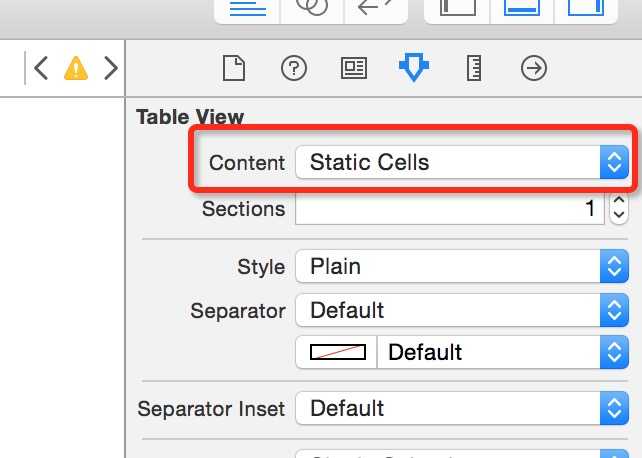
2:Content 中选择 Static Cells 如下图
3:
//去除尾部多余的空行
self.tableView.tableFooterView = [[UIView alloc]initWithFrame:CGRectZero];
4:还要去掉以下方法,否则内容显示不出来
- (NSInteger)numberOfSectionsInTableView:(UITableView *)tableView {
#warning Incomplete implementation, return the number of sections
return 0;
}
- (NSInteger)tableView:(UITableView *)tableView numberOfRowsInSection:(NSInteger)section {
#warning Incomplete implementation, return the number of rows
return 0;
}
原文:http://www.cnblogs.com/68tour/p/5492866.html