
问题:遇到单选框,如图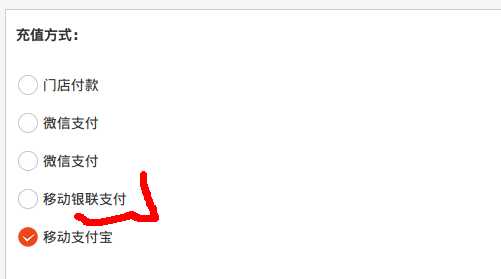
<!DOCTYPE html>
<html lang="en">
<head>
    <meta charset="UTF-8">
    <title></title>
</head>
<script type="text/javascript" src="http://code.jquery.com/jquery-1.8.3.js"></script>
<body>
<span class="pay-item" >
                <input type="radio" name="pay-item" class="big-radio" /><{$payment.app_display_name}>
</span>
<span class="pay-item" >
                <input type="radio" name="pay-item" class="big-radio" /><{$payment.app_display_name}>
</span>
</body>
</html>


<script>
    $(‘.pay-item‘).bind(‘click‘,function(e){
        $(this).find(‘input[name=pay-item]‘)[0].checked = true;
    });

</script>
代码解析:其中pay-item 为span标签的class值,和id(‘#pay-item’)不一样
input[name=pay-item] 为单选框的name;
$(‘.pay-item‘).bind(‘click‘,function(e){
 $(this).find(‘input[name=pay-item]‘)[0].checked = true;
}
$(‘body‘).on(‘click‘, ‘.pay-item‘, function(e){
    $(this).find(‘input[name=pay-item]‘)[0].checked = true;
})
原文:http://www.cnblogs.com/lemonphp/p/5632458.html