
背景图片定位(background-position)原理
A. 语法:Background-position:水平位置 垂直位置
B. 水平位置/垂直位置设置方法:
1) 数值(px)正负值都可以,正数值表示向右移动或向下移动,负数值表示向左或向上移动;
2) 百分比(%)范围:0%—100%
3) 关键词:水平位置:left(左) center(中) right(右)
垂直位置:top(上) center(中) bottom(下)
默认情况下,background-position的原点位于左上角,换句话说,元素的左上角和图片的左上角是对齐的,随后图片向各个方向重复,都是以左上角为起点。
注意:当只设置一个值时:代表水平位置,垂直位置默认居中
<style>input[type="button"]{width: 100px;height: 56px;border-radius: 10px;}.btn1{background-image: url("allbgs2.png");background-position:21px 355px;/*第一,第二属性值表示以图片左上角(left top)位置为原点的坐标(21px,355px),即向右移动21px,向下移动355px*/}.btn2{background-repeat:no-repeat;background-image: url("allbgs2.png");background-position:21px -175px;/*(21px,-225px),即向右移动21px,向上移动-175px*/}img{width: 100px;. height: 200 px;}img:hover{height: auto;width: auto;}</style><form><input type="button" class="btn1"><input type="button" class="btn2"><br/><img src="allbgs2.png"><small>原背景图</small></form>
backgroud:green url(“image/background.jpg”) top left
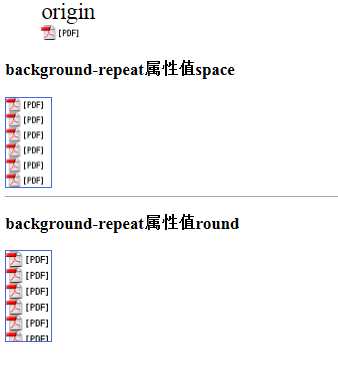
<style>figcaption{font-size: 25px;}div.div1{background-color: aliceblue;width: 50px;height: 100px;background: url(".idea/pdf_icon.gif");border: solid 1px royalblue;background-repeat: space;/*space 尽可能地重复图片以占满背景,不行时则加大图片的边距*/}div.div2{background-color: aliceblue;width: 50px;height: 100px;background: url(".idea/pdf_icon.gif");border: solid 1px royalblue;background-repeat: round;/*round 尽可能地重复图片以占满背景,不行时则拉伸图片*/}</style><figure><figcaption>origin</figcaption><img src=".idea/pdf_icon.gif"></figure><h3>background-repeat属性值space</h3><div class="div1"></div><hr color="darkgray"/><h3>background-repeat属性值round</h3><div class="div2"></div>
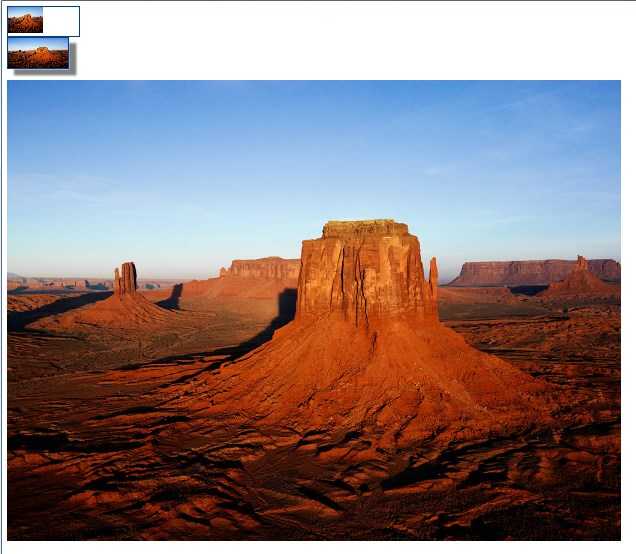
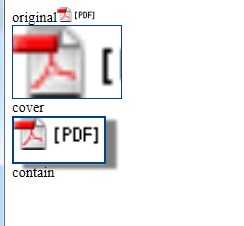
<style>div.div1{width: 120px;height: 50px;background:url("Desert.jpg") no-repeat;background-size:50%;/*将背景图像缩放成父级元素的50%,主要是背景图片的width是父级元素width的一半*/border: 1px solid #00408f;}div.div2{width: 100px;height: 50px;background: url("Desert.jpg");background-size: 100px 50px;/*将背景图像设置成宽度为100px,高度为50px*/border: 2px solid #00408f;box-shadow: 12px 10px 5px gray;}</style><div class="div1"></div><div class="div2"></div><br/><img src="Desert.jpg">
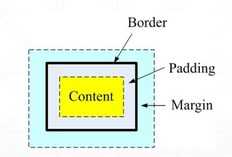 )
)
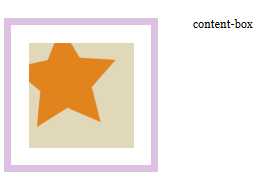
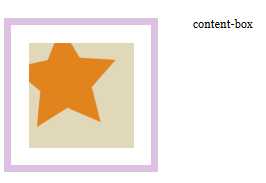
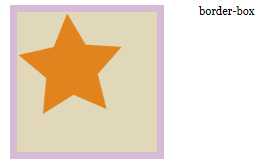
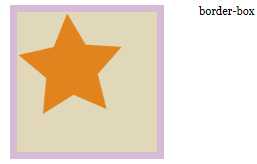
<style type="text/css">body {margin: 0;padding:0;font: 100% Georgia, "Times New Roman", Times, serif;background: #3c6b92;}#wrapper {margin: 0 auto;width: 960px;height: 400px;background: #fff;padding: 50px 0 0 200px;}#wrapper div {float: left;margin-right: 50px;background: #e1d8b9;padding: 25px;}#wrapper #one {width: 150px;height: 150px;border: 10px solid rgba(212, 178, 220, .8);background: #e1d8b9 url(star_icon_large.png) no-repeat;/*因为背景图片是透明的,所以设置了背景颜色*//*在此试验各种值,比如border-box*/background-clip: content-box;/*background-clip: padding-box;background-clip: border-box;*/}</style></head><body><div id="wrapper"><div id="one"></div><span>content-box</span></div></body>
原文:http://www.cnblogs.com/Jener/p/5791533.html