
padding:内边距,所有浏览器都支持,不允许使用负值
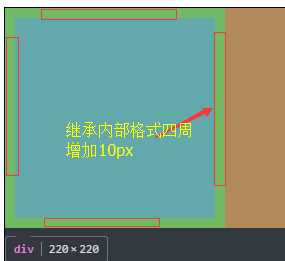
继承内部格式生成了10px的边距。
属性:
auto:浏览器计算机内边距。
length:规定以具体单位计的内边距值,比如像素、厘米等。默认值是 0px。
%:规定基于父元素的宽度的百分比的内边距。
inherit:规定应该从父元素继承内边距。
html代码
<body>
    <div style="width: 500px;height: 300px;border: solid 1px;background-color: #303a40">
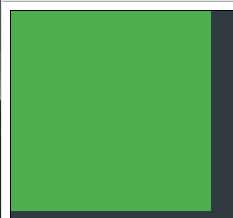
        <div style="width: 200px;height: 200px;background-color: #4cae4c;padding: 10px;"></div>
    </div>
</body>
效果图:
内边距生效前:
marging:外边距
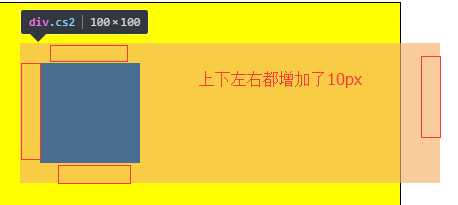
继承外部格式生成了10px边距
css代码
.cs1{
    width: 400px;
    height: 400px;
    border: solid 1px;
    background-color: yellow;
    position: relative;
    left:20px;
    top:20px;
}
.cs2{
    width: 100px;
    height: 100px;
    background-color: black;
    position: relative;
    left:20px;
    top:40px;
    margin:20px;
}
html代码
<!DOCTYPE html>
<html lang="en">
<head>
    <meta charset="UTF-8">
    <title></title>
    <link rel="stylesheet" type="text/css" href="ctest.css">
</head>
<body>
    <div class="cs1">
        <div class="cs2"></div>
    </div>
</body>
</html>
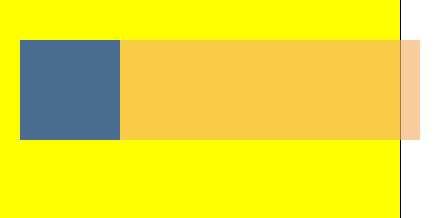
效果图原来样式: 效果图:设置margin后
原文:http://www.cnblogs.com/kongzhagen/p/6124922.html