
首先,需要在VS2015环境下更新到update2,并安装asp.net core环境,并安装Node.js插件。
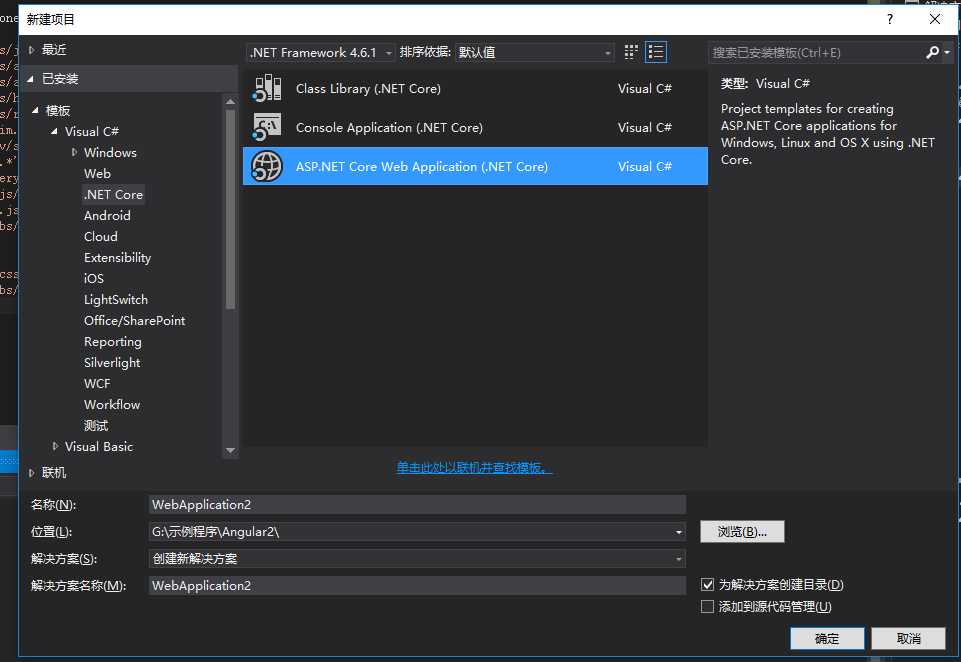
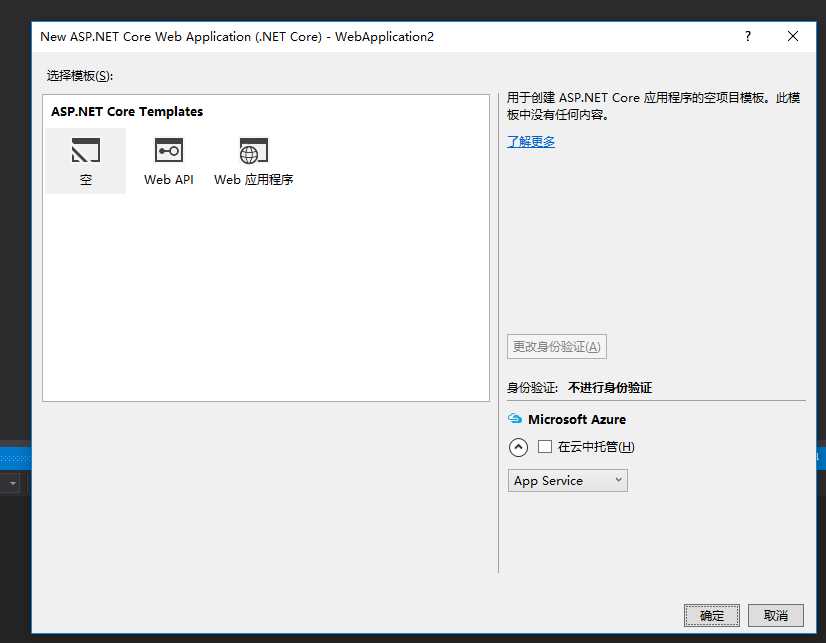
新建asp.net core项目:
此时,需要先新建npm配置文件,如图:
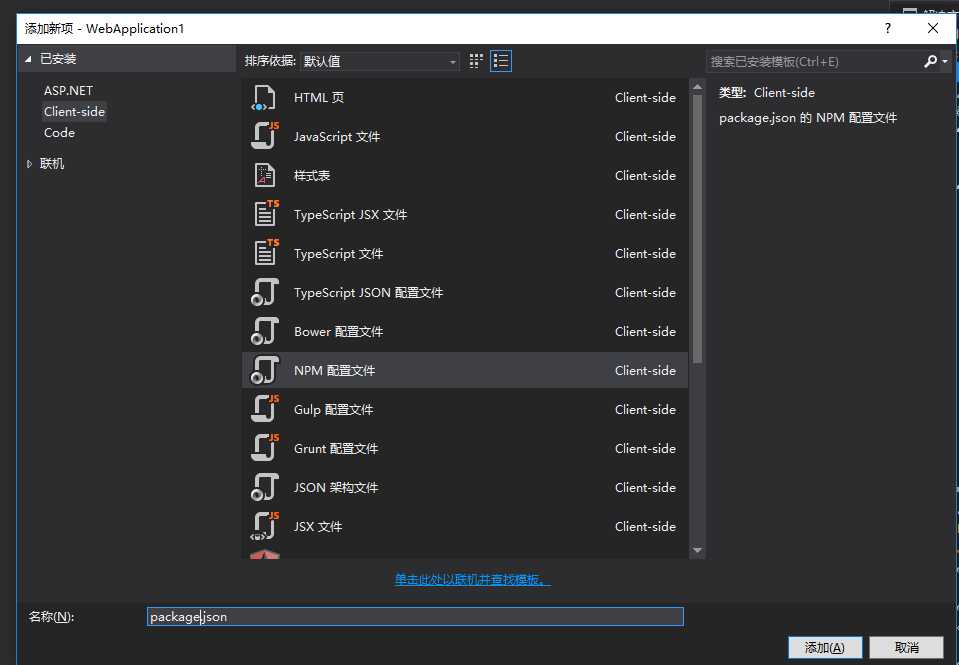
并定义node.js需要加载的文件:

 1 {
 2   "name": "angular2-quickstart",
 3   "version": "1.0.0",
 4   "scripts": {
 5     "tsc": "tsc",
 6     "tsc:w": "tsc -w",
 7     "lite": "lite-server",
 8     "start": "concurrent \"npm run tsc:w\" \"npm run lite\" "
 9   },
10   "license": "ISC",
11   "dependencies": {
12     "angular2": "2.0.0-beta.21",
13     "es6-shim": "^0.35.0",
14     "reflect-metadata": "0.1.2",
15     "require": "2.4.20",
16     "rxjs": "5.0.0-beta.6",
17     "systemjs": "0.19.41",
18     "zone.js": "^0.6.12"
19   },
20   "devDependencies": {
21     "concurrently": "^3.1.0",
22     "lite-server": "^2.2.2",
23     "typescript": "^2.1.4",
24     "typing": "0.1.9",
25     "gulp": "3.9.1"
26   }
27 }
同时,再新建Typescript的配置文件:
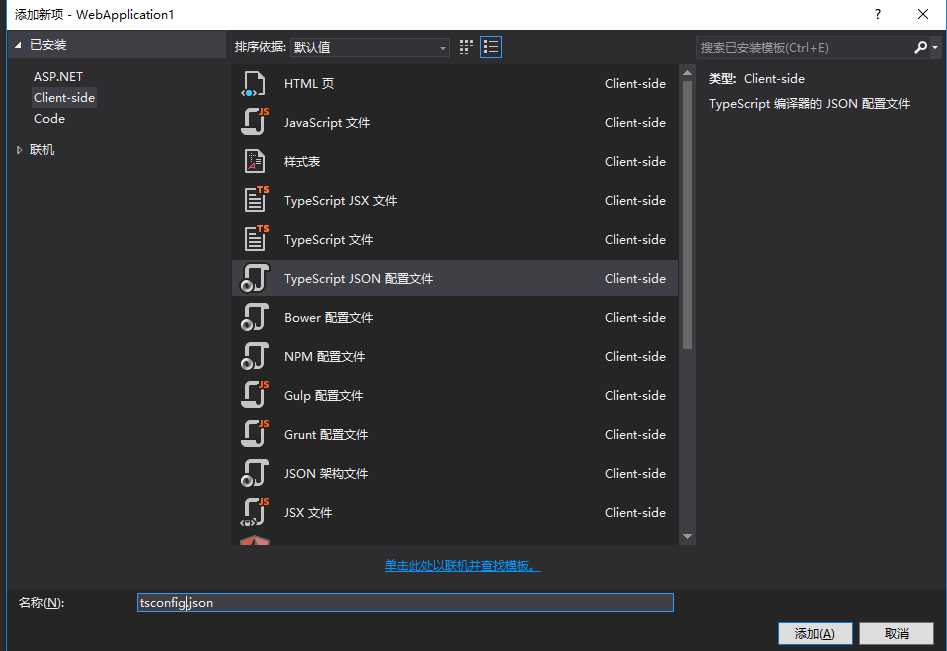
并插入代码:
{
  "compilerOptions": {
    "target": "es5",
    "module": "commonjs",
    "moduleResolution": "node",
    "sourceMap": true,
    "emitDecoratorMetadata": true,
    "experimentalDecorators": true,
    "removeComments": false,
    "noImplicitAny": false,
    "outDir": "wwwroot/app/"
  },
  "exclude": [
    "node_modules"
  ]
}
新建typing.json文件:
{
  "ambientDependencies": {
    "es6-shim": "github:DefinitelyTyped/DefinitelyTyped/es6-shim/es6-shim.d.ts#7de6c3dd94feaeb21f20054b9f30d5dabc5efabd",
    "jasmine": "github:DefinitelyTyped/DefinitelyTyped/jasmine/jasmine.d.ts#7de6c3dd94feaeb21f20054b9f30d5dabc5efabd"
  }
}
再新建Gulp配置文件:
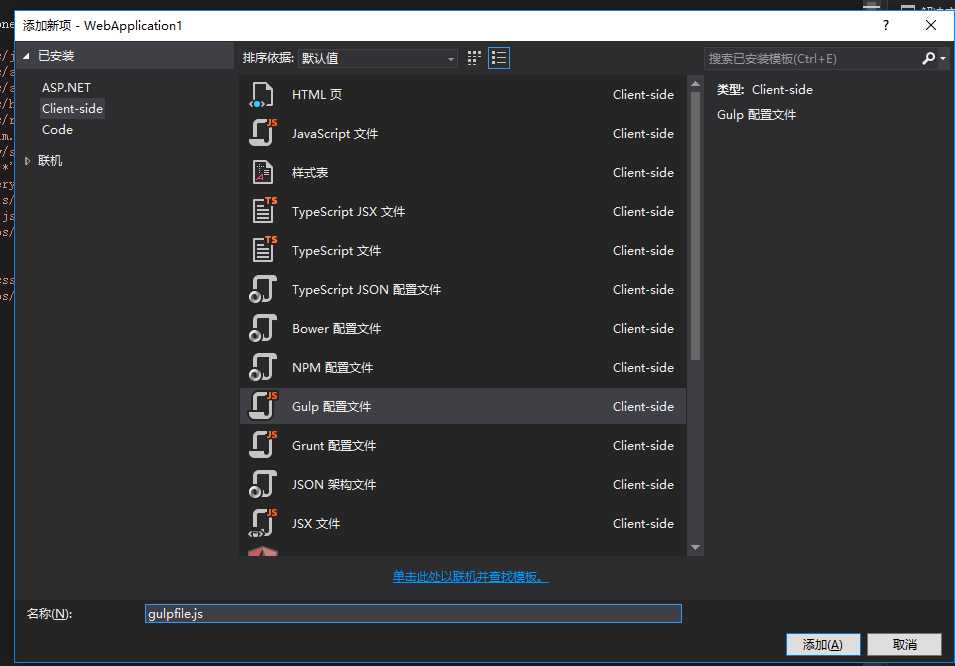
在Gulp文件中,编写任务:
/// <binding BeforeBuild=‘moveToLibs‘ />
var gulp = require(‘gulp‘);

gulp.task(‘moveToLibs‘, function (done) {
    gulp.src([
      ‘node_modules/angular2/bundles/js‘,
      ‘node_modules/angular2/bundles/angular2.*.js*‘,
      ‘node_modules/angular2/bundles/angular2-polyfills.js‘,
      ‘node_modules/angular2/bundles/http.*.js*‘,
      ‘node_modules/angular2/bundles/router.*.js*‘,
      ‘node_modules/es6-shim/es6-shim.min.js*‘,
      ‘node_modules/angular2/es6/dev/src/testing/shims_for_IE.js‘,
      ‘node_modules/systemjs/dist/*.*‘,
      ‘node_modules/jquery/dist/jquery.*js‘,
      ‘node_modules/bootstrap/dist/js/bootstrap*.js‘,
      ‘node_modules/rxjs/bundles/Rx.js‘
    ]).pipe(gulp.dest(‘./wwwroot/libs/‘));

    gulp.src([
      ‘node_modules/bootstrap/dist/css/bootstrap.css‘
    ]).pipe(gulp.dest(‘./wwwroot/libs/css‘));
});
想要angular2代码能够成功运行,此时还需要去配置project.json文件,
{
  "dependencies": {
    "Microsoft.NETCore.App": {
      "version": "1.0.1",
      "type": "platform"
    },
    "Microsoft.AspNetCore.Diagnostics": "1.0.0",
    "Microsoft.AspNetCore.StaticFiles": "1.0.0",
    "Microsoft.AspNetCore.Server.IISIntegration": "1.0.0",
    "Microsoft.AspNetCore.Server.Kestrel": "1.0.1",
    "Microsoft.Extensions.Logging.Console": "1.0.0"
  },

  "tools": {
    "Microsoft.AspNetCore.Server.IISIntegration.Tools": "1.0.0-preview2-final"
  },

  "frameworks": {
    "netcoreapp1.0": {
      "imports": [
        "dotnet5.6",
        "portable-net45+win8"
      ]
    }
  },

  "buildOptions": {
    "emitEntryPoint": true,
    "preserveCompilationContext": true
  },

  "runtimeOptions": {
    "configProperties": {
      "System.GC.Server": true
    }
  },

  "publishOptions": {
    "include": [
      "wwwroot",
      "web.config"
    ]
  },

  "scripts": {
    "prepublish": ["npm install"],
    "postpublish": [ "dotnet publish-iis --publish-folder %publish:OutputPath% --framework %publish:FullTargetFramework%" ]
  }
}
并且,同时需要去Startup.cs启动文件:
using System;
using System.Collections.Generic;
using System.Linq;
using System.Threading.Tasks;
using Microsoft.AspNetCore.Builder;
using Microsoft.AspNetCore.Hosting;
using Microsoft.AspNetCore.Http;
using Microsoft.Extensions.DependencyInjection;
using Microsoft.Extensions.Logging;

namespace WebApplication1
{
    public class Startup
    {
        // This method gets called by the runtime. Use this method to add services to the container.
        // For more information on how to configure your application, visit http://go.microsoft.com/fwlink/?LinkID=398940
        public void ConfigureServices(IServiceCollection services)
        {
        }

        // This method gets called by the runtime. Use this method to configure the HTTP request pipeline.
        public void Configure(IApplicationBuilder app, IHostingEnvironment env, ILoggerFactory loggerFactory)
        {

            app.UseDefaultFiles();
            app.UseStaticFiles();

        }
    }
}
此时可以编写Angular Typescript与HTML代码:
新建一个app.component.ts
/// <reference path="../node_modules/angular2/typings/browser.d.ts" />


import {Component} from ‘angular2/core‘;
@Component({
    selector: ‘my-app‘,
    template: ‘<h1>Angular 2 Sample Application</h1>‘
})
export class AppComponent { }
新建boot.ts启动文件
/// <reference path="../node_modules/angular2/typings/browser.d.ts" />


import {bootstrap}    from ‘angular2/platform/browser‘
import {AppComponent} from ‘./app.component‘
bootstrap(AppComponent);
新建一个index.html
<html>
<head>
    <title>Angular 2 Application</title>

    <script src="/libs/angular2-polyfills.js"></script>
    <script src="/libs/system.js"></script>
    <script src="/libs/Rx.js"></script>
    <script src="/libs/angular2.dev.js"></script>


    <script>
        System.config({
            transpiler: ‘typescript‘,
            typescriptOptions: { emitDecoratorMetadata: true },
            packages: { ‘app‘: { defaultExtension: ‘js‘ } }
        });
        System.import(‘app/boot‘)
              .then(null, console.error.bind(console));
    </script>
</head>
<!-- 3. Display the application -->
<body>
    <my-app>Loading...</my-app>
</body>
</html>
最后Ctrl+F5启动程序,将看到如下效果:
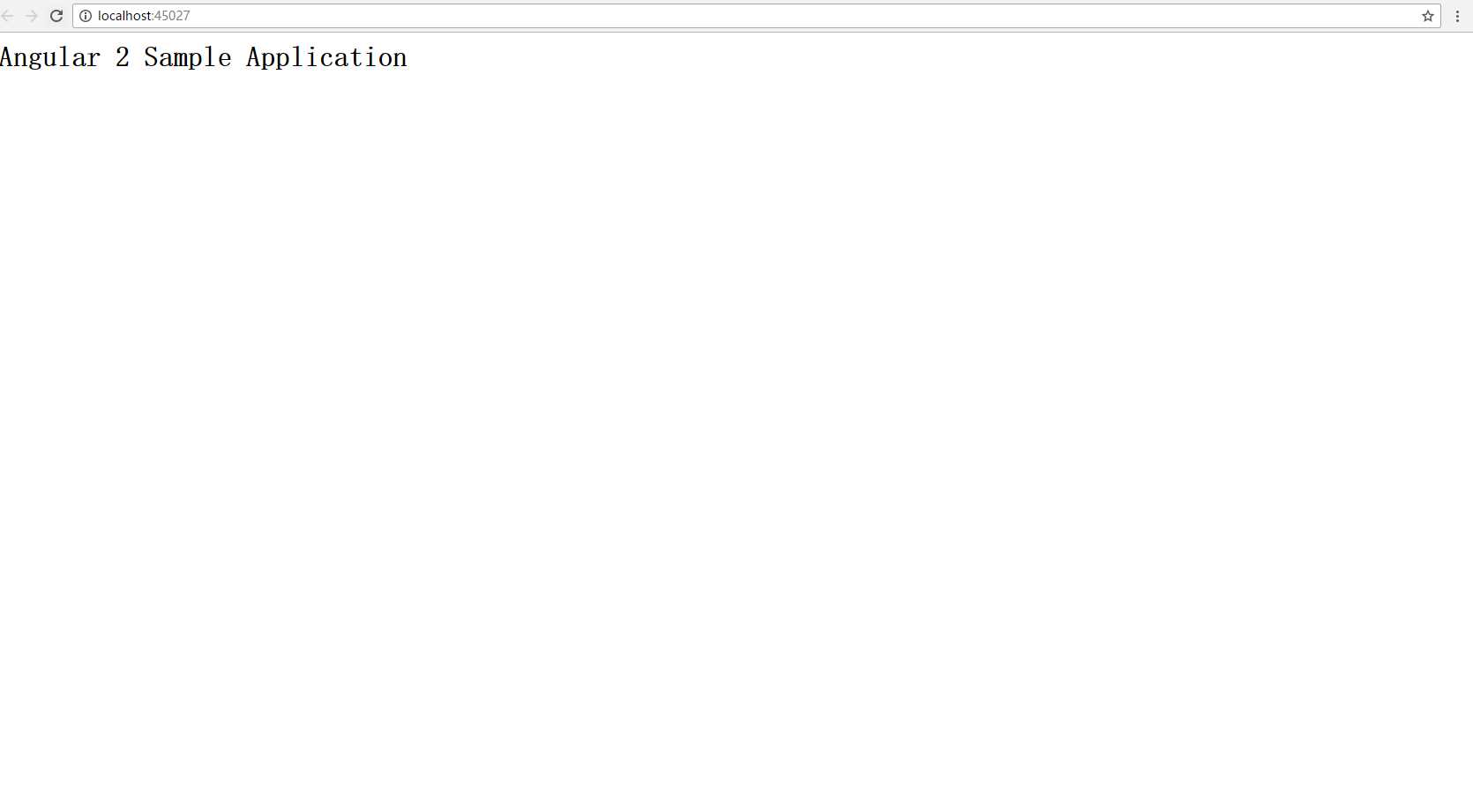
angular2与VS2015 asp.net core集成使用
原文:http://www.cnblogs.com/jimmy109/p/6287566.html
