
一、stroke属性介绍
SVG提供了一个范围广泛stroke属性,用于描述轮廓,其中包括
1.所有的stroke属性,可应用于任何类的线条、文字和元素就像一个圆的轮廓
2.所有的stroke属性,可以单独指定,可以都放在style属性中。
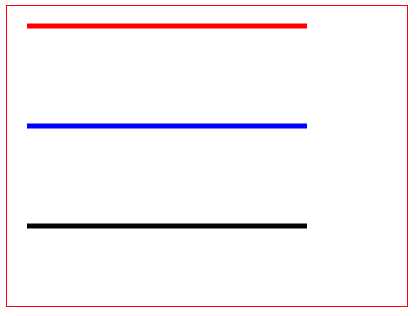
二、stroke属性定义一条线、文本或元素的轮廓颜色,stroke-width属性定义一条线、文本或元素轮廓厚度
<svg style="border:1px solid red;" width="400px" height="300px">
    <g fill=‘none‘>
        <path stroke="red" stroke-width="5" d="M20 20,300 20 " />
        <path stroke="blue" stroke-width="5" d="M20 120,300 120" />
        <path stroke="black" stroke-width="5" d="M20 220,300 220"/>
    </g>
</svg>
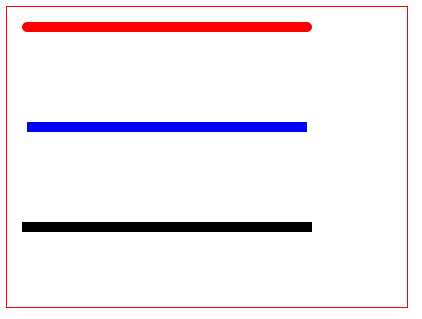
三、stroke-linecap属性定义不同类型的开放路径的终结
<svg style="border:1px solid red;" width="400px" height="300px">
    <g fill=‘none‘ stroke-width="10">
        <path stroke="red"  stroke-linecap="round" d="M20 20,300 20 " />
        <path stroke="blue"  stroke-linecap="butt" d="M20 120,300 120" />
        <path stroke="black" stroke-linecap="square"  d="M20 220,300 220"/>
    </g>
</svg>
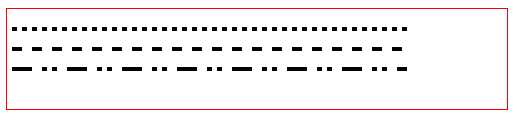
四、stroke-dasharray属性用于创建虚线
<svg style="border:1px solid red;" width="500px" height="100px">
    <g fill=‘none‘ stroke=‘black‘ stroke-width=‘4‘>
        <path stroke-dasharray=‘5,5‘ d=‘M5 20,400,20‘ />
        <path stroke-dasharray=‘10,10‘ d=‘M5 40,400,40‘ />
        <path stroke-dasharray=‘20,10,5,5,5,10‘ d=‘M5 60,400,60‘ />
    </g>
</svg>
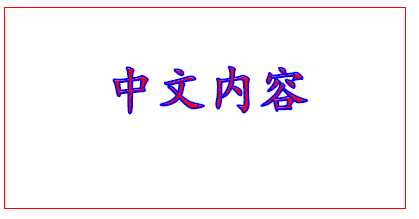
示例1,使用stroke描述文字轮廓
<svg style="border:1px solid red;" width="400px" height="400px">
    <text x=‘100‘ y=‘100‘ fill=‘red‘ style=‘font-size:50px;font-weight:bold;font-family:楷体‘
    stroke=‘blue‘ stroke-width=‘2‘
    >中文内容</text>
</svg>
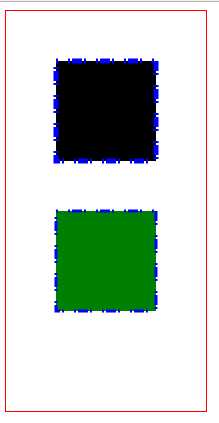
示例2,在style中使用stroke属性
<svg style="border:1px solid red;" width="200px" height="400px">
    <rect style="stroke:blue;stroke-width:5px;stroke-dasharray:2 10 2"
    width=‘100‘ height=‘100‘ x=‘50‘ y=‘50‘></rect>

    <rect style="stroke:blue;stroke-width:3px;"
    stroke-dasharray=‘2,10,2‘ fill=‘green‘
        width=‘100‘ height=‘100‘ x=‘50‘ y=‘200‘></rect>
</svg>
原文:http://www.cnblogs.com/tianma3798/p/6295606.html