
2017年5月20日????12:00
 1.制作虚拟机的VHD

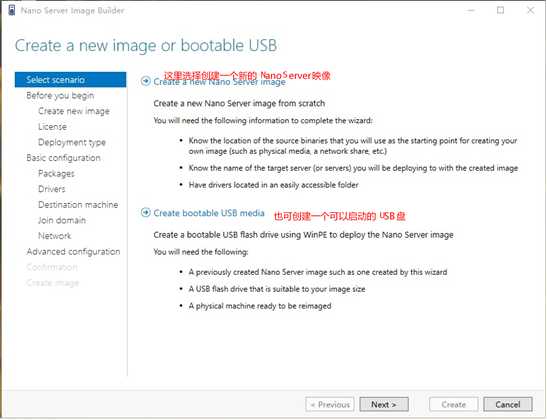
屏幕剪辑的捕获时间: 2017/5/20 12:06
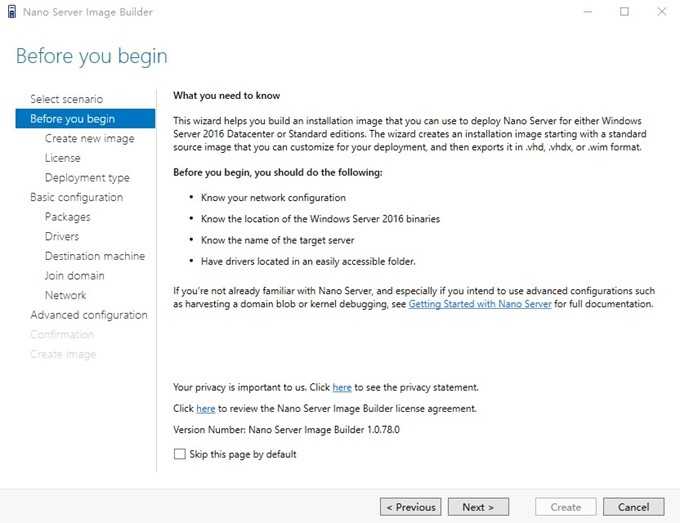
屏幕剪辑的捕获时间: 2017/5/20 12:10
以上是一些预先介绍的信息

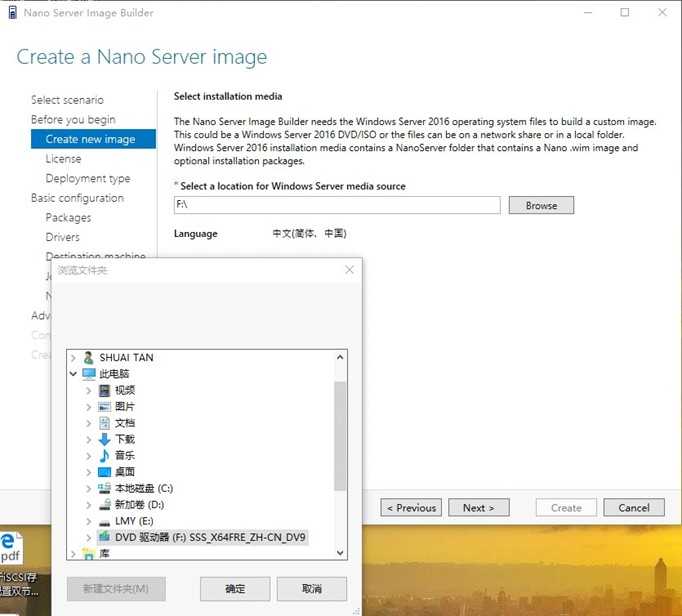
屏幕剪辑的捕获时间: 2017/5/20 12:09
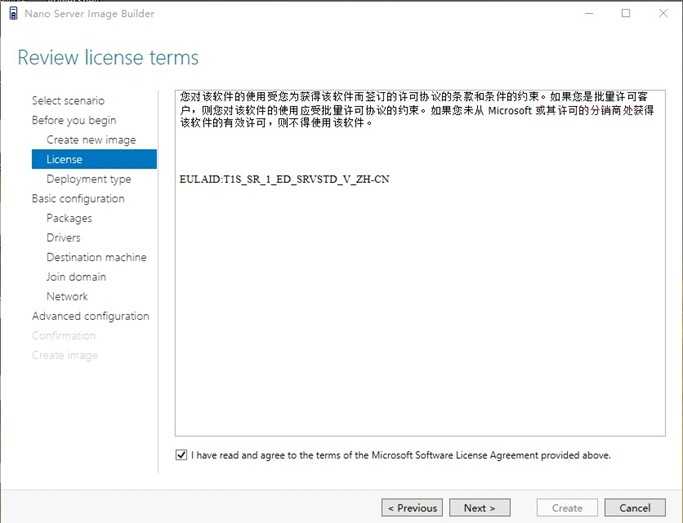
屏幕剪辑的捕获时间: 2017/5/20 12:10
同意许可协议  3.确定部署类型
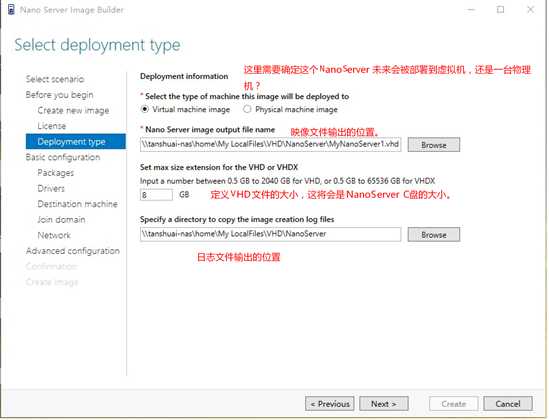
屏幕剪辑的捕获时间: 2017/5/20 12:13

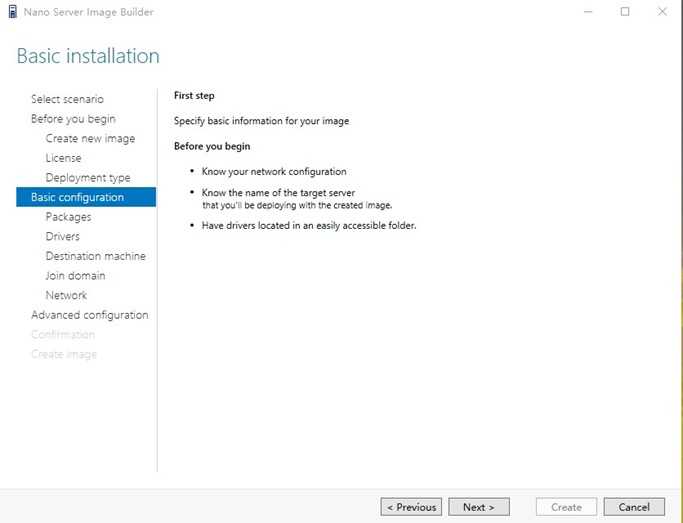
屏幕剪辑的捕获时间: 2017/5/20 12:17
 5.版本、角色和功能的预配
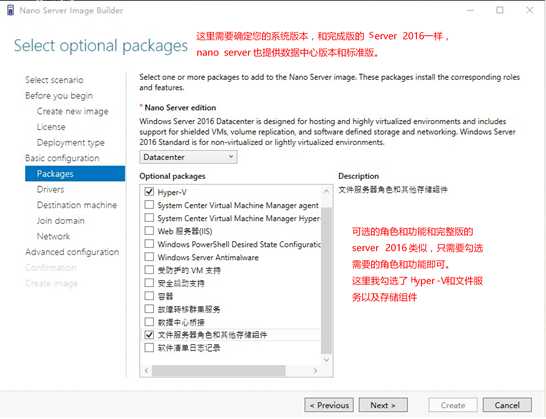
屏幕剪辑的捕获时间: 2017/5/20 12:20

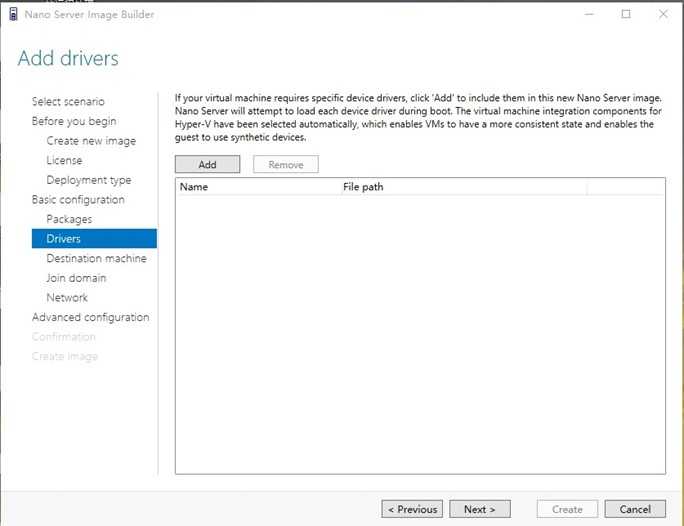
屏幕剪辑的捕获时间: 2017/5/20 12:22

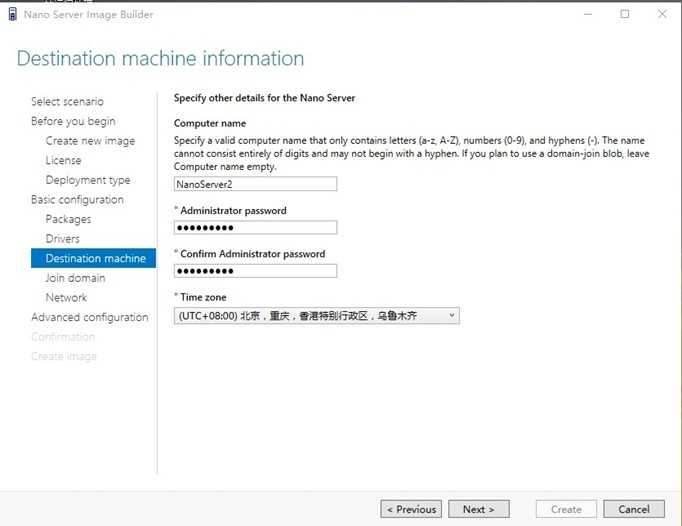
屏幕剪辑的捕获时间: 2017/5/20 12:23

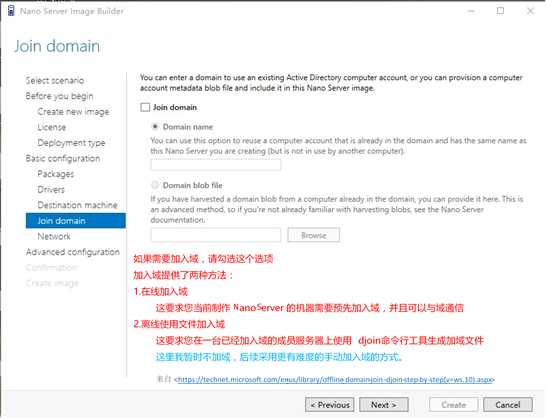
屏幕剪辑的捕获时间: 2017/5/20 12:24

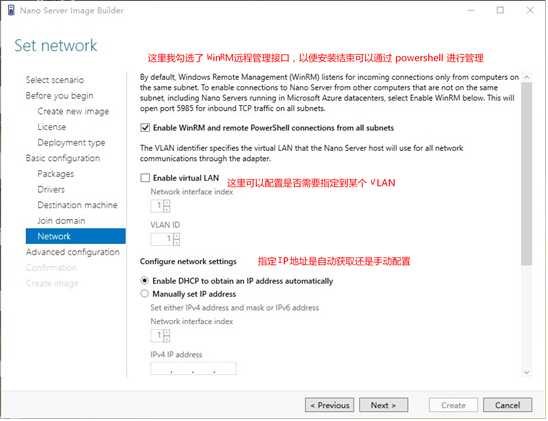
屏幕剪辑的捕获时间: 2017/5/20 12:29

?
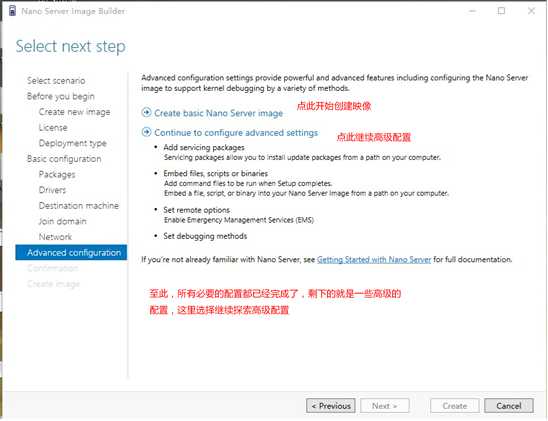
屏幕剪辑的捕获时间: 2017/5/20 12:31


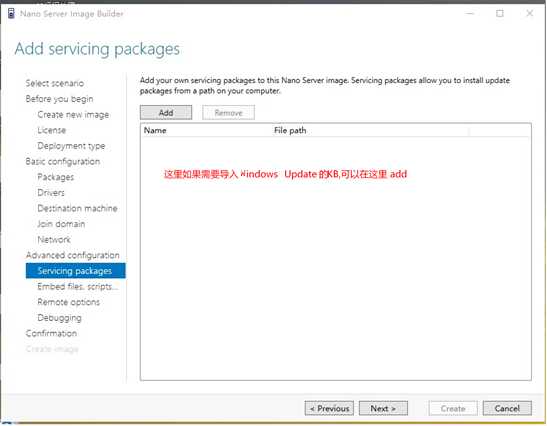
屏幕剪辑的捕获时间: 2017/5/20 12:34
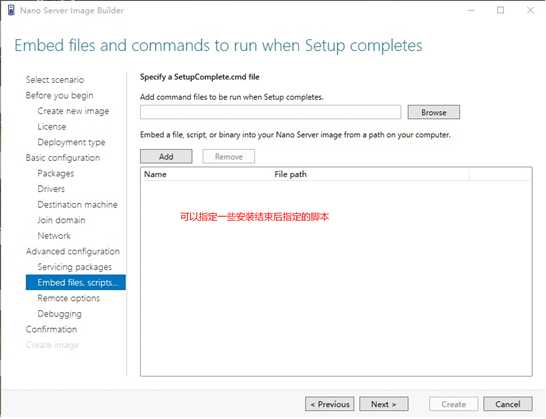
屏幕剪辑的捕获时间: 2017/5/20 12:35

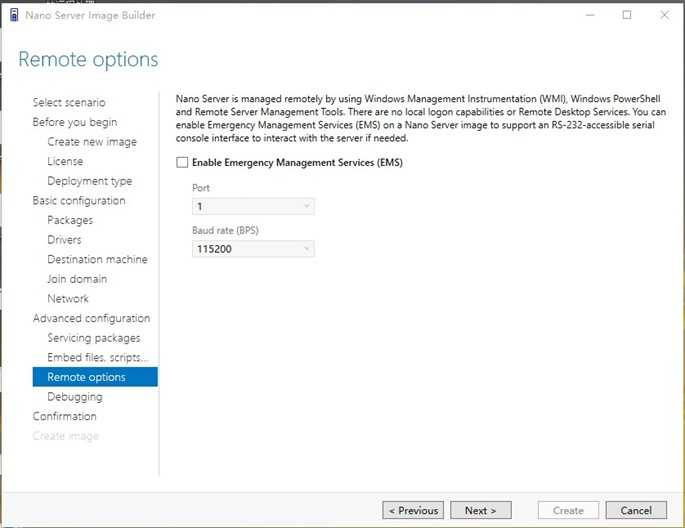
屏幕剪辑的捕获时间: 2017/5/20 12:36
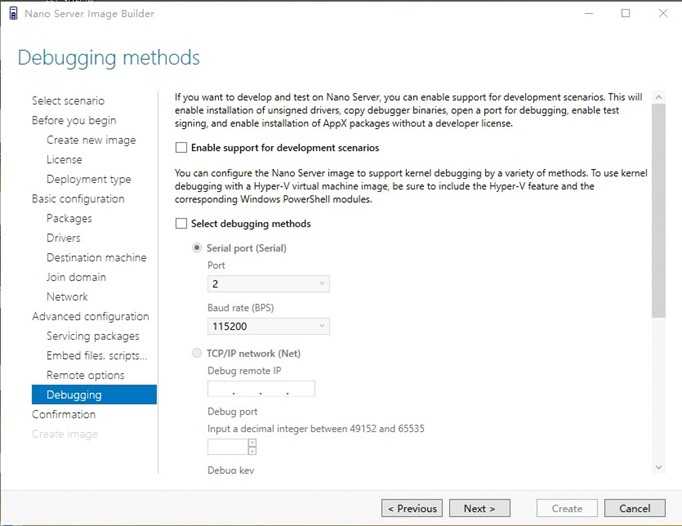
屏幕剪辑的捕获时间: 2017/5/20 12:37

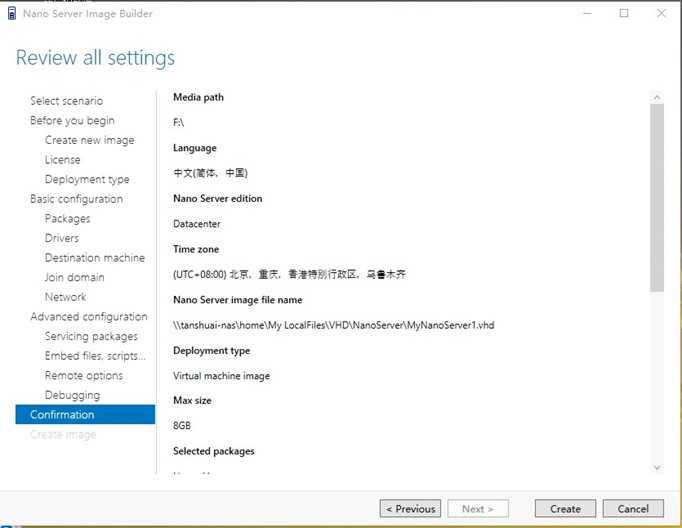
屏幕剪辑的捕获时间: 2017/5/20 12:38
?
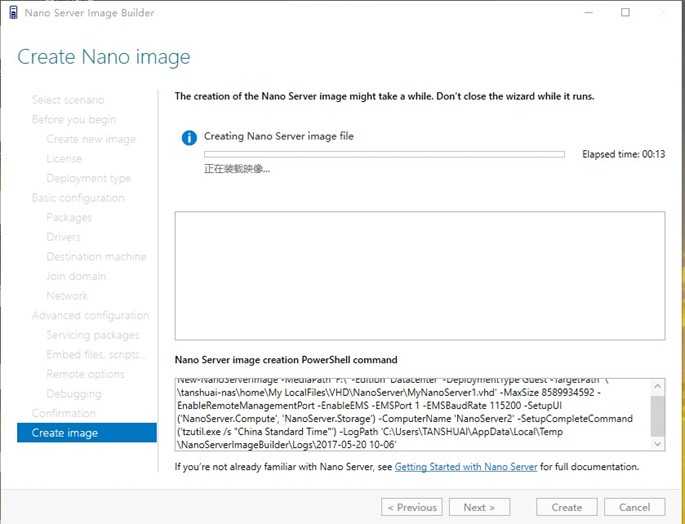
屏幕剪辑的捕获时间: 2017/5/20 12:38

New-NanoServerImage -MediaPath ‘F:\‘ -Edition ‘Datacenter‘ -DeploymentType Guest -TargetPath ‘\\tanshuai-nas\home\My LocalFiles
\VHD\NanoServer\MyNanoServer1.vhd‘ -MaxSize 8589934592 -EnableRemoteManagementPort -EnableEMS -EMSPort 1 -EMSBaudRate 115200 -
SetupUI (‘NanoServer.Compute‘, ‘NanoServer.Storage‘) -ComputerName ‘NanoServer2‘ -SetupCompleteCommand (‘tzutil.exe /s "China
Standard Time"‘) -LogPath ‘C:\Users\TANSHUAI\AppData\Local\Temp\NanoServerImageBuilder\Logs\2017-05-20 10-06‘

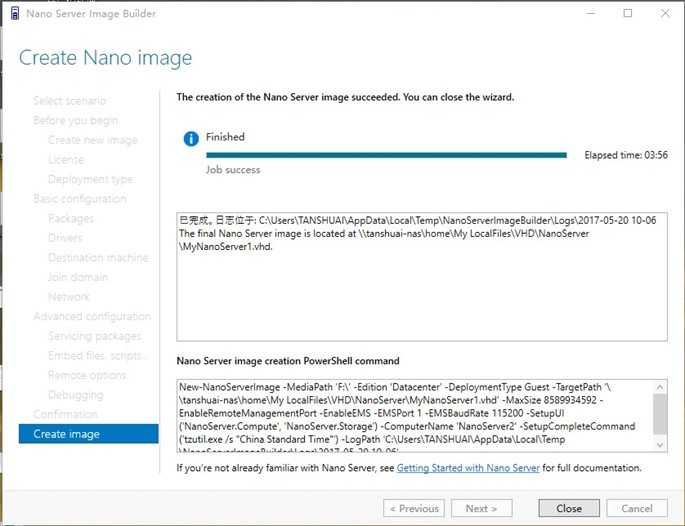
屏幕剪辑的捕获时间: 2017/5/20 12:43
2.在虚拟机中挂载VHD
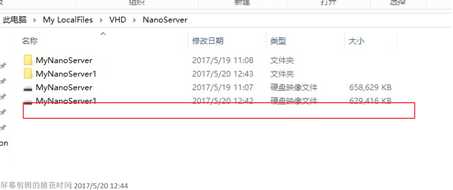

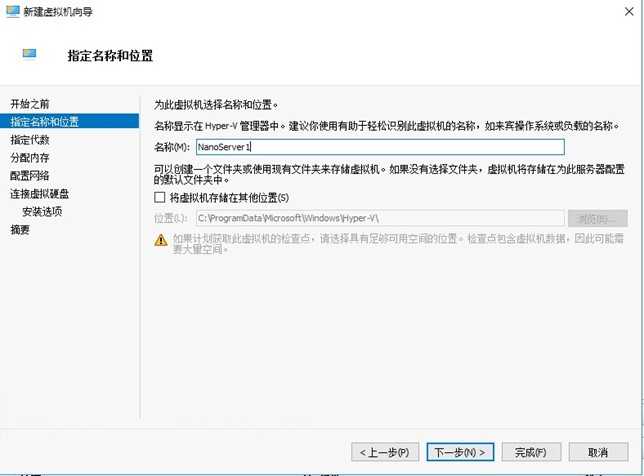
屏幕剪辑的捕获时间: 2017/5/20 12:46
2.使用现有磁盘(使用生成的NanoServer 映像)
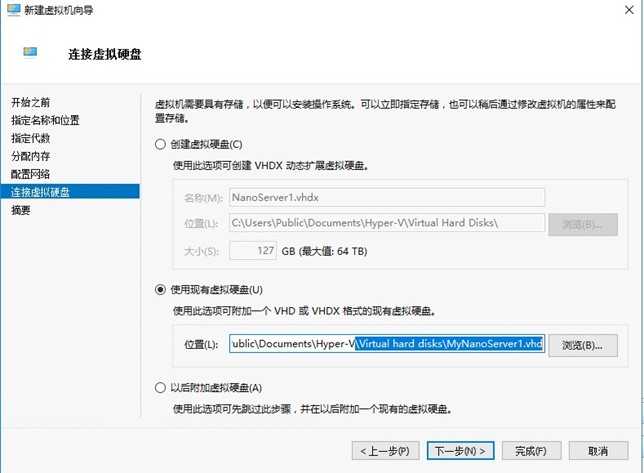
 屏幕剪辑的捕获时间: 2017/5/20 12:47
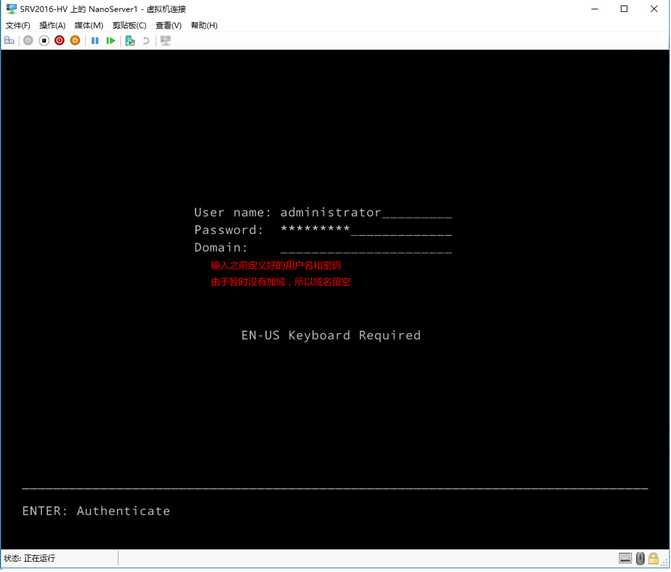
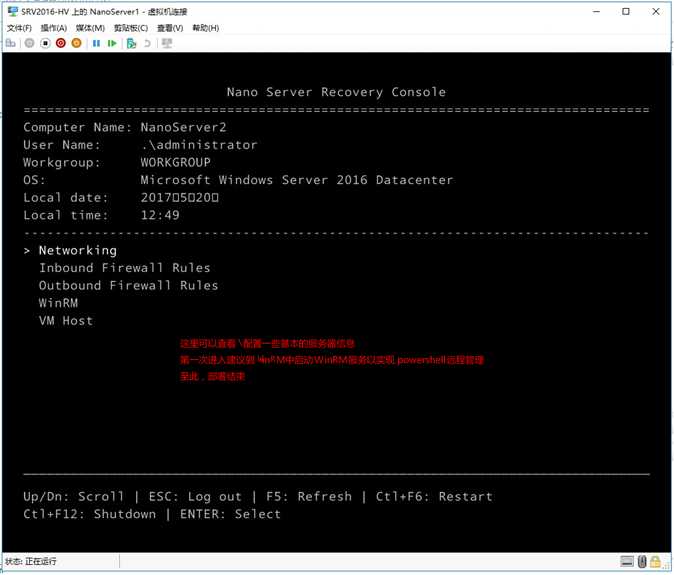 屏幕剪辑的捕获时间: 2017/5/20 12:49 屏幕剪辑的捕获时间: 2017/5/20 12:50
原文:http://www.cnblogs.com/TANSHUAI/p/6883385.html