
回顾上节课的三条经典命令
django-admin startproject 项目名称
#建立项目

python manage.py startapp blog
#建立项目内站点

python manage.py runserver
#启动服务
#runserver后面可以带端口号,表示运行是的端口
Tmeplates:
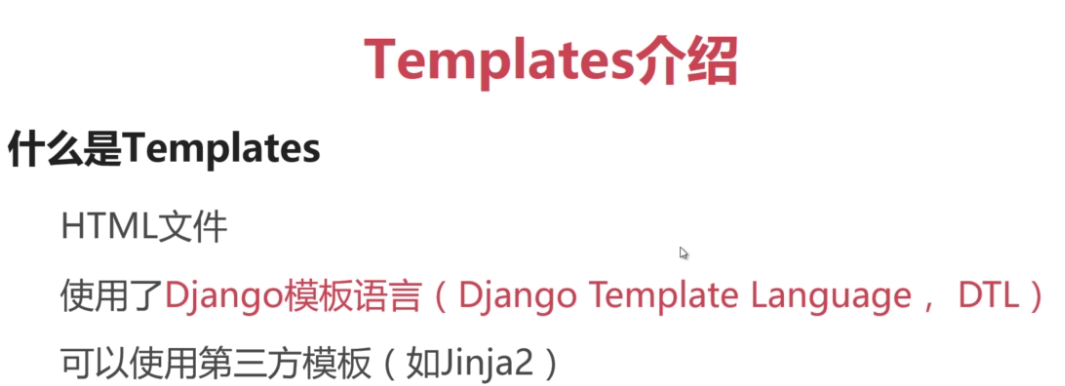
(图片转载至幕课)
在昨天的myblog\blog下简历templates文件夹
结构树
myblog
|
|-----blog
| |
| |-----templates
| | |
| | |-----index.html
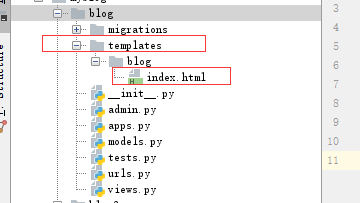
index的body内写入一行,证明他是亲生的
<h1> hello blog web1</h1>
编辑:blog目录下的views.py
目的:指明django读取templates目录下的index.html文件
from django.shortcuts import render
#默认就有


def index(request):

    return render(request,‘blog/index.html‘)
    #反馈index.html的内容
    #为啥不用加templates的内容呢?
    #因为在settings.py里面有这么行参数


TEMPLATES = [
    {
        ‘BACKEND‘: ‘django.template.backends.django.DjangoTemplates‘,
        ‘DIRS‘: [],
        ‘APP_DIRS‘: True,
        ‘OPTIONS‘: {
            ‘context_processors‘: [
                ‘django.template.context_processors.debug‘,
                ‘django.template.context_processors.request‘,
                ‘django.contrib.auth.context_processors.auth‘,
                ‘django.contrib.messages.context_processors.messages‘,
            ],
        },
    },
]


#django默认会指明templates为网页存放文件夹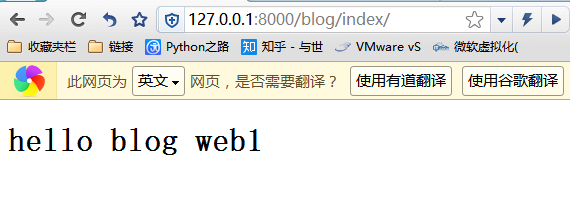
嘿嘿~~这不就出来了嘛

建立DTL内容:
DTL是什么鬼?
理解的是,如果在网页需要传递小参数,直接是用DTL,传递字典。
使用两个小方法后,即可完成
1、
修改blog下的views.py
def index(request):

    #return render(request,‘blog/index.html‘,{‘传递的字典名‘:‘对应的内容‘})
    return render(request, ‘blog/index.html‘, {‘dtlname‘: ‘我们都很帅‘})
2、
去index的body内添加一句
<h1>{{ dtlname }}</h1><body>
<h1>{{ dtlname }}</h1>
<h1> hello blog web1 !!!</h1>
</body>
</html>就完成dtl的快速配置了
·双站点的templates
目录结构
myblog
├─blog
│ │
│ ├─templates
│ │ └─blog
│ │ └─index.html
├─blog2
│ ├─templates
│ │ └─blog2
│ │ └─index.html
blog1-templates配置
index的body内写入一行,证明他是亲生的
<h1> hello blog web1</h1>
编辑:blog目录下的views.py
from django.shortcuts import render
#默认就有

def index(request):

    return render(request,‘blog/index.html‘)
blog2-templates配置
index的body内写入一行,证明他是亲生的
<h1> hello blog web2</h1>
编辑:blog目录下的views.py
from django.shortcuts import render
#默认就有

def index(request):

    return render(request,‘blog2/index.html‘)
----------------------------------------------------

使用
127.0.0.1:8000/blog/index.html
127.0.0.1:8000/blog2/index.html
各自可以访问自行目录,注意:如果在templates下没有单独建立对应文件夹是默认会访问blog目录下的index.html
python 3.5 django 笔记(二)Tmeplates与models
原文:http://rexchow.blog.51cto.com/11619161/1932853
