
通知
安卓和苹果一样,在App进去后台之后,当你需要给客户发送一些消息提醒之类的东西就得使用到通知这个东西,安卓中的通知显然是要比苹果的简单一点,苹果的在通知这方面主要展示在远程推送和本地通知上面,这里我们就简单的说说安卓的本地的通知的以及基本的展示,远程推送的东西在后面涉及到的时候再做总结,先看看下面这个的一个运行效果图,这是我在自己的安卓测试机上看到的效果,其他的就没什么说的,代码中需要注意的东西在代码注释记录的很清楚,就直接上代码:
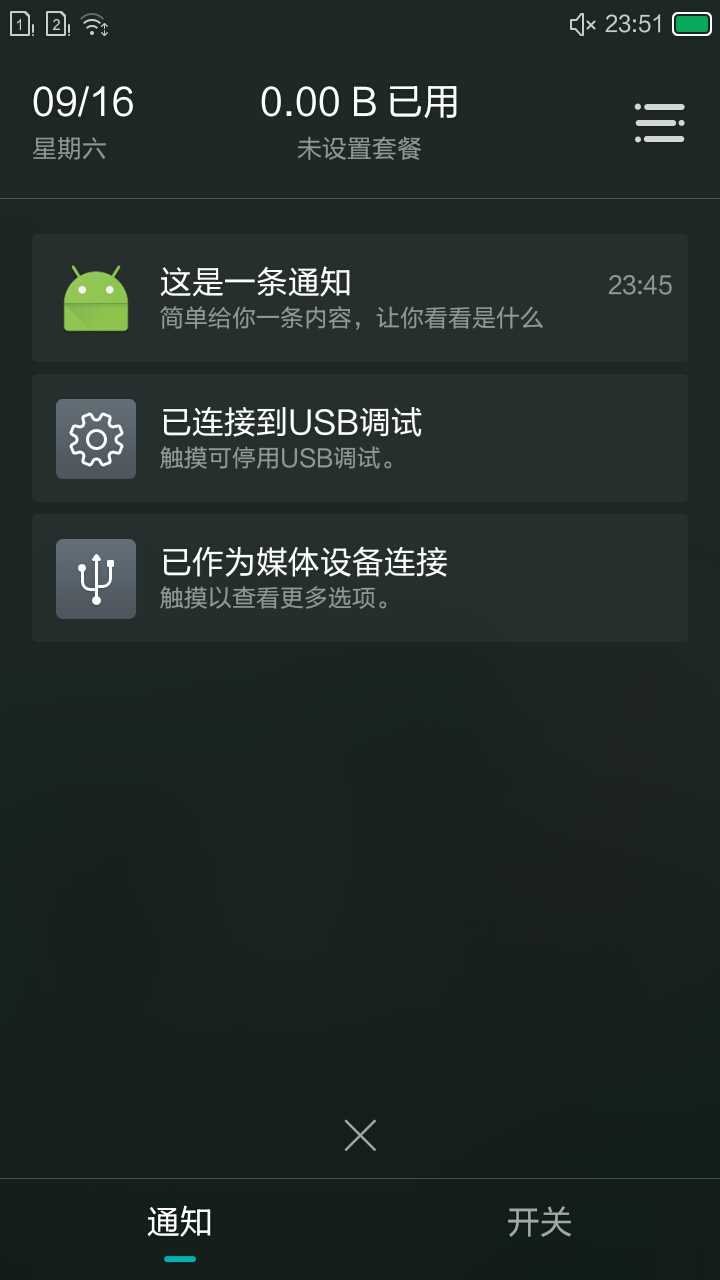
通知
 // 这里注意一下PendingIntent和Intent的区别,Intent更加趋向与立即执行的的动作
                // PendingIntent 更加倾向于在某个合适的时机去执行某个动作
                Intent intent = new Intent(this,NotificationActivity.class);
                PendingIntent pendingIntent = PendingIntent.getActivity(this,0,intent,0);

                //Log.d("TAG","dddddddddddddddddddd");
                NotificationManager manager = (NotificationManager)getSystemService(NOTIFICATION_SERVICE);

                // 这里为什么用NotificationCompat是为了适应API不稳定的问题,每个版本都会多多少少的修改通知内容,使用这个就不会存在这样的问题
                // NotificationCompat.Builder(Context context).build() 得到notification
                // 注意下面的两个设置 setAutoCancel  setContentIntent
                Notification notification = new NotificationCompat.Builder(this)
                                                .setContentTitle("这是一条通知")
                                                .setContentText("简单给你一条内容,让你看看是什么")
                                                .setAutoCancel(true)
                                                .setSmallIcon(R.mipmap.ic_launcher)
                                                .setLargeIcon(BitmapFactory.decodeResource(getResources(),R.mipmap.ic_launcher))
                                                .setContentIntent(pendingIntent)
                                                .build();

                //注意这里的1,这里的1是给这个通知指定的ID
                //可以通过这里设置的这个通知的ID在点击通知栏之后设置通知消失,如下面方式
                //这里设置通知取消
                //NotificationManager notificationManager = (NotificationManager)getSystemService(NOTIFICATION_SERVICE);
                //notificationManager.cancel(1);
                manager.notify(1,notification);
注意上面代码后者中我们是设置了点击通知的响应的,也就是intent,需要你特别留意的一点就是你还可以在具体的显示的活动页面在设置取消通知显示,代码如倒数第三第二行所示。
原文:http://www.cnblogs.com/taoxu/p/7423315.html