
puppet函数
puppet函数主要用途是完成一个功能的集合,puppet的函数很多,只例举常用的几个.
define函数
define函数主要用于创建自定义函数,define支持参数但不支持继承.通常可以通过define函数将多个资源整合为一个资源.
define函数示例(crontab计划任务模块):
新建cron模块,依次建{templates,manifests,lib,files}文件夹,模块资源清单文件manifests下必须有init.pp文件,定义此模块的类且类名唯一.
init.pp文件声明使用cron模块下的basescript类资源.
class cron {
    include cron::basescript
}
basescript.pp类文件定义资源.
注释:把/root/bin下匹配到的脚本文件发送到各agent端的/root/bin文件夹下,同时定义crontab计划任务.
class cron::basescript{
    file {"/root/bin":
    ensure=> directory,
    mode=>755,
}
    define webcronscript ($mode = "755") {
        file { "/root/bin/$name" :
            source => "puppet:///modules/cron/root/bin/$name",
            mode   => $mode,
            require=> File["/root/bin"],
        }
    }
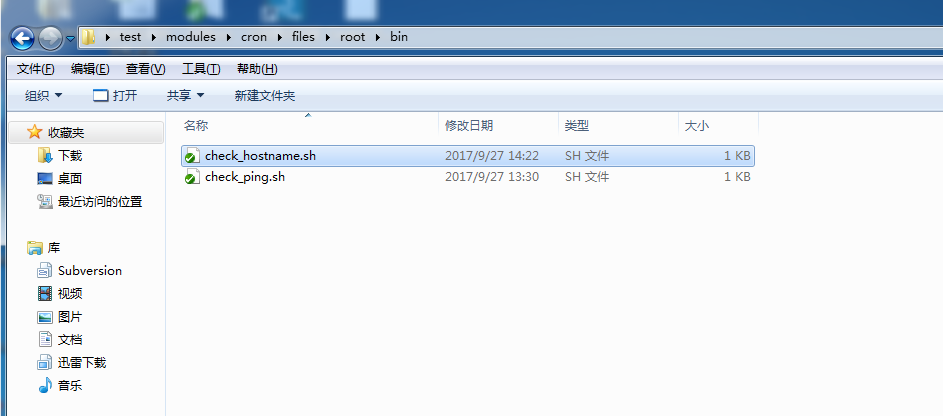
    webcronscript { ["check_ping.sh","check_hostname.sh"]: }
        file { "/etc/cron.d/auto-task":
            owner  => root,
            group  => root,
            mode   => 644,
            source => "puppet:///modules/cron/etc/cron.d/auto-task",
        }
}
cron模块file文件夹下依次创建/root/bin目录及个脚本文件.
脚本文件路径:
cron计划任务:

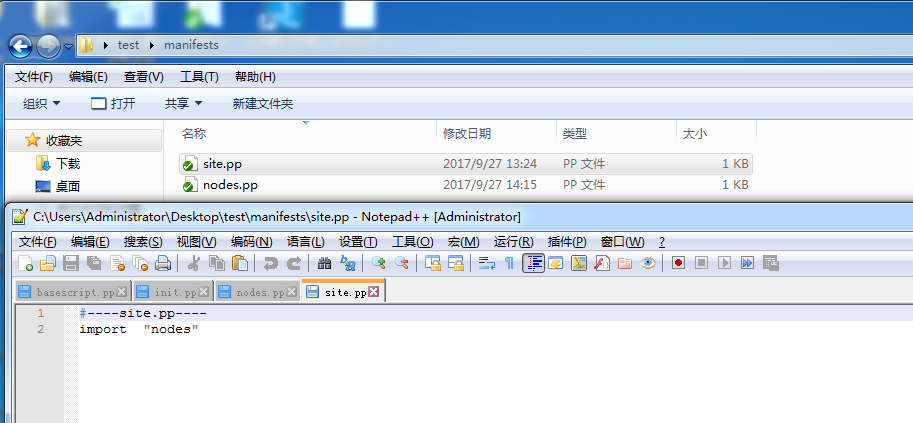
puppet 入口文件import载入nodes.pp文件.
#----site.pp----
import"nodes"
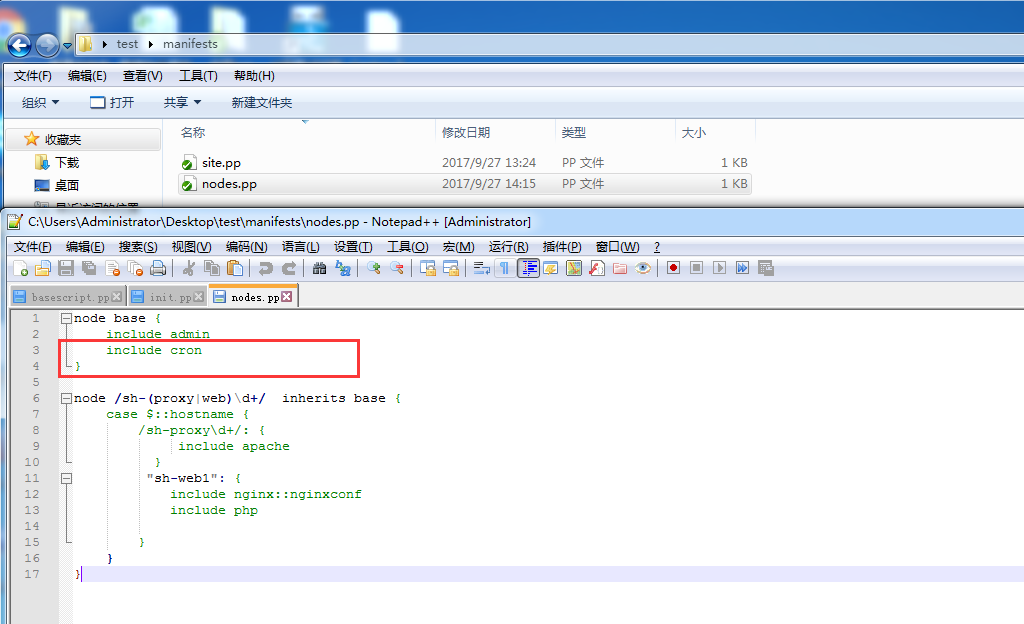
node.pp文件base节点载入cron模块.
node base {
    include admin
    include cron
}
node /sh-(proxy|web)\d+/  inherits base {
    case $::hostname {
        /sh-proxy\d+/: {
             include apache
          }
        "sh-web1": {
             include nginx::nginxconf
             include php
          }
        }
}
sh-proxy2和sh-web1两台agent端更新测试:
[root@sh-proxy2 ~]# puppet agent -t
Info: Retrieving pluginfacts
Info: Retrieving plugin
Info: Loading facts
Info: Caching catalog for sh-proxy2.localdomain
Info: Applying configuration version ‘1506525578‘
Notice: /Stage[main]/Admin/Exec[selinux]/returns: executed successfully
Notice: /Stage[main]/Cron::Basescript/File[/root/bin]/ensure: created
Notice: /Stage[main]/Cron::Basescript/Cron::Basescript::Webcronscript[check_ping.sh]/File[/root/bin/check_ping.sh]/ensure: defined content as ‘{md5}a68da6e8a332234afa8c9d3c2834c5df‘
Notice: /Stage[main]/Cron::Basescript/Cron::Basescript::Webcronscript[check_hostname.sh]/File[/root/bin/check_hostname.sh]/ensure: defined content as ‘{md5}47b425aa5853a5487c139957101cb08c‘
Notice: Finished catalog run in 0.44 seconds
[root@sh-web1 bin]# puppet agent -t
Notice: Ignoring --listen on onetime run
Info: Retrieving pluginfacts
Info: Retrieving plugin
Info: Loading facts
Info: Caching catalog for sh-web1.localdomain
Info: Applying configuration version ‘1506522880‘
Notice: /Stage[main]/Admin/Exec[selinux]/returns: executed successfully
Notice: /Stage[main]/Cron::Basescript/Cron::Basescript::Webcronscript[check_ping.sh]/File[/root/bin/check_ping.sh]/ensure: defined content as ‘{md5}a68da6e8a332234afa8c9d3c2834c5df‘
Notice: /Stage[main]/Cron::Basescript/File[/etc/cron.d/auto-task]/ensure: defined content as ‘{md5}d77faa0254d615e0fcb646beb73a91e3‘
Notice: /Stage[main]/Cron::Basescript/Cron::Basescript::Webcronscript[check_hostname.sh]/File[/root/bin/check_hostname.sh]/ensure: defined content as ‘{md5}47b425aa5853a5487c139957101cb08c‘
Notice: Finished catalog run in 0.53 secondstagged函数用法:
tagged通过tag为资源做标记,并通过tagged函数判断被标记的类与类之间的关系.
下面通过php模块演示:
modules/php/init.pp文件内容:
class php {
    include php::phpfpmconf
    $packages = [‘php‘,‘php-devel‘]
        package {[$packages]:
        ensure=> "installed"
    }
    package {"php-fpm":
        ensure => present,
    }
    service {"php-fpm":
        ensure=> running,
        enable=> true,
        hasrestart=> true,
        hasstatus=> true,
        provider => init,
        require=> Package["php-fpm"],
    }
}
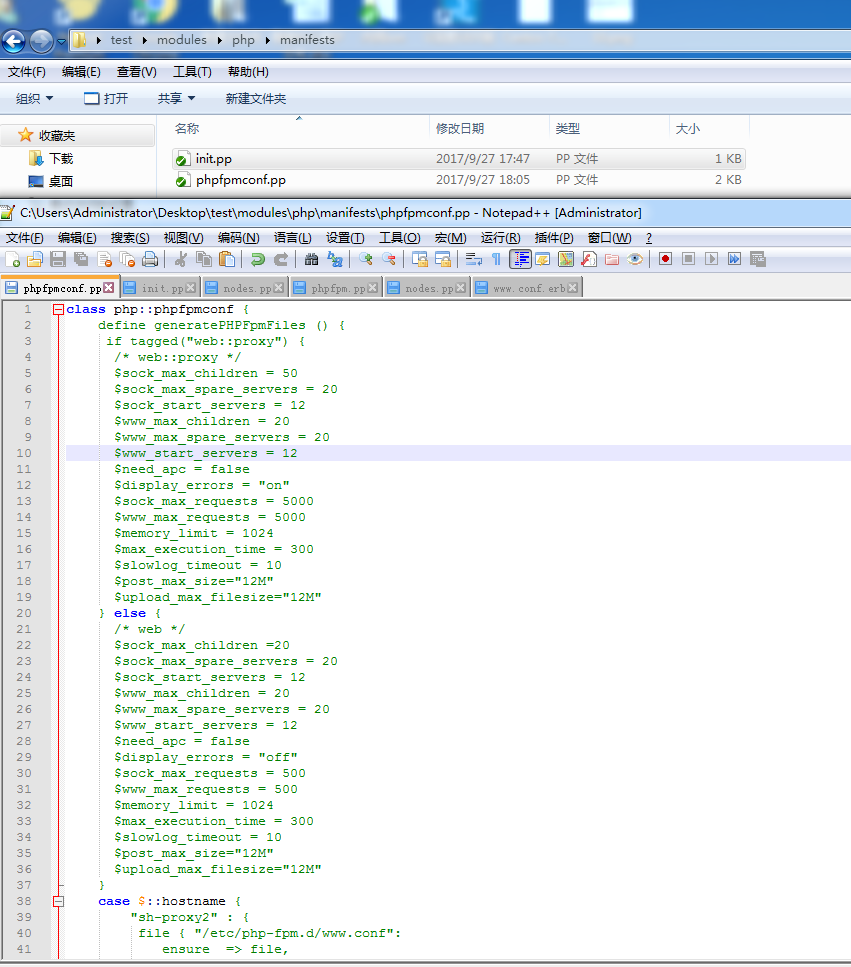
modules/php/phpfpmconf.pp函数文件内容:
注释:通过tagged函数来区分php参数,即各个类型主机匹配的资源.
class php::phpfpmconf {
define generatePHPFpmFiles () {
 if tagged("web::proxy") {
      /* web::proxy */
      $sock_max_children = 50
      $sock_max_spare_servers = 20
      $sock_start_servers = 12
      $www_max_children = 20
      $www_max_spare_servers = 20
      $www_start_servers = 12
      $need_apc = false
      $display_errors = "on"
      $sock_max_requests = 5000
      $www_max_requests = 5000
      $memory_limit = 1024
      $max_execution_time = 300
      $slowlog_timeout = 10
      $post_max_size="12M"
      $upload_max_filesize="12M"
    } else {
      /* web */
      $sock_max_children =20
      $sock_max_spare_servers = 20
      $sock_start_servers = 12
      $www_max_children = 20
      $www_max_spare_servers = 20
      $www_start_servers = 12
      $need_apc = false
      $display_errors = "off"
      $sock_max_requests = 500
      $www_max_requests = 500
      $memory_limit = 1024
      $max_execution_time = 300
      $slowlog_timeout = 10
      $post_max_size="12M"
      $upload_max_filesize="12M"
    }
case $::hostname {
    "sh-proxy2" : {
        file { "/etc/php-fpm.d/www.conf":
            ensure  => file,
            content => template(‘php/www.conf.erb‘),
            #notify => Service["php-fpm"],
    }
}
    default :{
        file { "/etc/php-fpm.d/www.conf":
              owner   => "root",
              group   => "root",
              mode    => "644",
              ensure  => "file",
              content => template("php/www.conf.erb")
                }
        }
    }
}
case $::hostname {
    /[a-z][A-Z]\d+/ : {
      generatePHPFpmFiles { ‘dv‘: }
    }
    default   : {
      generatePHPFpmFiles { $::hostname: }
    }
  }
}
modules/php/templates/www.conf.erb模板内容大致也就是上面那些定义变量的参数:
注释:先安装一台php-fpm,把/etc/php-fpm.d/www.conf文件复制粘贴一份做模板文件,里面参数改改就行.
pm = static
pm.max_children = <%= www_max_children %>
pm.start_servers = <%= www_start_servers %>
pm.max_spare_servers = <%= www_max_spare_servers %>
.....
puppet的node.pp文件,在匹配sh-proxy主机时定义tag标记。
注释:匹配到主机sh-proxy定义tag为web::proxy.
node base {
    include admin
    include cron
}
node /sh-(proxy|web)\d+/  inherits base {
case $::hostname {
    /sh-proxy\d+/: {
        tag ("web::proxy")
             include php
      }
      "sh-web1": {
              include php
            }
    }
}
agent端更新测试:
[root@sh-proxy2 php-fpm.d]# puppet agent -t
Info: Retrieving pluginfacts
Info: Retrieving plugin
Info: Loading facts
Info: Caching catalog for sh-proxy2.localdomain
Info: Applying configuration version ‘1506534804‘
Notice: /Stage[main]/Admin/Exec[selinux]/returns: executed successfully
Notice: /Stage[main]/Php::Phpfpmconf/Php::Phpfpmconf::Generatephpfpmfiles[sh-proxy2]/File[/etc/php-fpm.d/www.conf]/content:
--- /etc/php-fpm.d/www.conf2017-03-22 20:29:28.000000000 +0800
+++ /tmp/puppet-file20170928-96466-ix9fq8-02017-09-28 01:53:24.115952791 +0800
@@ -1,3 +1,13 @@
+[global]
+; Pid file
+; Default Value: none
+pid = /var/run/php-fpm_www.pid
+
+
+; Error log file
+; Default Value: /usr/local/var/log/php-fpm.log
+error_log = /var/log/php-fpm/php-fpm.error.log
+
 ; Start a new pool named ‘www‘.
 [www]

@@ -9,11 +19,14 @@
 ;                            specific port;
 ;   ‘/path/to/unix/socket‘ - to listen on a unix socket.
 ; Note: This value is mandatory.
-listen = 127.0.0.1:9000
+
+
+listen = 9000
+

 ; Set listen(2) backlog. A value of ‘-1‘ means unlimited.
 ; Default Value: -1
-;listen.backlog = -1
+listen.backlog = 4096

 ; List of ipv4 addresses of FastCGI clients which are allowed to connect.
 ; Equivalent to the FCGI_WEB_SERVER_ADDRS environment variable in the original
@@ -21,7 +34,7 @@
 ; must be separated by a comma. If this value is left blank, connections will be
 ; accepted from any ip address.
 ; Default Value: any
-listen.allowed_clients = 127.0.0.1
+;listen.allowed_clients =

 ; Set permissions for unix socket, if one is used. In Linux, read/write
 ; permissions must be set in order to allow connections from a web server. Many
@@ -36,9 +49,9 @@
 ; Note: The user is mandatory. If the group is not set, the default user‘s group
 ;       will be used.
 ; RPM: apache Choosed to be able to access some dir as httpd
-user = apache
+user = nobody
 ; RPM: Keep a group allowed to write in log dir.
-group = apache
+group = www

 ; Choose how the process manager will control the number of child processes.
 ; Possible Values:
@@ -57,7 +70,7 @@
 ;                                    of ‘idle‘ processes is greater than this
 ;                                    number then some children will be killed.
 ; Note: This value is mandatory.
-pm = dynamic
+pm = static

 ; The number of child processes to be created when pm is set to ‘static‘ and the
 ; maximum number of child processes to be created when pm is set to ‘dynamic‘.
@@ -67,12 +80,12 @@
 ; CGI.
 ; Note: Used when pm is set to either ‘static‘ or ‘dynamic‘
 ; Note: This value is mandatory.
-pm.max_children = 50
+pm.max_children = 20

 ; The number of child processes created on startup.
 ; Note: Used only when pm is set to ‘dynamic‘
 ; Default Value: min_spare_servers + (max_spare_servers - min_spare_servers) / 2
-pm.start_servers = 5
+pm.start_servers = 12

 ; The desired minimum number of idle server processes.
 ; Note: Used only when pm is set to ‘dynamic‘
@@ -82,13 +95,13 @@
 ; The desired maximum number of idle server processes.
 ; Note: Used only when pm is set to ‘dynamic‘
 ; Note: Mandatory when pm is set to ‘dynamic‘
-pm.max_spare_servers = 35
+pm.max_spare_servers = 20

 ; The number of requests each child process should execute before respawning.
 ; This can be useful to work around memory leaks in 3rd party libraries. For
 ; endless request processing specify ‘0‘. Equivalent to PHP_FCGI_MAX_REQUESTS.
-; Default Value: 0
-;pm.max_requests = 500
+; Default Value: -2
+pm.max_requests = 5000

 ; The URI to view the FPM status page. If this value is not set, no URI will be
 ; recognized as a status page. By default, the status page shows the following
@@ -118,7 +131,7 @@
 ;       anything, but it may not be a good idea to use the .php extension or it
 ;       may conflict with a real PHP file.
 ; Default Value: not set
-;pm.status_path = /status
+pm.status_path = /status

 ; The ping URI to call the monitoring page of FPM. If this value is not set, no
 ; URI will be recognized as a ping page. This could be used to test from outside
@@ -135,20 +148,20 @@
 ; This directive may be used to customize the response of a ping request. The
 ; response is formatted as text/plain with a 200 response code.
 ; Default Value: pong
-;ping.response = pong
+ping.response = pong

 ; The timeout for serving a single request after which the worker process will
 ; be killed. This option should be used when the ‘max_execution_time‘ ini option
 ; does not stop script execution for some reason. A value of ‘0‘ means ‘off‘.
 ; Available units: s(econds)(default), m(inutes), h(ours), or d(ays)
 ; Default Value: 0
-;request_terminate_timeout = 0
+request_terminate_timeout = 0

 ; The timeout for serving a single request after which a PHP backtrace will be
 ; dumped to the ‘slowlog‘ file. A value of ‘0s‘ means ‘off‘.
 ; Available units: s(econds)(default), m(inutes), h(ours), or d(ays)
 ; Default Value: 0
-;request_slowlog_timeout = 0
+request_slowlog_timeout = 10

 ; The log file for slow requests
 ; Default Value: not set
@@ -179,24 +192,16 @@
 ; Redirect worker stdout and stderr into main error log. If not set, stdout and
 ; stderr will be redirected to /dev/null according to FastCGI specs.
 ; Default Value: no
-;catch_workers_output = yes
+catch_workers_output = yes

-; Limits the extensions of the main script FPM will allow to parse. This can
-; prevent configuration mistakes on the web server side. You should only limit
-; FPM to .php extensions to prevent malicious users to use other extensions to
-; exectute php code.
-; Note: set an empty value to allow all extensions.
-; Default Value: .php
-;security.limit_extensions = .php .php3 .php4 .php5
-
 ; Pass environment variables like LD_LIBRARY_PATH. All $VARIABLEs are taken from
 ; the current environment.
 ; Default Value: clean env
-;env[HOSTNAME] = $HOSTNAME
-;env[PATH] = /usr/local/bin:/usr/bin:/bin
-;env[TMP] = /tmp
-;env[TMPDIR] = /tmp
-;env[TEMP] = /tmp
+env[HOSTNAME] = $HOSTNAME
+env[PATH] = /usr/local/bin:/usr/bin:/bin
+env[TMP] = /tmp
+env[TMPDIR] = /tmp
+env[TEMP] = /tmp

 ; Additional php.ini defines, specific to this pool of workers. These settings
 ; overwrite the values previously defined in the php.ini. The directives are the
@@ -215,12 +220,10 @@
 ; Default Value: nothing is defined by default except the values in php.ini and
 ;                specified at startup with the -d argument
 ;php_admin_value[sendmail_path] = /usr/sbin/sendmail -t -i -f www@my.domain.com
-;php_flag[display_errors] = off
-php_admin_value[error_log] = /var/log/php-fpm/www-error.log
+php_flag[display_errors] = on
+php_admin_value[error_log] = /var/log/php-fpm/www.error.log
 php_admin_flag[log_errors] = on
-;php_admin_value[memory_limit] = 128M
-
-; Set session path to a directory owned by process user
-php_value[session.save_handler] = files
-php_value[session.save_path] = /var/lib/php/session
+;php_admin_value[memory_limit] = 32M

+;add by zkf . add some file support. p file is used by channel.
+security.limit_extensions = .php .php3 .php4 .php5 .html .do .js .css .htm p
\ No newline at end of file
Info: Computing checksum on file /etc/php-fpm.d/www.conf
Info: /Stage[main]/Php::Phpfpmconf/Php::Phpfpmconf::Generatephpfpmfiles[sh-proxy2]/File[/etc/php-fpm.d/www.conf]: Filebucketed /etc/php-fpm.d/www.conf to puppet with sum 2402465907d7a7544db6315c55248938
Notice: /Stage[main]/Php::Phpfpmconf/Php::Phpfpmconf::Generatephpfpmfiles[sh-proxy2]/File[/etc/php-fpm.d/www.conf]/content: content changed ‘{md5}2402465907d7a7544db6315c55248938‘ to ‘{md5}a8ef2b23bd9feab1848d3dfe27ab1bd6‘
Notice: Finished catalog run in 0.56 seconds
grep过滤修改的参数查看是否改变了:
[root@sh-proxy2 php-fpm.d]# cat www.conf | grep requests
; The address on which to accept FastCGI requests.
; This value sets the limit on the number of simultaneous requests that will be
; The number of requests each child process should execute before respawning.
pm.max_requests = 5000
; The log file for slow requests
template函数
template函数可以通过file资源调用模块中的*.erb模板文件。
示例(上面的php模板):
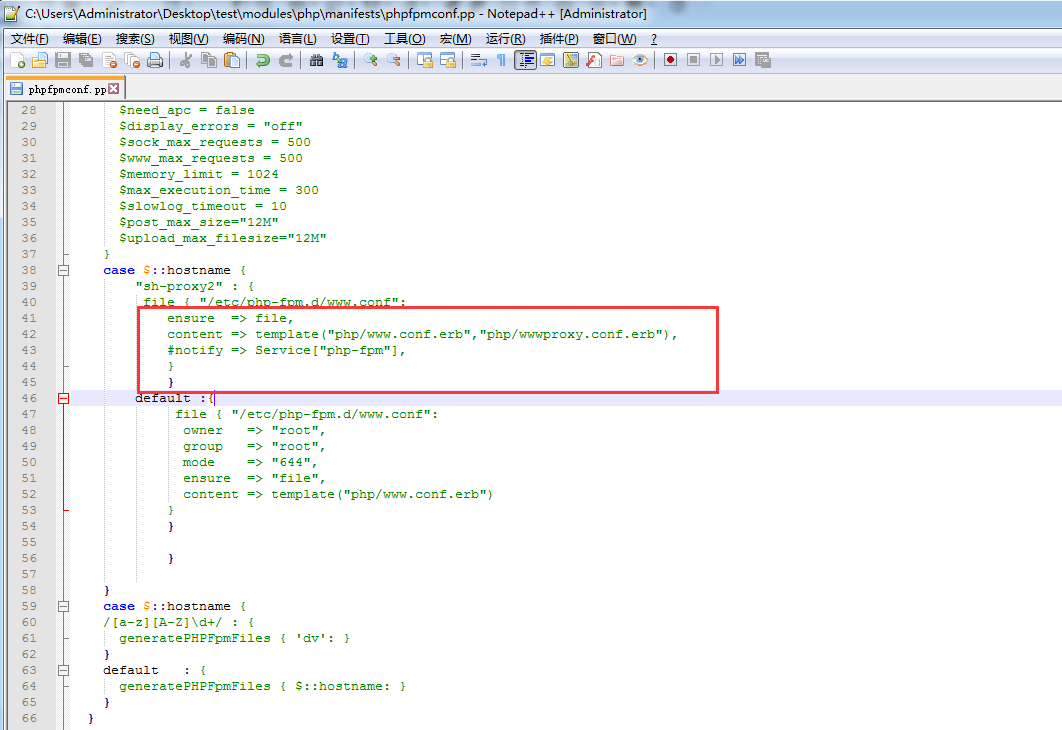
content => template("php/www.conf.erb")template也可以合并模板:
"sh-proxy2" : {
     file { "/etc/php-fpm.d/www.conf":
        ensure  => file,
        content => template("php/www.conf.erb","php/wwwproxy.conf.erb"),
        #notify => Service["php-fpm"],
    }
}
agent端更新后做对比:
合并模板后:
[root@sh-proxy2 php-fpm.d]# cat www.conf | wc -l
458
合并模板前:
[root@sh-proxy2 php-fpm.d]# cat www.conf | wc -l
228
两个模板就算参数重复也不会覆盖,只是在同一个文件中追加另一个模板的内容.
[root@sh-proxy2 php-fpm.d]# cat www.conf | grep -v ‘^;‘ | grep -v ‘^$‘ | grep request_terminate_timeout
request_terminate_timeout = 0
request_terminate_timeout = 0
Generate 函数
generate 函数调用外部命令并且返回结果给Puppet,用法如下:
$interfaces = generate("/sbin/ifconfig", "eth0")这里定义了一个变量叫做$interfaces,它调用了generate 函数,所有的generate 函数必须有一个指明的命令,然后填入若干参数,这两个直接用逗号分割,返回的结果就是执行命令
# /sbin/ifconfig eth0
注释:将返回结果返回给$interface,命令执行完必须返回状态码为0,返回其他的状态码就会造成解释错误。
本地应用:
示例:
# cat 3.pp
$ifip=generate (‘/sbin/ifconfig‘,‘eth0‘)
notice $ifip
# puppet apply 3.pp
Notice: Scope(Class[main]): eth0      Link encap:Ethernet  HWaddr 00:0C:29:06:AF:4B
          inet addr:192.168.30.132  Bcast:192.168.30.255  Mask:255.255.255.0
          inet6 addr: fe80::20c:29ff:fe06:af4b/64 Scope:Link
          UP BROADCAST RUNNING MULTICAST  MTU:1500  Metric:1
          RX packets:612647 errors:0 dropped:0 overruns:0 frame:0
          TX packets:174442 errors:0 dropped:0 overruns:0 carrier:0
          collisions:0 txqueuelen:1000
          RX bytes:614959446 (586.4 MiB)  TX bytes:24739431 (23.5 MiB)
Notice: Compiled catalog for sh-proxy2.localdomain in environment production in 0.06 seconds
Notice: Finished catalog run in 0.01 seconds
在puppet代码中嵌入这段代码,获取的就是master端的信息:
node base {
    include admin
    include cron
}
node /sh-(proxy|web)\d+/  inherits base {
    case $::hostname {
    /sh-proxy\d+/: {
            tag ("web::proxy")
             include php
          }
    "sh-web1": {
        include php
        $ifip=generate(‘/sbin/ifconfig‘,‘eth0‘)
        notify {"$ifip":}
        }
    }
}
agent端更新:
192.168.30.134为master端的ip.
[root@sh-web1 ~]# puppet agent -t
Notice: Ignoring --listen on onetime run
Info: Retrieving pluginfacts
Info: Retrieving plugin
Info: Loading facts
Info: Caching catalog for sh-web1.localdomain
Info: Applying configuration version ‘1506606174‘
Notice: /Stage[main]/Admin/Exec[selinux]/returns: executed successfully
Notice: eth0      Link encap:Ethernet  HWaddr 00:0C:29:53:DD:61
          inet addr:192.168.30.134  Bcast:192.168.30.255  Mask:255.255.255.0
          inet6 addr: fe80::20c:29ff:fe53:dd61/64 Scope:Link
          UP BROADCAST RUNNING MULTICAST  MTU:1500  Metric:1
          RX packets:228766 errors:0 dropped:0 overruns:0 frame:0
          TX packets:102934 errors:0 dropped:0 overruns:0 carrier:0
          collisions:0 txqueuelen:1000
          RX bytes:107060668 (102.1 MiB)  TX bytes:50130125 (47.8 MiB)
Notice: /Stage[main]/Main/Node[sh-proxywebd]/Notify[eth0      Link encap:Ethernet  HWaddr 00:0C:29:53:DD:61
          inet addr:192.168.30.134  Bcast:192.168.30.255  Mask:255.255.255.0
          inet6 addr: fe80::20c:29ff:fe53:dd61/64 Scope:Link
          UP BROADCAST RUNNING MULTICAST  MTU:1500  Metric:1
          RX packets:228766 errors:0 dropped:0 overruns:0 frame:0
          TX packets:102934 errors:0 dropped:0 overruns:0 carrier:0
          collisions:0 txqueuelen:1000
          RX bytes:107060668 (102.1 MiB)  TX bytes:50130125 (47.8 MiB)
]/message: defined ‘message‘ as ‘eth0      Link encap:Ethernet  HWaddr 00:0C:29:53:DD:61
          inet addr:192.168.30.134  Bcast:192.168.30.255  Mask:255.255.255.0
          inet6 addr: fe80::20c:29ff:fe53:dd61/64 Scope:Link
          UP BROADCAST RUNNING MULTICAST  MTU:1500  Metric:1
          RX packets:228766 errors:0 dropped:0 overruns:0 frame:0
          TX packets:102934 errors:0 dropped:0 overruns:0 carrier:0
          collisions:0 txqueuelen:1000
          RX bytes:107060668 (102.1 MiB)  TX bytes:50130125 (47.8 MiB)
‘
Notice: Finished catalog run in 0.32 seconds
versioncmp函数(用的不多):
versioncmp函数用于版本号之间的比较.
versioncmp有三个返回值:
如果版本a大于版本b,则返回1.
如果版本a等于版本b,则返回0.
如果版本a小雨版本b,则返回-1.
puppet代码文件:
# cat 4.pp
if versioncmp (‘2.6‘,‘2.4‘) > 0 {
notice ("2.6 is > than 2.4")
}
puppet本地应用:
# puppet apply 4.pp
Notice: Scope(Class[main]): 2.6 is > than 2.4
Notice: Compiled catalog for sh-web1.localdomain in environment production in 0.06 seconds
Notice: Finished catalog run in 0.01 seconds
本文出自 “青衫解衣” 博客,请务必保留此出处http://215687833.blog.51cto.com/6724358/1969653
原文:http://215687833.blog.51cto.com/6724358/1969653