1. 用requests库和BeautifulSoup库,爬取校园新闻首页新闻的标题、链接、正文、show-info。
2. 分析info字符串,获取每篇新闻的发布时间,作者,来源,摄影等信息。
3. 将字符串格式的发布时间转换成datetime类型
4. 使用正则表达式取得新闻编号
5. 生成点击次数的Request URL
6. 获取点击次数
7. 将456步骤定义成一个函数 def getClickCount(newsUrl):
8. 将获取新闻详情的代码定义成一个函数 def getNewDetail(newsUrl):
9. 尝试用使用正则表达式分析show info字符串,点击次数字符串。
import requests
from bs4 import BeautifulSoup
from datetime import datetime
import re
res = requests.get(‘http://news.gzcc.cn/html/xiaoyuanxinwen/‘)
res.encoding = ‘utf-8‘
soup = BeautifulSoup(res.text, ‘html.parser‘)


# 获取新闻点击次数
def getNewsId(url):
    newsId = re.findall(r‘\_(.*).html‘, newsUrl)[0][-4:]
    clickUrl = ‘http://oa.gzcc.cn/api.php?op=count&id={}&modelid=80‘.format(newsId)
    clickRes = requests.get(clickUrl)
    # 利用正则表达式获取新闻点击次数
    clickCount = int(re.search("hits‘\).html\(‘(.*)‘\);", clickRes.text).group(1))
    return clickCount


# 获取新闻细节
def getNewsDetail(newsUrl):
    resd = requests.get(newsUrl)
    resd.encoding = ‘utf-8‘
    soupd = BeautifulSoup(resd.text, ‘html.parser‘)

    content = soupd.select(‘#content‘)[0].text
    info = soupd.select(‘.show-info‘)[0].text
    # 调用getNewsId()获取点击次数
    count = getNewsId(newsUrl)

    date = re.match(‘发布时间:(.*)      作者:‘, info).group(1)
    author = re.search(‘作者:(.*)  审核:‘, info).group(1)
    check = re.search(‘审核:(.*)  来源:‘, info).group(1)
    sources = re.search(‘来源:(.*)    摄影:‘, info).group(1)
    # 用datetime将时间字符串转换为datetime类型
    dateTime = datetime.strptime(date, ‘%Y-%m-%d %H:%M:%S‘)
    # 利用format对字符串进行操作
    print(‘发布时间:{0}\n作者:{1}\n审核:{2}\n来源:{3}\n点击次数:{4}‘.format(dateTime, author, check, sources, count))
    print(content)


for new in soup.select(‘li‘):
    if len(new.select(‘.news-list-title‘)) > 0:
        title = new.select(‘.news-list-title‘)[0].text
        description = new.select(‘.news-list-description‘)[0].text
        newsUrl = new.select(‘a‘)[0][‘href‘]
        # 调用getNewsDetail()获取新闻详情
        getNewsDetail(newsUrl)
        print(‘标题:{0}\n内容:{1}\n链接:{2}‘.format(title, description, newsUrl))
        break
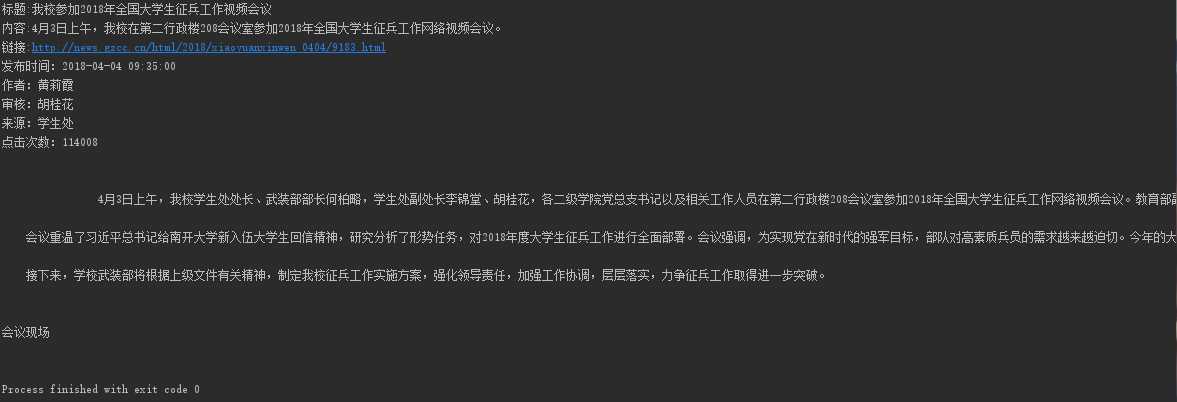
结果: