
两列布局,左边定宽,右边自适应,高度自适应。
效果:
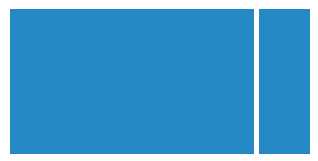
代码:
 1 <!DOCTYPE html>
 2 <html>
 3 <head>
 4     <title>右侧固定,左侧自适应</title>
 5     <meta http-equiv="Content-Type" content="text/html; charset=utf-8" />
 6     <style type="text/css">
 7           html,body{
 8               margin:0; height: 100%;
 9           }
10           .cui_layout_container{
11               height:100%;
12           }
13           .float_right{
14               float:right;
15           }
16           .cui_layout_container .right_side,.cui_layout_container .left_side{
17               height: 100%;
18               overflow: auto;
19           }
20           .cui_layout_container .left_side{
21               background-color:#ff7d20;
22               margin-right: 200px;   /*值为右侧的宽度*/
23           }
24           .cui_layout_container .left_side .left_side_content{
25               width:100%; height: 100%; overflow: auto;
26           }
27           .cui_layout_container .right_side{
28               background-color:#FFE69F;
29               width:200px;    /*右侧宽度*/
30           }
31     </style>
32 </head>
33 <body>
34
35 <div class="cui_layout_container">
36     <div class="right_side float_right">
37         右侧固定
38     </div>
39
40     <div class="left_side">
41         <div class="left_side_content">
42            左侧自适应
43         </div>
44     </div>
45 </div>
46 </body>
47 </html>
原文:https://www.cnblogs.com/ryanchancrj/p/9268961.html