
import urllib.request
import urllib.parse
import json
import unittest
from HTMLTestRunner import HTMLTestRunner

class qfeelapi(unittest.TestCase):
    def setUp(self):
        self.url = ""#这是发送请求的url地址
        self.headers = {
       #这是请求头,如果不知道可以用抓包工具抓出来的
            }
        self.cookie = {
      #cookie请求体,如果不知道可以用抓包工具抓出来的}
        print("start")
    def tearDown(self):
        print("over")
        pass
    def test_01(self):
        self.values = {
               #这是写入第一个user登录信息
            }
        print("当前用户",str(self.values))#输出当前登录的用户账号
        key = urllib.parse.urlencode(self.values).encode(encoding=‘UTF8‘)
        req = urllib.request.Request(self.url, key, self.headers,self.cookie)
        response = urllib.request.urlopen(req)
        the_page = response.read()
        ing = json.loads(the_page)
        print(ing)
    def test_02(self):
        self.values = {
              #这是写入第二个user登录信息
            }
     print("当前用户",str(self.values))#输出当前登录的用户账号
        key = urllib.parse.urlencode(self.values).encode(encoding=‘UTF8‘)
        req = urllib.request.Request(self.url, key, self.headers,self.cookie)
        response = urllib.request.urlopen(req)
        the_page = response.read()
        ing = json.loads(the_page)
        print(ing)
if __name__ == ‘__main__‘:#main函数执行测试用例
    suite = unittest.TestSuite()
    suite.addTest(qfeelapi(‘test_01‘))
    suite.addTest(qfeelapi(‘test_02‘))
    sop = open("D:\\reboot.html","wb")#生成报告的地址
    runner = HTMLTestRunner(stream=sop,title="测试执行",description="用例执行情况详情")
    runner.run(suite)
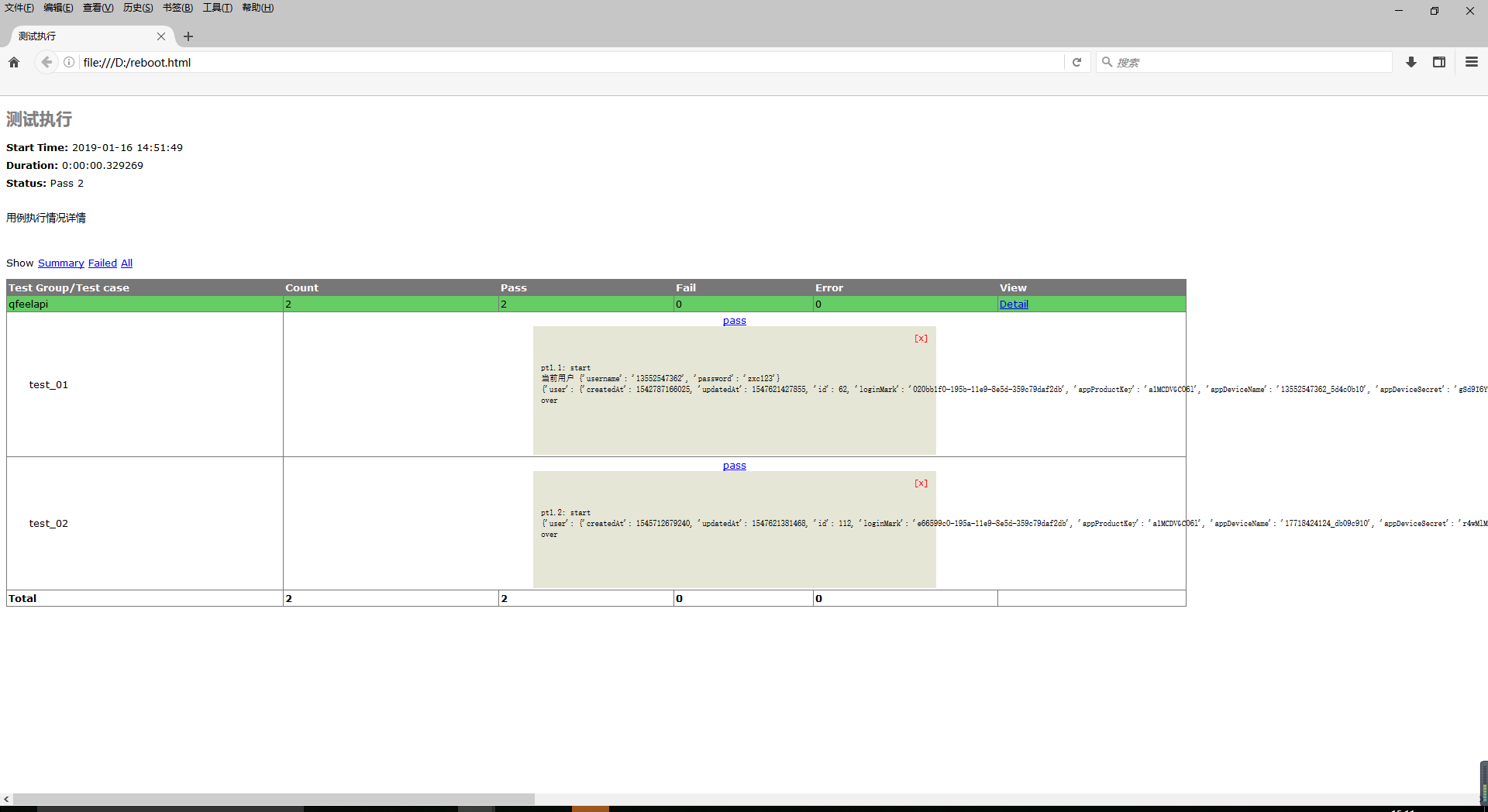
我的报告结果:
原文:https://www.cnblogs.com/zhanghaoyang/p/10277147.html