
在节点少,程序小的情况下可以一个一个节点来启动,测试运行效果,但是当工程规模大,需要的节点多时就显得比较费劲,用.launch文件来启动可以将需要的节点同时启动,不用再一个一个进行。为工程搭建提高了效率,里面还有很多参数灵活使用会带来非常高效的调试。

1 <launch>
2   <node pkg="ros_tutorials_topic" type="topic_publisher" name="topic_publisher1"/>
3   <node pkg="ros_tutorials_topic" type="topic_subscriber" name="topic_subscriber1"/>
4   <node pkg="ros_tutorials_topic" type="topic_publisher" name="topic_publisher2"/>
5   <node pkg="ros_tutorials_topic" type="topic_subscriber" name="topic_subscriber2"/>
6 </launch>
pkg="ros_tutorials_topic"为对应的功能包的名称;
type="topic_publisher" 实际要运行的节点名与ros::init(argc,argv,"topic_publisher"); //初始化发布者节点名称对应,
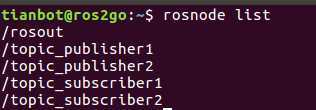
name="topic_publisher1"运行时显示的节点名称,也就是用命令rosnode list 所看到的节点列表里的名称。这儿定义的名字优先会覆盖可执行程序(如.cpp里面init()赋予的节点名)当两者不一样是以name为准。
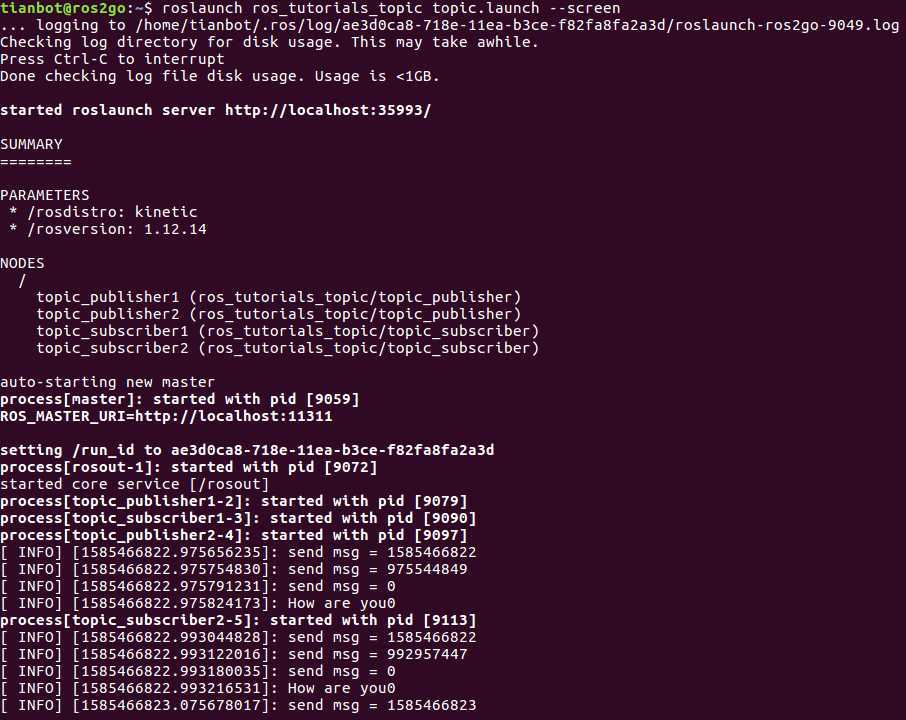
查看运行效果:
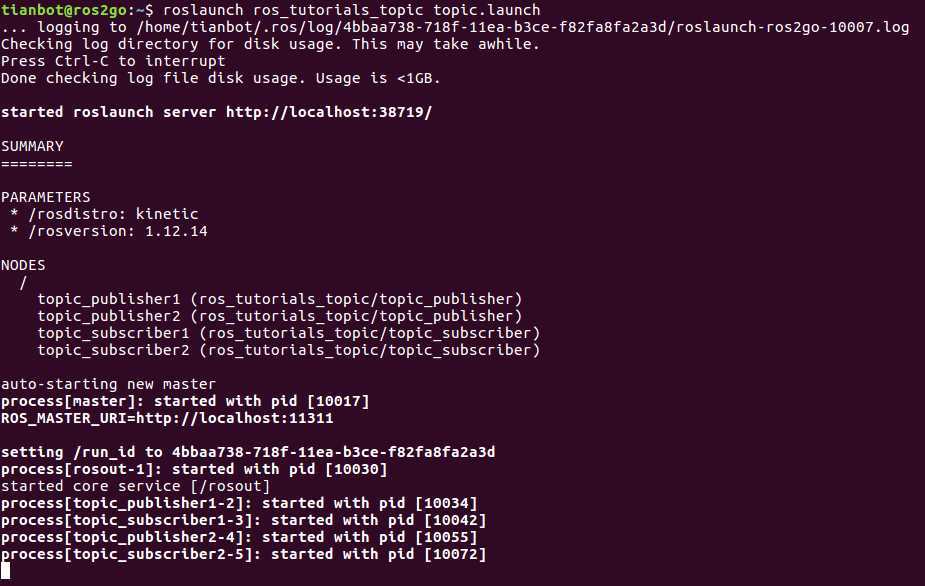
1 roslaunch ros_tutorials_topic topic.launch --screen//--screen是将通信消息发送到屏幕端
1 roslaunch ros_tutorials_topic topic.launch //没有--screen屏幕上不显示通信的消息,但是会正常收发,只是不在终端显示
查看节点列表:
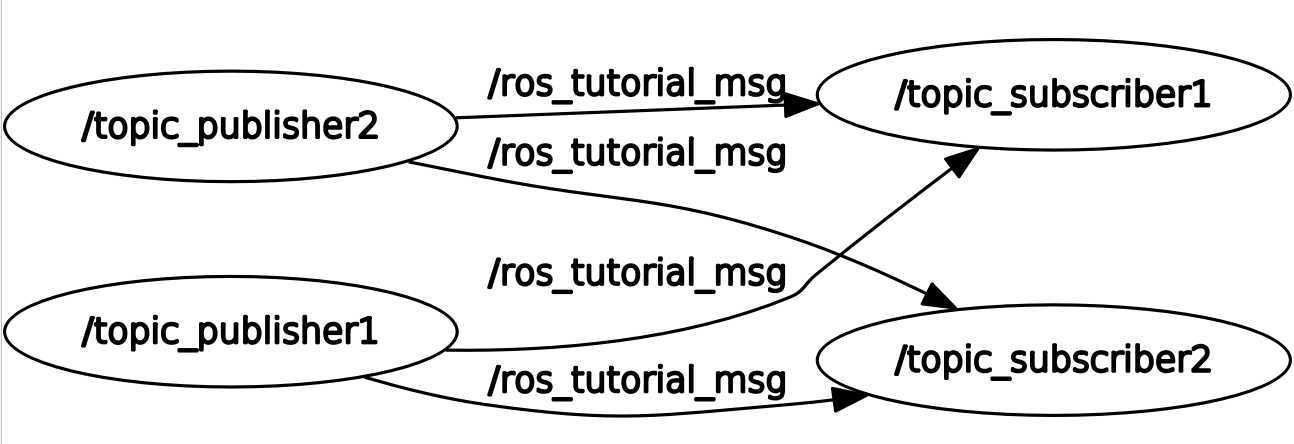
查看节点关系图:rqt_graph,从图中看到两个发布者同时向两个订阅者发布消息,原因是我们只改变了节点的名称,而没有改变要使用的消息名字,下面在launch文件里添加一个命名空间标记就可以解决。
修改后的launch文件如下;output="screen“,用于将话题信息打印到屏幕。roslaunch ros_tutorials_topic topic.launch后面不用加 --screen也可以实现屏幕显示信息。
 1 <launch>
 2  <group ns="ns1">
 3   <node pkg="ros_tutorials_topic" type="topic_publisher" name="topic_publisher" output="screen"/>
 4   <node pkg="ros_tutorials_topic" type="topic_subscriber" name="topic_subscriber" output="screen"/>
 5  </group>
 6  <group ns="ns2">
 7   <node pkg="ros_tutorials_topic" type="topic_publisher" name="topic_publisher" output="screen"/>
 8   <node pkg="ros_tutorials_topic" type="topic_subscriber" name="topic_subscriber" output="screen"/>
 9  </group>
10 </launch>
运行查看:roslaunch ros_tutorials_topic topic.launch
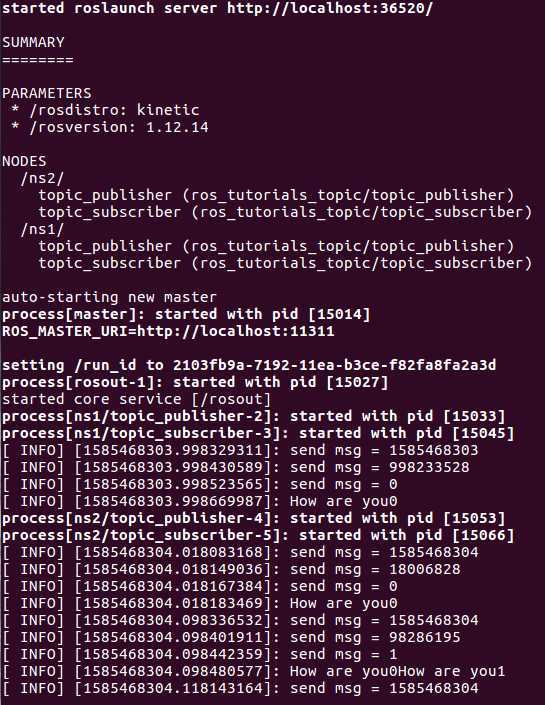
查看节点关系图: 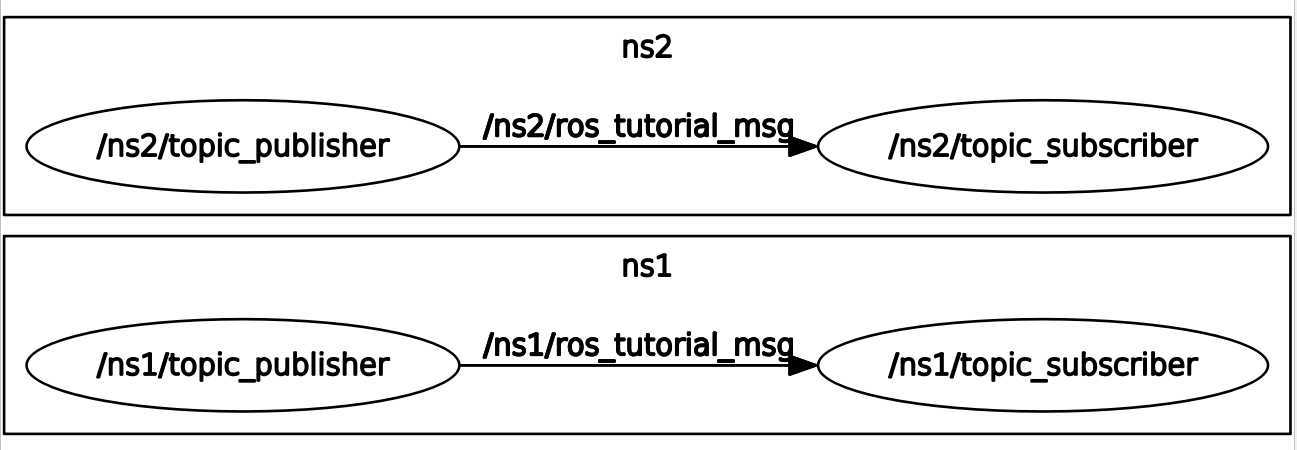
原文:https://www.cnblogs.com/fuzhuoxin/p/12588402.html