
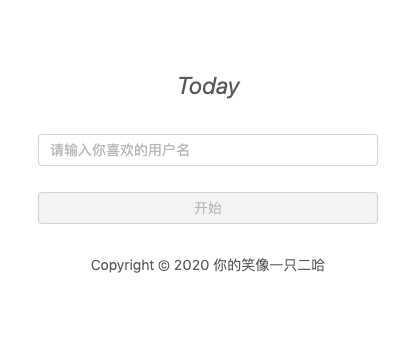
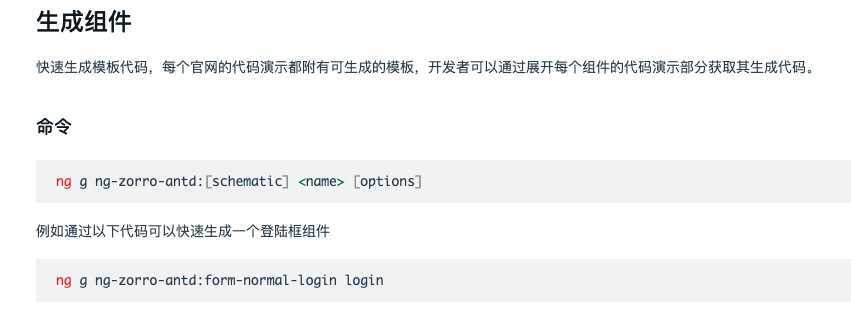
因为是登陆页面,所以会有一个服务专门用来存储用户信息的;一般都会放入localStorage里;
import { Injectable } from ‘@angular/core‘;
const ls = localStorage;
@Injectable({
  providedIn: ‘root‘
})
export class LocalStorageService {

  constructor() { }
  public get<T>(key: string): any {
    return JSON.parse(ls.getItem(key)) as T;
  }

  public getList<T>(key: string) {
    const before = ls.getItem(key);
    return before ? (JSON.parse(before) as T[]) : [];
  }

  public set(key: string, value: any): void {
    if (!value && value === undefined) { return; }
    const arr = JSON.stringify(value);
    ls.setItem(key, arr);
  }
// as 是类型断言,告诉编译器是什么类型,就像强制转换类型一样的功能;
// const value:any = "hello"; // value是一个任意类型的,将字符串赋值给value,现在编译器认为它是一个string类型的;
// const len: number = (value as string).length; // 本身需要编译器去判断value的值,现在你告诉编译器 value是string类型的,不需要去再判断了;
}
// 在用 local storage 进行存储的时候使用命名空间,命名空间可以是应用名加模块名等形式

export const GLOBAL_NAMESPACE = ‘today.‘;

export const APP_INFO_NAMESPACE = GLOBAL_NAMESPACE + ‘appInfo.‘;
export const INIT_FLAG = APP_INFO_NAMESPACE + ‘initFlag‘;
export const START_USING_DATE = APP_INFO_NAMESPACE + ‘startUsingDate‘;
<div class="full-screen page-content">
    <div class="wrapper">
      <img class="logo-img" src="./assets/img/logo.png" alt="">
      <div class="text-wrapper">
        <h1 class="title-text">
          Today
        </h1>
      </div>
      <input nz-input placeholder="请输入你喜欢的用户名" #usernameInput [(ngModel)]="username">
      <button nz-button [nzType]="‘primary‘" (click)="completeSetup()" [disabled]="!usernameInput.value">
        开始
      </button>
      <div class="copy-right">
        Copyright © 2020 你的笑像一只二哈
      </div>
    </div>
  </div>
div.page-content {
  display: flex;
  justify-content: center;
  align-items: center;
  padding-top: 50px;

  .wrapper {
    display: flex;
    flex-direction: column;
    align-items: center;
    min-height: 400px;
    max-height: 420px;
    height: 60vh;
    min-width: 300px;
    width: 30vw;
    max-width: 400px;
    padding: 40px 30px 10px;
    border-radius: 8px;
    background-color: white;

    img.logo-img {
      flex: 0 0 120px;
      width: 120px;
      height: 120px;
    }

    .text-wrapper {
      flex: 1;
      display: flex;
      flex-direction: column;
      justify-content: center;
      text-align: center;

      .title-text {
        font-size: 24px;
        font-style: italic;
        color: rgba(0, 0, 0, 0.65);
      }
    }

    button {
      margin-top: 26px;
      width: 100%;
    }

    .copy-right {
      margin-top: 30px;
      flex: 0 0 40px;

    }
  }
}
import { Component, OnInit } from ‘@angular/core‘;
import { LocalStorageService } from ‘src/app/services/local-storage/local-storage.service‘;
import { INIT_FLAG, START_USING_DATE, USERNAME } from ‘src/app/services/local-storage/local-storage.namespace‘;
import { getTodayTime } from ‘src/app/share/utils/time‘;

@Component({
  selector: ‘app-setup‘,
  templateUrl: ‘./setup.component.html‘,
  styleUrls: [‘./setup.component.scss‘]
})
export class SetupComponent implements OnInit {
  username: string;
  constructor( private store: LocalStorageService) { }

  ngOnInit() {
  }
  completeSetup(): void {
    this.store.set(INIT_FLAG, true);
    this.store.set(START_USING_DATE, getTodayTime());
    this.store.set(USERNAME, this.username);
  }
}
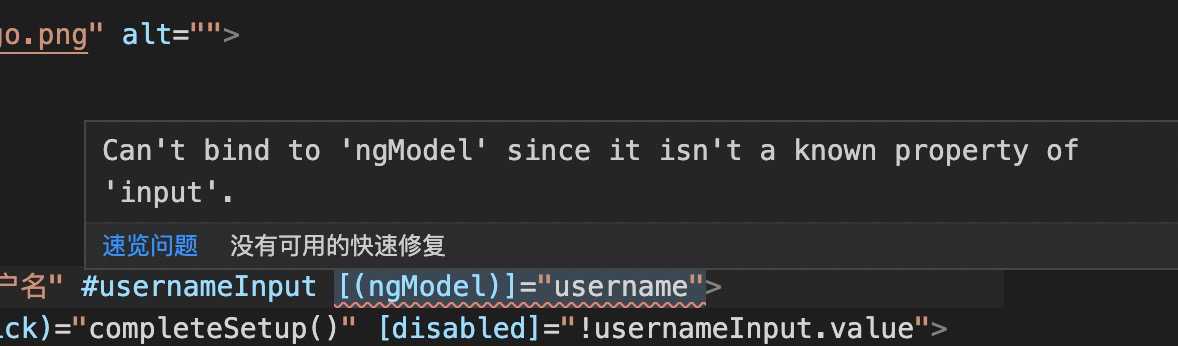

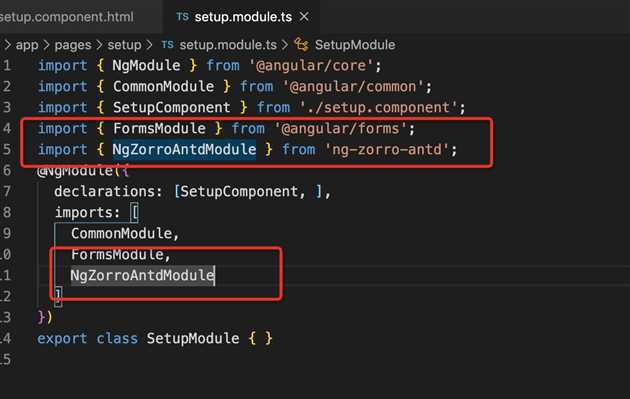
原文:https://www.cnblogs.com/gushiyoyo/p/12607138.html