
<dependency>
           <groupId>org.springframework.boot</groupId>
           <artifactId>spring-boot-starter-jdbc</artifactId>
       </dependency>

       <dependency>
           <groupId>mysql</groupId>
           <artifactId>mysql-connector-java</artifactId>
           <scope>runtime</scope>
       </dependency>
spring:
  datasource:
    username: root
    password: root
    url: jdbc:mysql://192.168.47.132:3407/jdbc
    driver-class-name: com.mysql.cj.jdbc.Driver

#注意: com.mysql.jdbc.Driver已被弃用
Loading class `com.mysql.jdbc.Driver‘. This is deprecated. The new driver class is `com.mysql.cj.jdbc.Driver‘.
The driver is automatically registered via the SPI and manual loading of the driver class is generally unnecessary.
<!-- 引入druid数据源 -->
<dependency>
    <groupId>com.alibaba</groupId>
    <artifactId>druid</artifactId>
    <version>1.1.18</version>
</dependency>
spring.datasource.type: com.alibaba.druid.pool.DruidDataSource
Spring:
  datasource:
    ...

    initialSize: 5 #初始化数据库连接池大小
    minIdle: 5
    maxActive: 20
    maxWait: 60000
    timeBetweenEvictionRunsMillis: 60000
    minEvictableIdleTimeMillis: 300000
    validationQuery: SELECT 1 FROM DUAL
    testWhileIdle: true
    testOnBorrow: false
    testOnReturn: false
    poolPreparedStatements: true
    #配置监控统计拦截的filters,去掉后监控界面sql无法统计,‘wall‘用于防火墙
    filters: stat,wall,log4j
    maxPoolPreparedStatementPerConnectionSize: 20
    useGlobalDataSourceStat: true
    connectionProperties: druid.stat.mergeSql=true;druid.stat.slowSqlMillis=500
@Configuration
public class DruidConfig {

    @ConfigurationProperties(prefix = "spring.datasource")
    @Bean
    public DataSource druid() {
        return new DruidDataSource();
    }
}
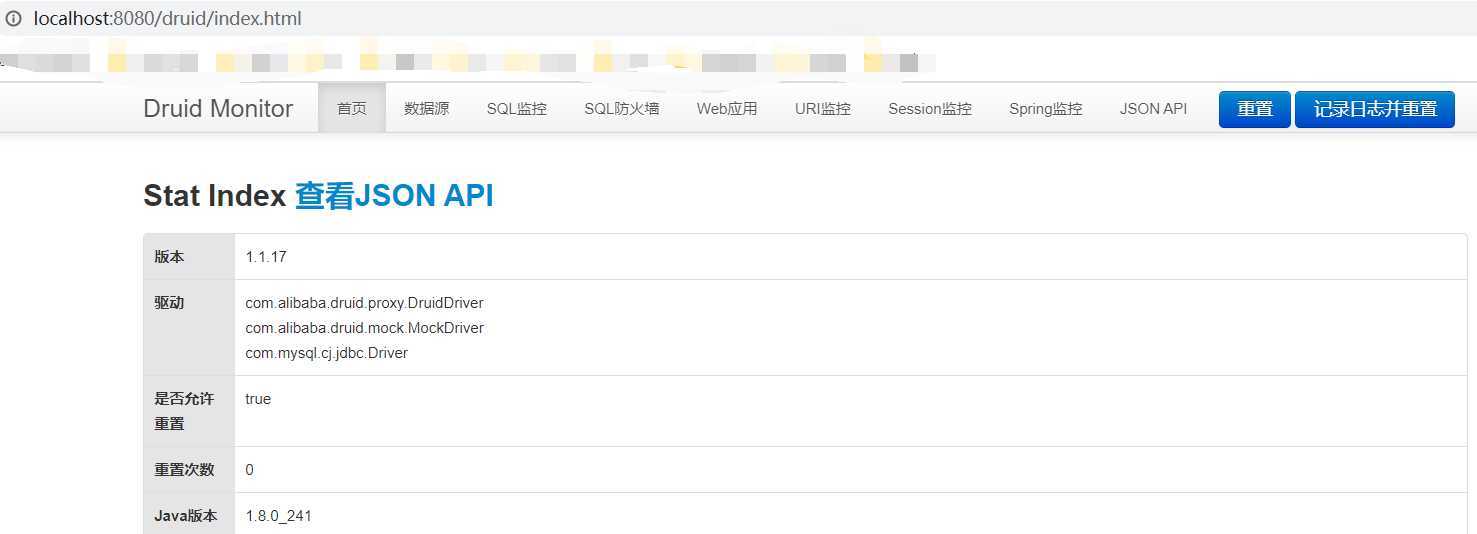
//配置Druid的监控
    //1.配置一个管理后台的Servlet
    @Bean
    public ServletRegistrationBean statViewServlet() {
        ServletRegistrationBean bean = new ServletRegistrationBean(new StatViewServlet(), "/druid/*");
        Map<String, String> initParams = new HashMap<>();
        initParams.put("loginUsername", "admin");
        initParams.put("loginPassword", "123456");
        initParams.put("allow", ""); //默认允许所有访问
        initParams.put("deny", "192.168.15.21");
        bean.setInitParameters(initParams);
        return bean;
    }
    //2.配置一个监控的filter
    @Bean
    public FilterRegistrationBean webStatFilter() {
        FilterRegistrationBean bean = new FilterRegistrationBean();
        bean.setFilter(new WebStatFilter());
        Map<String, String> initParams = new HashMap<>();
        initParams.put("exclusions", "*.js,*.css,/druid/**");
        bean.setUrlPatterns(Arrays.asList("/*"));
        bean.setInitParameters(initParams);
        return bean;
    }
<dependency>
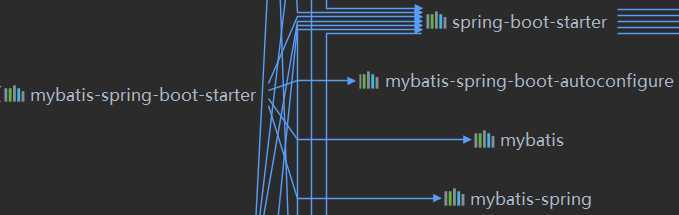
    <groupId>org.mybatis.spring.boot</groupId>
    <artifactId>mybatis-spring-boot-starter</artifactId>
    <version>2.1.2</version>
</dependency>
@NoArgsConstructor
@AllArgsConstructor
@Data
public class Department {

    private Integer id;
    private String departmentName;
}


@NoArgsConstructor
@AllArgsConstructor
@Data
public class Employee {
    private Integer id;
    private String lastName;
    private Integer gender;
    private String email;
    private Integer dId;
}
@Component
@Mapper
public interface DepartmentMapper {

    @Select("select * from department where id=#{id}")
    public Department getDeptById(Integer id);

    @Delete("delete from department where id=#{id}")
    public int delDeptById(Integer id);

    //如果插入的表id以自增列为主键, 则允许JDBC支持自动生成主键, 并可将自动生成的主键id返回.
    @Options(useGeneratedKeys = true, keyProperty = "id")
    @Insert("insert into department(departmentName) values(#{departmentName})")
    public int insertDept(Department dept);

    @Update("update department set departmentName=#{departmentName} where id=#{id}")
    public int updateDept(Department dept);
}
@org.springframework.context.annotation.Configuration
public class MybatisConfig {

    //自定义Mybatis的配置规则, 给容器中添加ConfigurationCustomizer组件
    @Bean
    public ConfigurationCustomizer configurationCustomizer() {
        return new ConfigurationCustomizer() {

            @Override
            public void customize(Configuration configuration) {
                //开启驼峰命名法
                configuration.setMapUnderscoreToCamelCase(true);
            }
        };
    }
}
//使用MapperScan批量扫描所有的Mapper接口
@MapperScan(value = "top.binwenhome.springboot.mapper")
@SpringBootApplication
public class Springboot06MybatisApplication {

    public static void main(String[] args) {
        SpringApplication.run(Springboot06MybatisApplication.class, args);
    }
}
mybatis:
  config-location: classpath:mybatis/mybatis.config.xml #指定全局配置文件位置
  mapper-locations: classpath:mybatis/mapper/*.xml #指定sql映射文件的位置
原文:https://www.cnblogs.com/binwenhome/p/12900702.html