
实践 Jenkins 流水线使用SSH方式操作 Git 仓库,包含基于 SSH 私钥认证的服务器
需要提前安装 SSH Agent Plugin,可以通过 Manage Jenkins-> Manage Plugins-> Installed 使用 filter 搜索查看是否安装,如没有则通过 Available处搜索安装
生成ssh key,默认会生成在用户目录下 .ssh 中
ssh-keygen -o
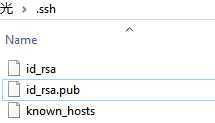
其中,id_rsa是私钥,id_rsa.pub是公钥,known_hosts是访问过的服务器公钥
一图胜多言
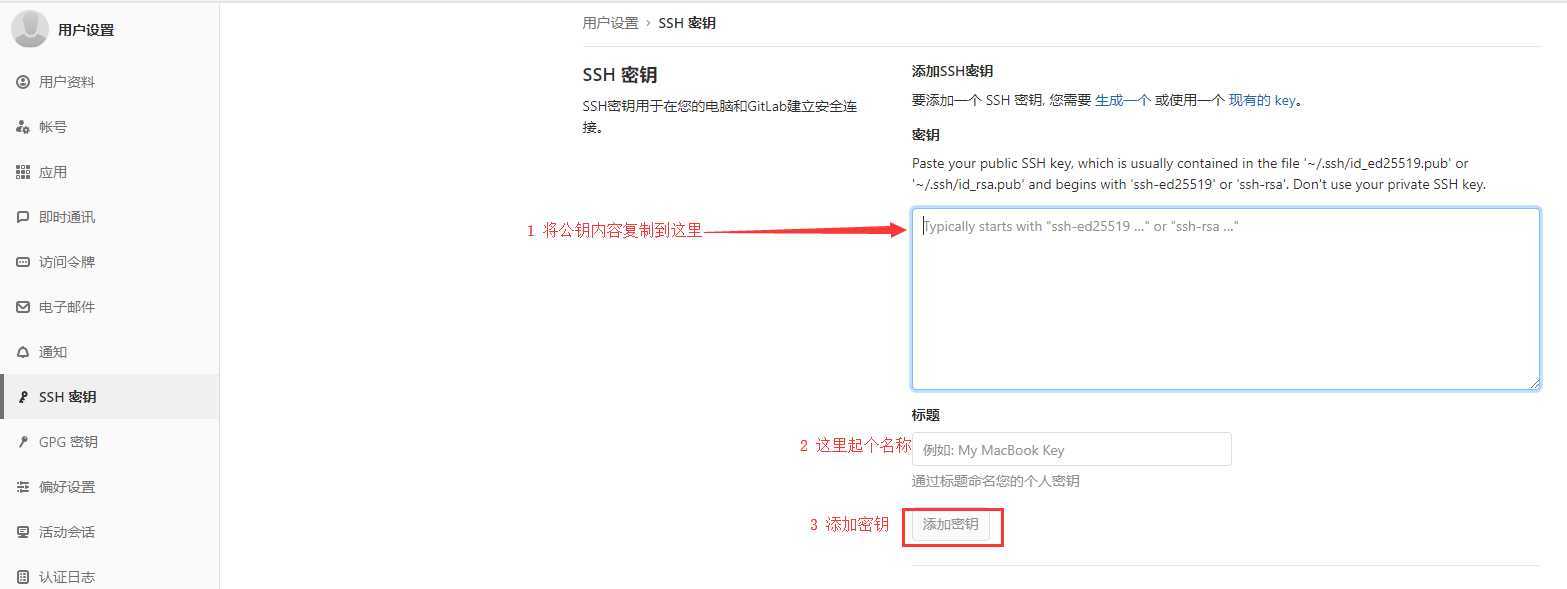
在Jenkins主页面依次点击 凭据-> 系统-> 全局凭据

点击 Add Credentials 添加密钥
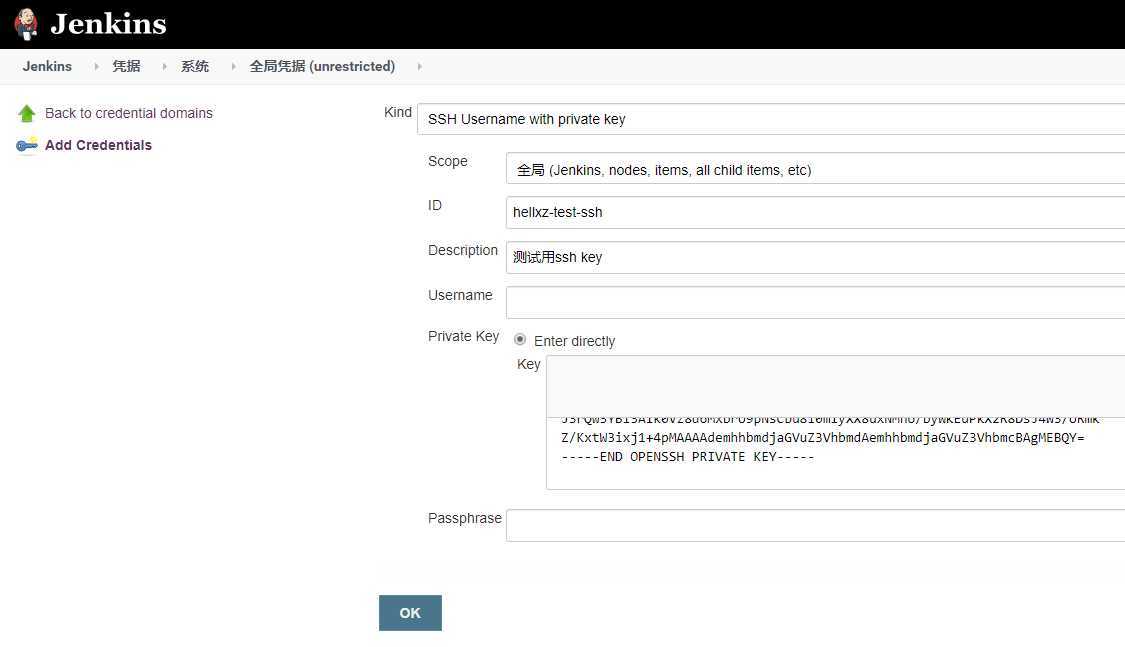
SSH Username with private keyEnter directly-> Add,在出现的输入框中粘贴你的私钥 id_rsa 中的值pipeline {
agent any
stages{
stage(‘clone private repo‘) {
steps{
sshagent (credentials: ["hellxz-test-ssh"]) {
sh ‘git clone ssh://xxxxx/config.git‘ //这里以一个私服仓库config举例,就不贴地址了
}
}
}
}
}
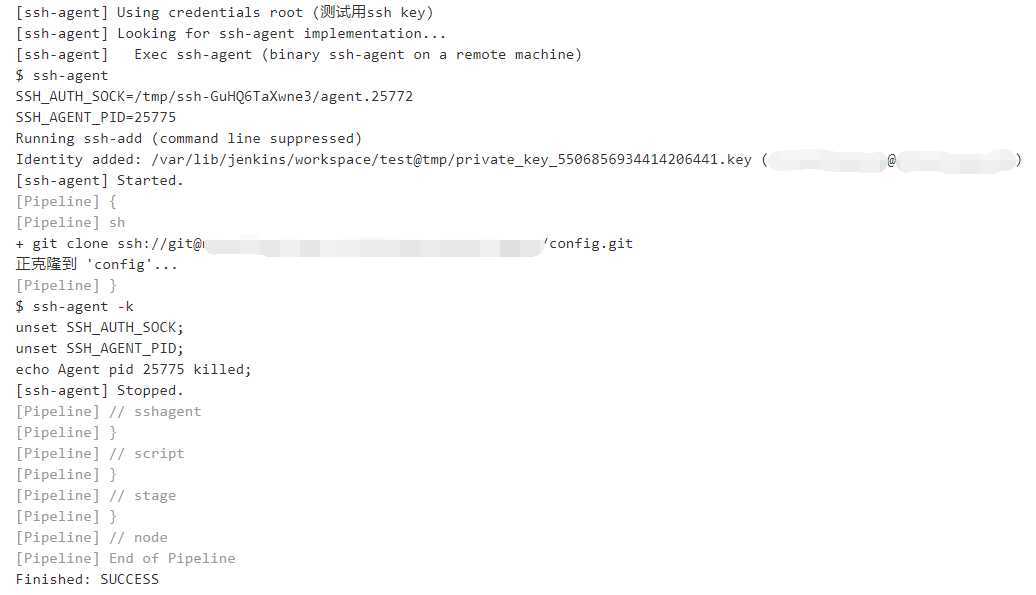
【Jenkins系列教程】流水线通过SSH方式操作Git仓库
原文:https://www.cnblogs.com/hellxz/p/jenkins-pipeline-ssh-with-private-key.html