
写在前面:周末的日子是让人轻松和愉快的,正好有更多的时间去总结归纳一周的事情,先将未完成部分继续上吧
前面的一章已经介绍了关于vue-styleguist的配置的问题,本章将继续如何在vue中去编写自己的组件demo和生成自己的表格呢~
git 地址:https://github.com/YYNGUFD/vue-styleguide-demo
官网已经很明确了,
要生成组件文档以及组件运行demo就不得不提的一件事情就是,组件props的编写规范以及运行规范,主要规范在引用数据类型的定义和默认赋值中,如Array类型和Object类型的数据,在prop进行默认赋值的时候,必须进行规范的自定义赋值,因为在生成文档校验是否规范,如果不规范,则会进行报错提醒。如下面的规范格式
//正确规范赋值
 attrs: {
      type: Object,
      default: function () {
        return {};
      }
    },
//不规范赋值
 attrs: {
      type: Object,
      default:{}
    },
只有将组件的所有内容全部规范化后,才能继续下一步,进行生成文档
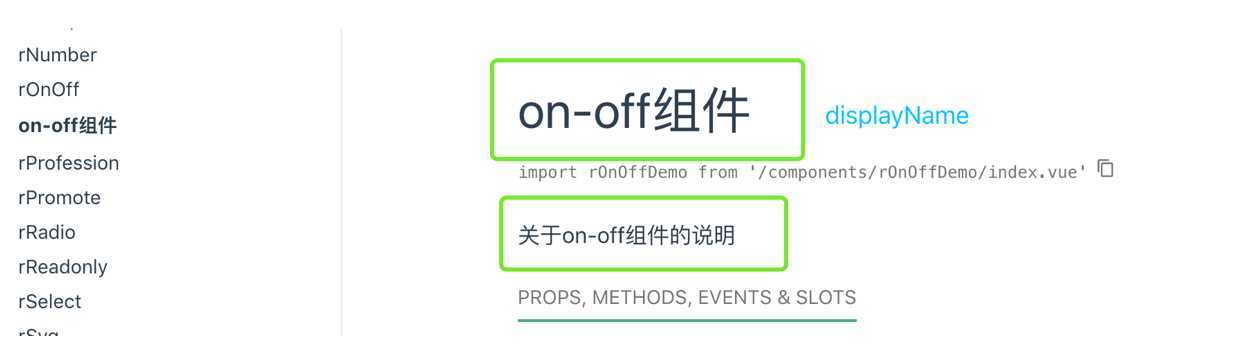
使用关键字@displayName
<script>
    /**
     * 关于on-off组件的说明
     * @displayName on-off组件
     */
 export default {}
设置显示:
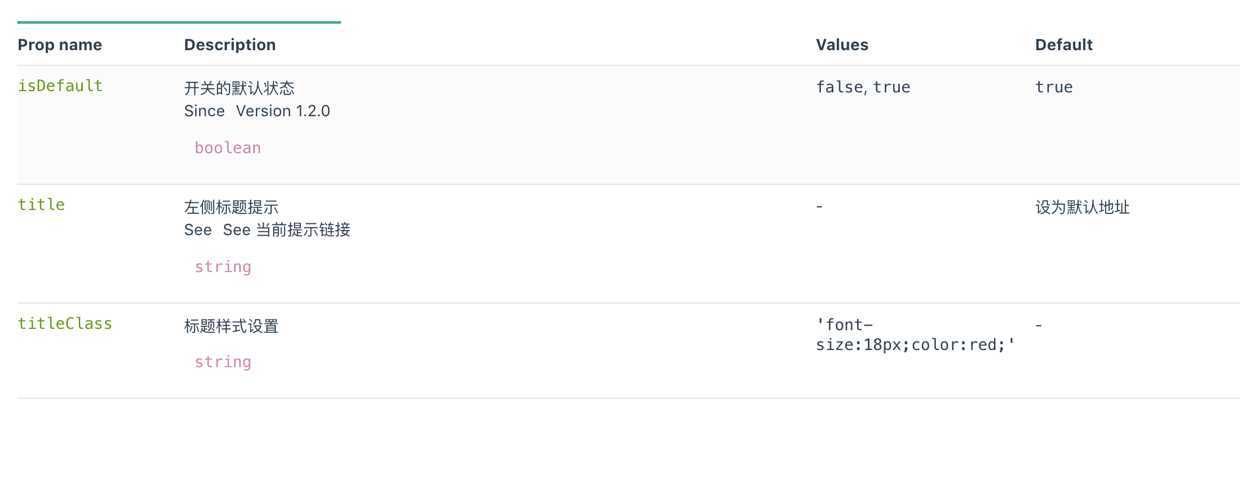
props: {
   /**
     * 开关的默认状态
     * @values false,true
     * @since Version 1.2.0

     */
    isDefault: {
      type: Boolean,
      default: true
    },
    /**
     * 左侧标题提示
     *  @see See [当前提示链接](https://vue-styleguidist.github.io/docs/Documenting.html#methods)
     */
    title: {
      type: String,
      default: ‘设为默认地址‘
    },
    /**
     * 标题样式设置
     * @values  ‘font-size:18px;color:red;‘
     */
    titleClass: {
      type: String
    }
     /**
     * @ignore 忽略props的该属性,将不会出现在可视化api上
     */
    size:{
      type:String
    }
  },
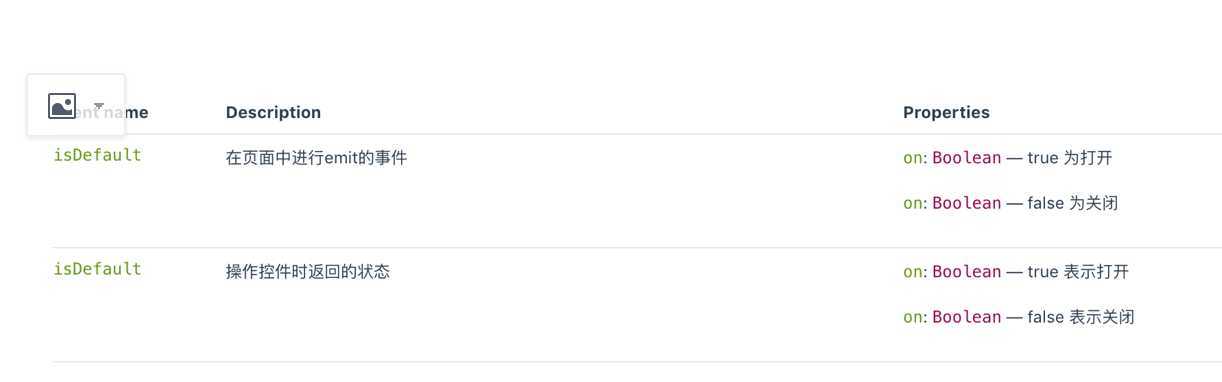
显示
   <!--
      在页面中进行emit的事件
        @event isDefault
        @property {Boolean} on - true 为打开
        @property {Boolean} on - false 为关闭
    -->
    <button @click="$emit(‘isDefault‘, on)"></button>
 /**
       * 操作控件时返回的状态
       * @event isDefault
       * @property {Boolean} on  true 表示打开
       * @property {Boolean} on  false 表示关闭
       */
      this.$emit(‘isDefault‘, this.on)
显示效果:
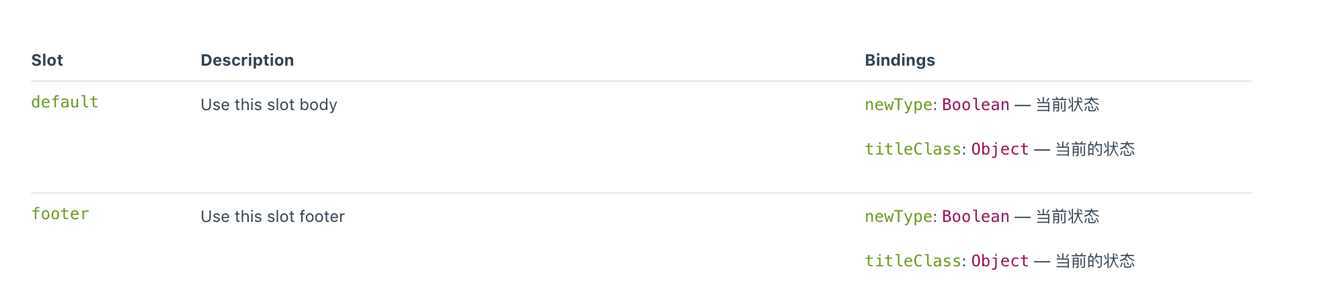
 <!--
      @slot Use this slot body
            @binding {Boolean} newType 当前状态
            @binding {Object} titleClass 当前的状态
    -->
    <slot :newType="on" :titleClass="titleClass"></slot>
     <!--
      @slot Use this slot footer
            @binding {Boolean} newType 当前状态
            @binding {Object} titleClass 当前的状态
    -->
    <slot :newType="on" :titleClass="titleClass" name="footer"></slot>
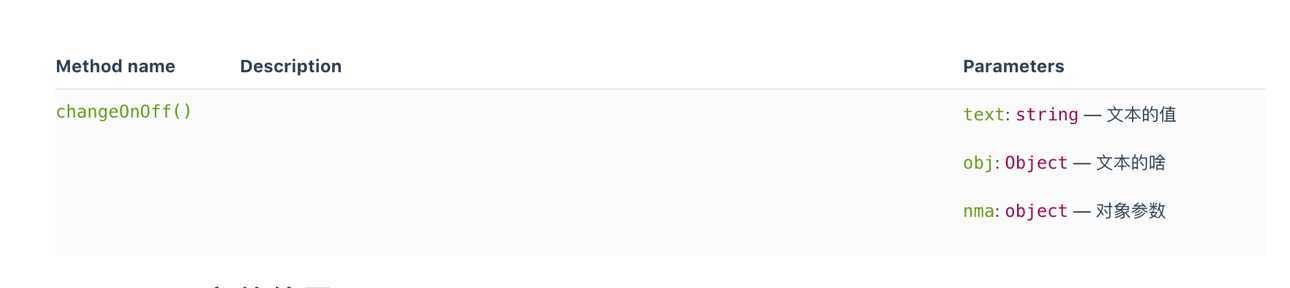
在组件中存在一些重要的方法,可能需要给用户的使用进行查看,因此需要进行一定的方法暴露,vue-styleguist提供了这样的一个关键字进行暴露
 /**
     * @public 向外暴露的函数
     * @param {string} text 文本的值
     * @arg {Object} obj 文本的啥
     * @argument {object} nma 对象参数
     */
    changeOnOff (text,obj,nma) {
        }
vue-styleguist组件文档在进行编译时候会自动编译和加载.md 文档,并将解析结果在页面中展示。
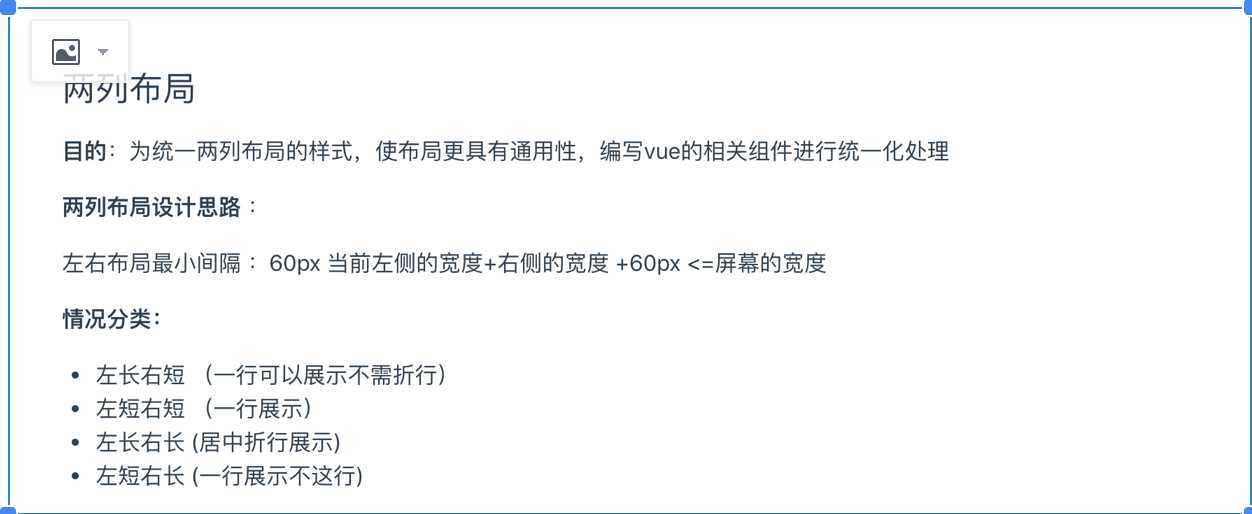
去掉readme.md文件的解析 利用@example文件进行解析
/**
 * Component is described here.
 *
 * @example ./readme.md
 */
export default {
  name: ‘Button‘
  // ...
}
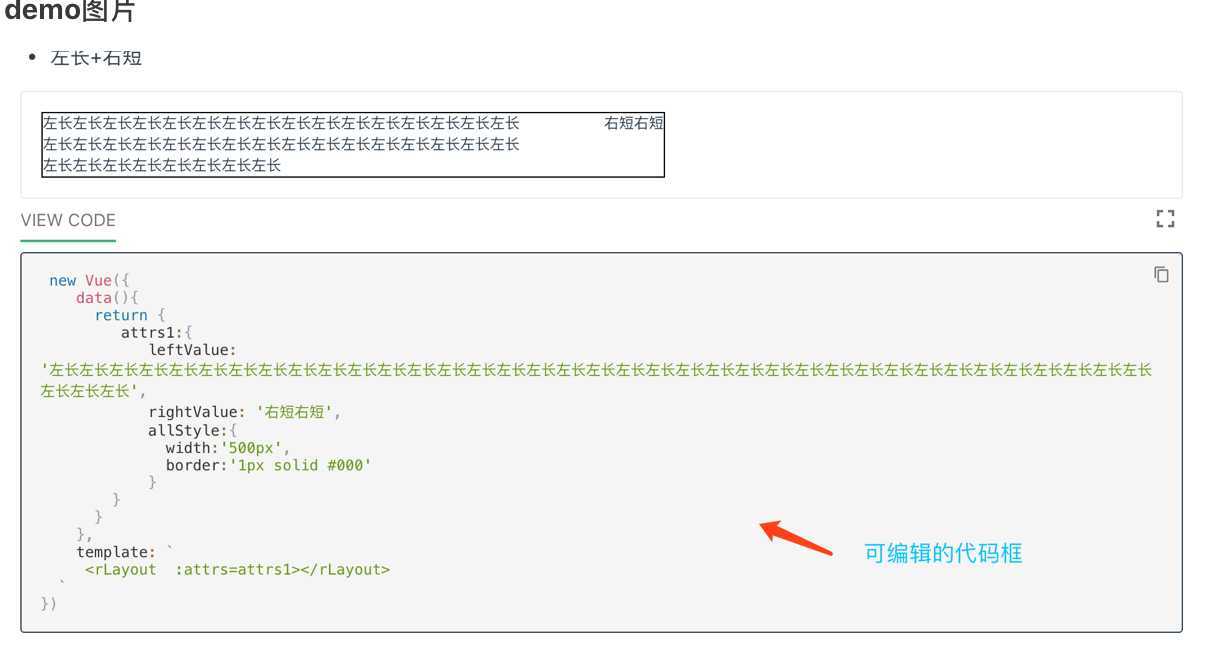
我们希望我们的组件在运行的时候能够有示例代码
编写的demo 代码能够进行编辑改变状态
``` jsx noeditor
 new Vue({
    data(){
      return {
        attrs:{
            leftValue: ‘左短‘,
            rightValue: ‘右短‘,
            allStyle:{
              width:‘500px‘,
              border:‘1px solid #000‘
            }
        },
         attrs1:{
            leftValue: ‘左长左长左长左长左长左长左长左长左长左长左长左长左长左长左长左长左长左长左长左长‘,
            rightValue: ‘右短右短‘,
        }
      }
    },
    template: `
     <rLayout  :attrs=attrs></rLayout>
     <rLayout  :attrs=attrs1></rLayout>
  `
})
```
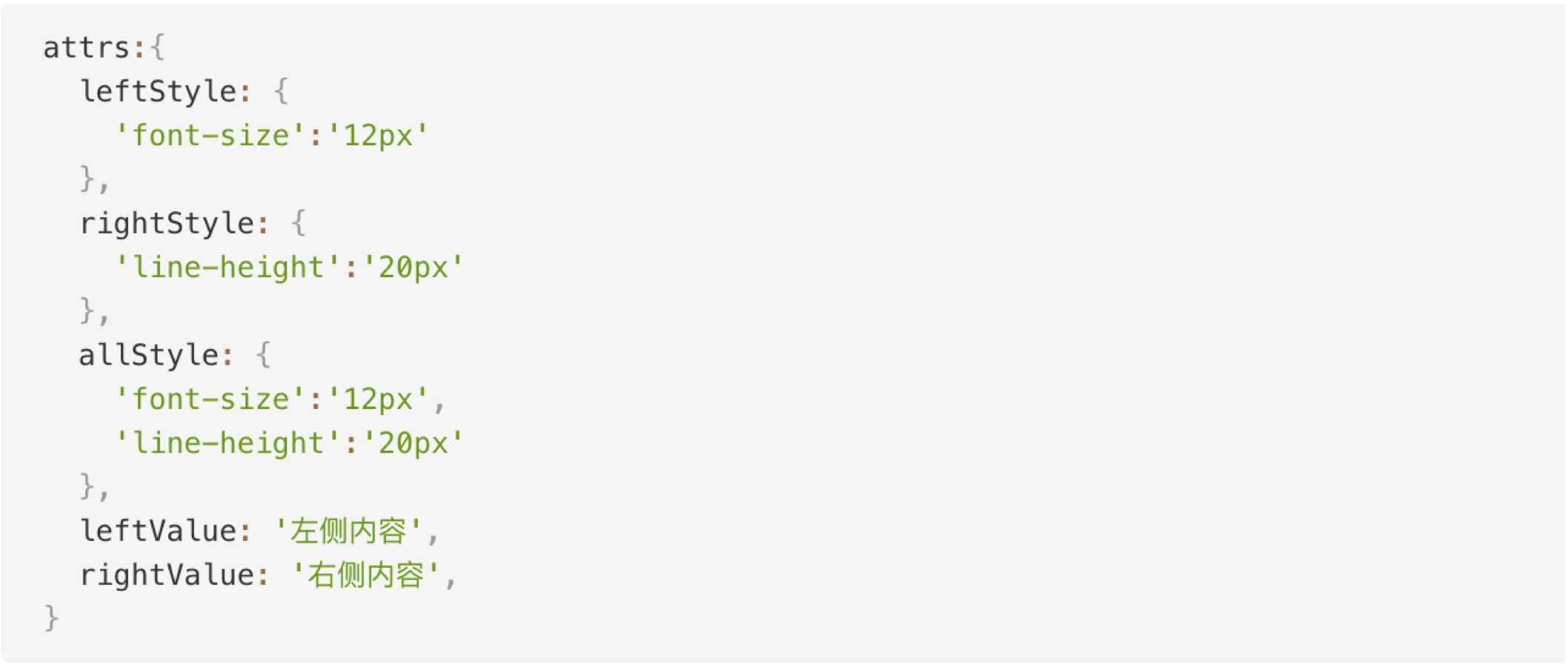
```[import](./example.vue)
Text typed here will be entirely ignored. You can use it to describe the example imported for maintenance purposes
```
vue组件库自动生成文档-vue-styleguidist(二)
原文:https://www.cnblogs.com/mfyngu/p/13053960.html