
Github地址:点击打开Github地址
小组成员:熊圣琦、彭荟铭、郑天越

private Connection connection = null;
    private PreparedStatement preparedStatement = null;
    private ResultSet resultSet = null;
    static final String JDBC_DRIVER = "com.mysql.cj.jdbc.Driver";
    static final String DB_URL = "jdbc:mysql://localhost:3306/javaee?serverTimezone=UTC&&characterEncoding=utf8&useSSL=true";
    static final String USER = "root";
    static final String PASS = "123";

    public DataBase(){
        try {
            Class.forName(JDBC_DRIVER);
            // 打开链接
            System.out.println("connecting...");
            connection = DriverManager.getConnection(DB_URL,USER,PASS);
            if(!connection.isClosed())
                System.out.println("Succeeded connecting to the Database!");
        } catch(Exception e) {
            e.printStackTrace();
        }
    }
数据库属性

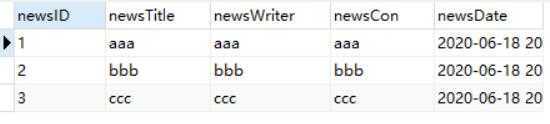
public class News {
    int newsID;
    String newstitle;
    String newsWriter;
    String newsTime;
    String newsCon;
    Date newsDate;
    //ID
    public int getNewsID(){
        return newsID;
    }
    public void setNewsID(int newsID){
        this.newsID = newsID;
    }
    //news
    public String getNewsTitle(){
        return newstitle;
    }
    public void setNewsTitle(String newstitle){
        this.newstitle = newstitle;
    }
    //作者
    public String getNewsWriter(){ return newsWriter; }
    public void setNewsWriter(String newsWriter){
        this.newsWriter = newsWriter;
    }
    //类型
    public String getNewsCon(){
        return newsCon;
    }
    public void setNewsCon(String newsCon){
        this.newsCon = newsCon;
    }
    //时间
    public Date getNewsDate(){
        return newsDate;
    }
    public void setNewsDate(Date newsDate){
        this.newsDate = newsDate;
    }
}
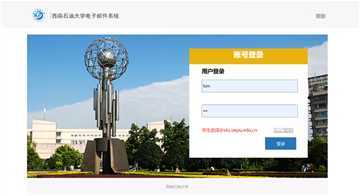
登陆源代码:
 protected void doPost(HttpServletRequest request, HttpServletResponse response) throws ServletException, IOException {
        //response.setContentType("text/html; charset=UTF-8");
        //request.setCharacterEncoding("UTF-8");
        PrintWriter out = response.getWriter(); //获得输出流

        String name = request.getParameter("name");
        String password = URLEncoder.encode(request.getParameter("password"),"utf-8");//password转码
        DataBase db = new DataBase();
        if (db.login(name, password)) {
            Object o = request.getSession().getAttribute("onLine");
            String success = "<br> 用户名: " + name + "<br> 密码:" + password + " <br> 登录成功 " + " <br> 当前在线人数: " + o;
            Log_Cookie(name, password, response);//Cookie
            System.out.println(name);
            System.out.println(password);
            System.out.println(o);
            out.println(success);
            out.println();
            request.getRequestDispatcher("/show.html").forward(request,response);//跳转至新闻管理页面
        } else {
            System.out.println(name);
            System.out.println(password);
            String fail = "<script type=‘text/javascript‘>" +
                    "alert(‘用户名或密码错误!‘);" +
                    "location.href=‘login.html‘;</script>";
            out.println(fail);
        }
        db.Clocec();
        out.close();
    }
查询数据库账号密码
public boolean login(String name,String psw) throws UnsupportedEncodingException {

        System.out.println("\n\n=======================HANDLING LOGIN\n\n");

        String select = "SELECT * FROM uname_psw WHERE uname = ? AND psw= ? ";
        System.out.println(select);
        boolean bool = false;
        try {
            preparedStatement = connection.prepareStatement(select);
            preparedStatement.setString(1,name);
            preparedStatement.setString(2,psw);
            resultSet = preparedStatement.executeQuery();
            if (resultSet.next()){
                bool = true;
                System.out.println("\n\nUSER EXISTS\n\n");
            }
        } catch (SQLException throwables) {
            throwables.printStackTrace();
        }
        return bool;
    }
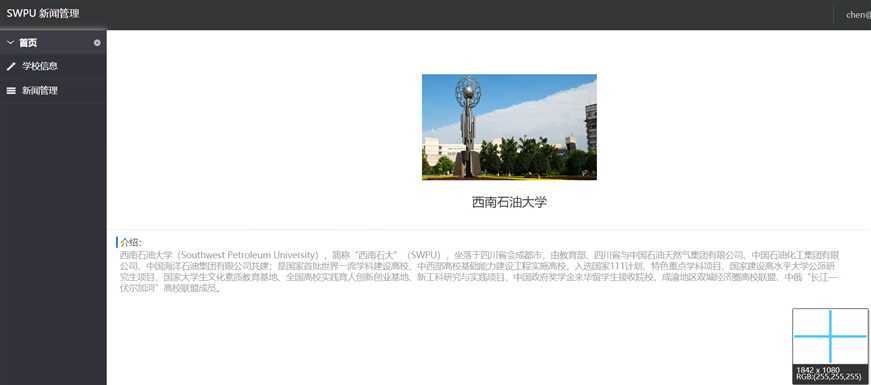
左侧下拉框代码
<div class="left-menu">
    <ul id="menu">
        <li class="menu-list">
            <a style="cursor:pointer" class="firsta"><i  class="glyph-icon xlcd"></i>首页<s class="sz"></s></a>
            <ul>
                <li><a href="swpu.html" target="menuFrame"><i class="glyph-icon icon-chevron-right1"></i>学校信息</a></li>
                <li><a href="ShowNewsServlet" target="menuFrame"><i class="glyph-icon icon-chevron-right2"></i>新闻管理</a></li>
            </ul>
        </li>

    </ul>
</div>
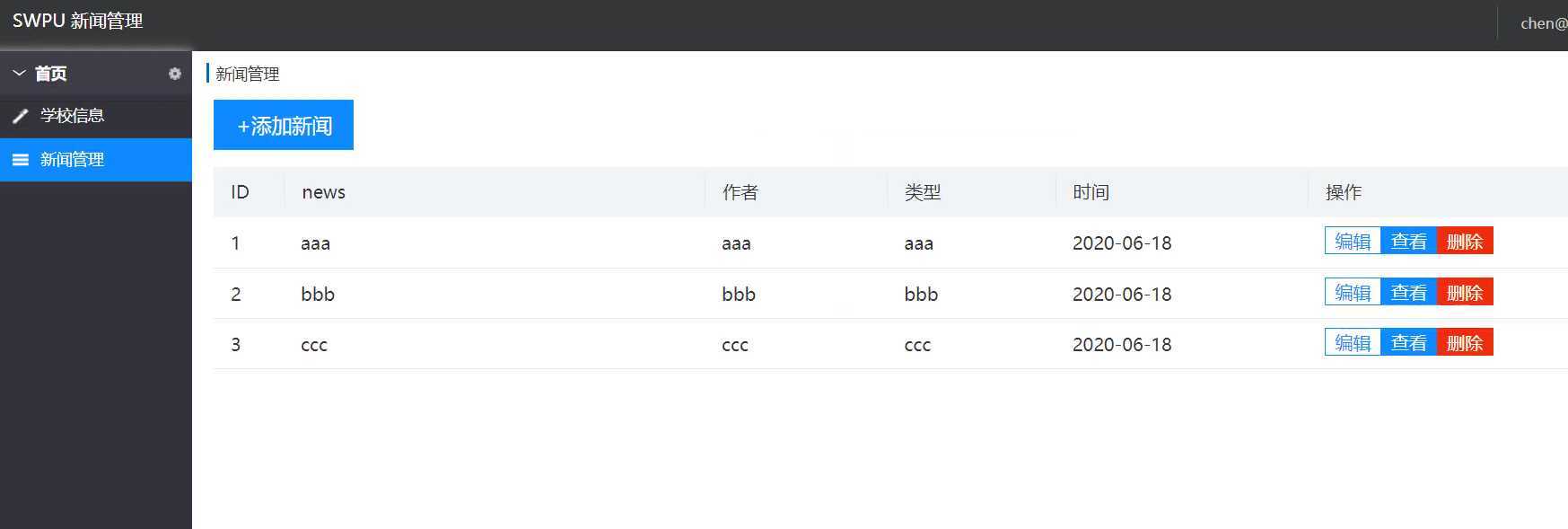
show.js代码如下
样式是直接从网上找的,然后对其中进行了部分修改,改为目前的页面,首页为西南石油大学的介绍。
  <table>
    <tr class="tb_title">
      <td width="5%">ID</td>
      <td width="30%">news</td>
      <td width="13%">作者</td>
      <td width="12%">类型</td>
      <td width="18%">时间</td>
      <td width="18%">操作</td>
    </tr>
    <c:forEach var="news" items = "${lstNews}">
      <tr>
        <td width="5%">${news.getNewsID()}</td>
        <td width="30%">${news.getNewsTitle()}</td>
        <td width="13%">${news.getNewsWriter()}</td>
        <td width="12%">${news.getNewsCon()}</td>
        <td width="18%">${news.getNewsDate()}</td>
        <td width="18%">
          <a href="EditNewsServlet?newsID=${news.newsID}" ><input class="bj_btn" type="button" value="编辑" /></a>
          <a href="ViewNewsServlet?newsID=${news.newsID}" ><input class="sj_btn" type="button" value="查看" /></a>
          <a href="DeleteNewsServlet?newsID=${news.newsID}" ><input class="del_btn" type="button" value="删除" /></a>
        </td>
      </tr>
    </c:forEach>
  </table>
同时需要用到jstl和standard的jar包

<%@ taglib uri="http://java.sun.com/jsp/jstl/core" prefix="c"%>
获取nwes表内容
   public List<News> QueryNews() throws SQLException {
        String sql="select * from News";
        ResultSet rs=DataBase.executeQuery(sql);
        List<News> lstNews=new ArrayList<>();
        while (rs.next()){
            News news=new News();
            news.setNewsID(rs.getInt("newsID"));
            news.setNewsTitle(rs.getString("newsTitle"));
            news.setNewsWriter(rs.getString("newsWriter"));
            news.setNewsCon(rs.getString("newsCon"));
            news.setNewsDate(rs.getDate("newsDate"));
            lstNews.add(news);
        }
        return lstNews;
    }
新闻管理页面的调用
   protected void doGet(HttpServletRequest request, HttpServletResponse response) throws ServletException, IOException {
        NewsService newsService=new NewsService();
        try {
            List<News> lstNews=newsService.QueryNews();
            for(News n:lstNews){
                System.out.print(n.getNewsCon());
            }
            request.setAttribute("lstNews",lstNews);
            request.getRequestDispatcher("show.jsp").forward(request,response);
        } catch (SQLException e) {
            e.printStackTrace();
        }
    }
原文:https://www.cnblogs.com/xsq1999/p/13172836.html