
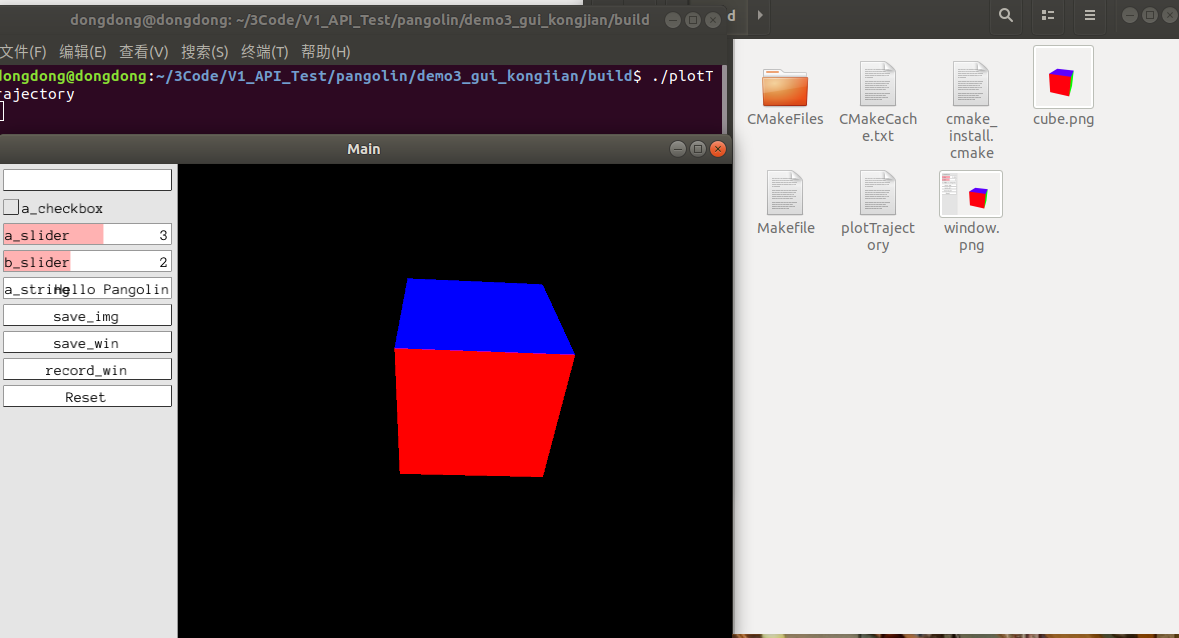
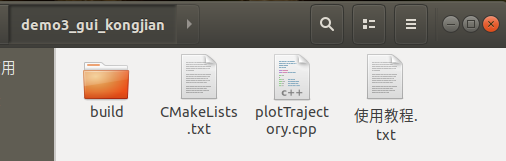
plotTrajectory.cpp
#include <pangolin/pangolin.h>
#include <string>
#include <iostream>


// ----------------------------------------------------------------- //
//https://blog.csdn.net/weixin_43991178/article/details/105142470
//为视窗添加一个控制面板,展示一些简单的控件操作
// ----------------------------------------------------------------- //

void SampleMethod()
{
    std::cout << "You typed ctrl-r or pushed reset" << std::endl;
    // std::cout << "Window width: " << i << std::endl;
}
// ----------------------------------------------------------------------- //
int main(/*int argc, char* argv[]*/)
{

    // 1创建视窗
    pangolin::CreateWindowAndBind("Main",640,480);
    // 2启动深度测试
    glEnable(GL_DEPTH_TEST);
    // 3创建一个摄像机
    pangolin::OpenGlRenderState s_cam(
        pangolin::ProjectionMatrix(640,480,420,420,320,240,0.1,1000),
        pangolin::ModelViewLookAt(-0,0.5,-3, 0,0,0, pangolin::AxisY)
    );
    // 分割视窗创建菜单
    const int UI_WIDTH = 180;

    // 4-1 右侧用于显示视口
    pangolin::View& d_cam = pangolin::CreateDisplay()
   //setBounds()函数前四个参数依次表示视图在视窗中的范围(下、上、左、右),可以采用相对坐标(0~1)以及绝对坐标(使用Attach对象)。
        .SetBounds(0.0, 1.0, pangolin::Attach::Pix(UI_WIDTH), 1.0, -640.0f/480.0f)
        .SetHandler(new pangolin::Handler3D(s_cam));
    // 4-2 左侧用于创建控制面板
    pangolin::CreatePanel("ui")
        .SetBounds(0.0, 1.0, 0.0, pangolin::Attach::Pix(UI_WIDTH));

    // 5 5 5创建控制面板的控件对象,pangolin中
    pangolin::Var<bool> A_Button("ui.a_button", false, false);  // 按钮
    pangolin::Var<bool> A_Checkbox("ui.a_checkbox", false, true); // 选框
    pangolin::Var<double> Double_Slider("ui.a_slider", 3, 0, 5); //double滑条
    pangolin::Var<int> Int_Slider("ui.b_slider", 2, 0, 5); //int滑条
    pangolin::Var<std::string> A_string("ui.a_string", "Hello Pangolin");

    pangolin::Var<bool> SAVE_IMG("ui.save_img", false, false);  // 按钮
    pangolin::Var<bool> SAVE_WIN("ui.save_win", false, false); // 按钮
    pangolin::Var<bool> RECORD_WIN("ui.record_win", false, false); // 按钮

    pangolin::Var<std::function<void()>> reset("ui.Reset", SampleMethod);//

    // 绑定键盘快捷键
    // Demonstration of how we can register a keyboard hook to alter a Var
    pangolin::RegisterKeyPressCallback(pangolin::PANGO_CTRL + ‘b‘, pangolin::SetVarFunctor<double>("ui.a_slider", 3.5));

    // Demonstration of how we can register a keyboard hook to trigger a method
    pangolin::RegisterKeyPressCallback(pangolin::PANGO_CTRL + ‘r‘, SampleMethod);

    // Default hooks for exiting (Esc) and fullscreen (tab).
    while( !pangolin::ShouldQuit() )
    {
        // Clear entire screen
        glClear(GL_COLOR_BUFFER_BIT | GL_DEPTH_BUFFER_BIT);

        // 各控件的回调函数

        //1按键函数绑定
        if(pangolin::Pushed(A_Button))
            std::cout << "Push button A." << std::endl;

        //2选择框
        if(A_Checkbox)
            Int_Slider = Double_Slider; //Double_给Slider 赋值Int_Slider


        // 保存整个win
        if( pangolin::Pushed(SAVE_WIN) )
            pangolin::SaveWindowOnRender("window");


	// 保存view
        if( pangolin::Pushed(SAVE_IMG) )
            d_cam.SaveOnRender("cube");

	// 录像
        if( pangolin::Pushed(RECORD_WIN) )
        	pangolin::DisplayBase().RecordOnRender("ffmpeg:[fps=50,bps=8388608,unique_filename]//screencap.avi");


        d_cam.Activate(s_cam);
        // glColor3f(1.0,0.0,1.0);
        pangolin::glDrawColouredCube();

        // Swap frames and Process Events
        pangolin::FinishFrame();
    }

    return 0;
}
CMakeLists.txt
# cmake needs this line
cmake_minimum_required(VERSION 3.1)

# Define project name
project(Pangolin_project)

#添加Pangolin画图依赖库
find_package(Pangolin REQUIRED)
include_directories(${Pangolin_INCLUDE_DIRS})

#编译可执行文件
add_executable(plotTrajectory plotTrajectory.cpp)
#连接Pangolin库
target_link_libraries(plotTrajectory ${Pangolin_LIBRARIES})
编译
# 创建编译文件夹(在Pangolin文件夹下)
mkdir build && cd build
# 配置编译选项
cmake ..
make
原文:https://www.cnblogs.com/gooutlook/p/14855767.html