
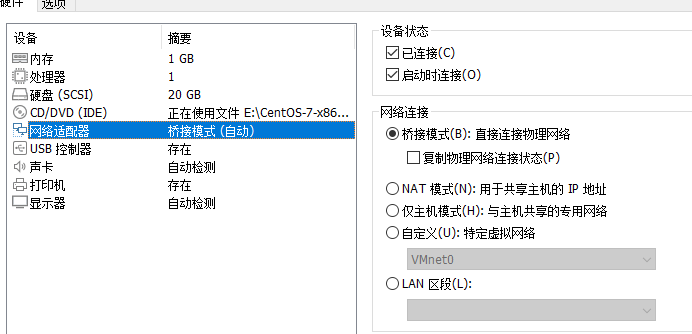
1.设置桥接模式
2.登录centos
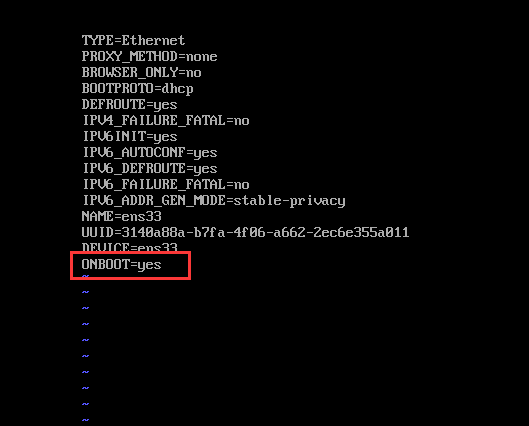
vi /etc/sysconfig/network-scripts/ifcfg-ens33
修改 ONBOOT=yes
3.重启网络服务
service network restart
4.查看工具ifconfig
yum search ifconfig

5.安装net-tools.x86_64包
yum install net-tools.x86_64
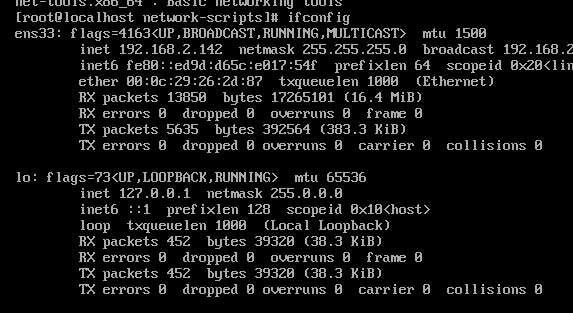
6.ifconfig 验证
ifconfig
vmware安装centos 7,没有ifconfig命令,无法访问网络
原文:https://www.cnblogs.com/lovechengyu/p/15035820.html