
1、路由urls.py
from django.contrib import admin
from django.urls import path
from app01.views import index

urlpatterns = [
    path(‘admin/‘, admin.site.urls),
    path(‘index/‘,index)
]
2、数据库表模型models.py
from django.db import models

# Create your models here.

class Book(models.Model):
    name = models.CharField(max_length=100)
    author = models.CharField(max_length=20)
    price = models.IntegerField()
    dsp = models.CharField(max_length=100)
3、数据库配置settings.py
DATABASES = {
    ‘default‘: {
        ‘ENGINE‘: ‘django.db.backends.mysql‘,
        ‘HOST‘: ‘127.0.0.1‘,
        ‘PORT‘: 3306,
        ‘USER‘: ‘root‘,
        ‘PASSWORD‘: ‘1‘,
        ‘NAME‘: ‘demo‘
    }
}
4、视图函数views.py
from django.shortcuts import render
from app01.models import Book
from django.core.paginator import Paginator  #导入Paginator分页器

def index(request):

    book_all_list = Book.objects.all()   #获取所有的书籍数据
    p = Paginator(book_all_list,15)      #实例化分页对象

    page = request.GET.get(‘page‘,1)     #获取GET方法传递过来的页码数,没有则默认为 1
    current_page = int(page)             #传过来的page是一个字符串,需要转换成int类型

    book_object = p.page(current_page)   #获取第current_page页的对象
    book_list = book_object.object_list  #获取第current_page页的对象的元素列表

    return render(request,‘index.html‘,{‘book_list‘: book_list,‘p‘: p,‘book_object‘: book_object})
5、前端页面index.html
<!DOCTYPE html>
<html lang="en">
<head>
    <meta charset="UTF-8">
    <title>测试</title>
    <style>
        .content{
            width: 100%;
        }
        .tb1{
            width: 80%;
            margin-left: 100px;
        }
    </style>
</head>
<body>
    <div class="content">
        <table border="1px" class="tb1">
            <tr>
                <th>序号</th>
                <th>书名</th>
                <th>作者</th>
                <th>价格</th>
                <th>描述</th>
            </tr>
            {# 遍历展示当前页的数据 #}
            {% for book in book_list %}
                <tr>
                    <td>{{ book.id }}</td>
                    <td>{{ book.name }}</td>
                    <td>{{ book.author }}</td>
                    <td>{{ book.price }}</td>
                    <td>{{ book.dsp }}</td>
                </tr>
            {% endfor %}
        </table>
    </div>
    <div style="margin-left: 100px;margin-top: 20px;">
        {# 如果当前页有上一页,则可以通过上一页发送GET请求传递page参数,需要从views中传入当前页的对象book_object #}
        {% if book_object.has_previous %}
            <a href="/index/?page={{ book_object.previous_page_number }}">上一页</a>
        {% endif %}

        {# 获取分页对象的页码列表并遍历,需要从views中传入分页对象p #}
        {% for num in p.page_range %}
            <a href="/index/?page={{ num }}">{{ num }}</a>
        {% endfor %}

        {# 如果当前页有下一页,则可以通过下一页发送GET请求传递page参数,需要从views中传入当前页的对象book_object #}
        {% if book_object.has_next %}
            <a href="/index/?page={{ book_object.next_page_number }}">下一页</a>
        {% endif %}
    </div>
</body>
</html>
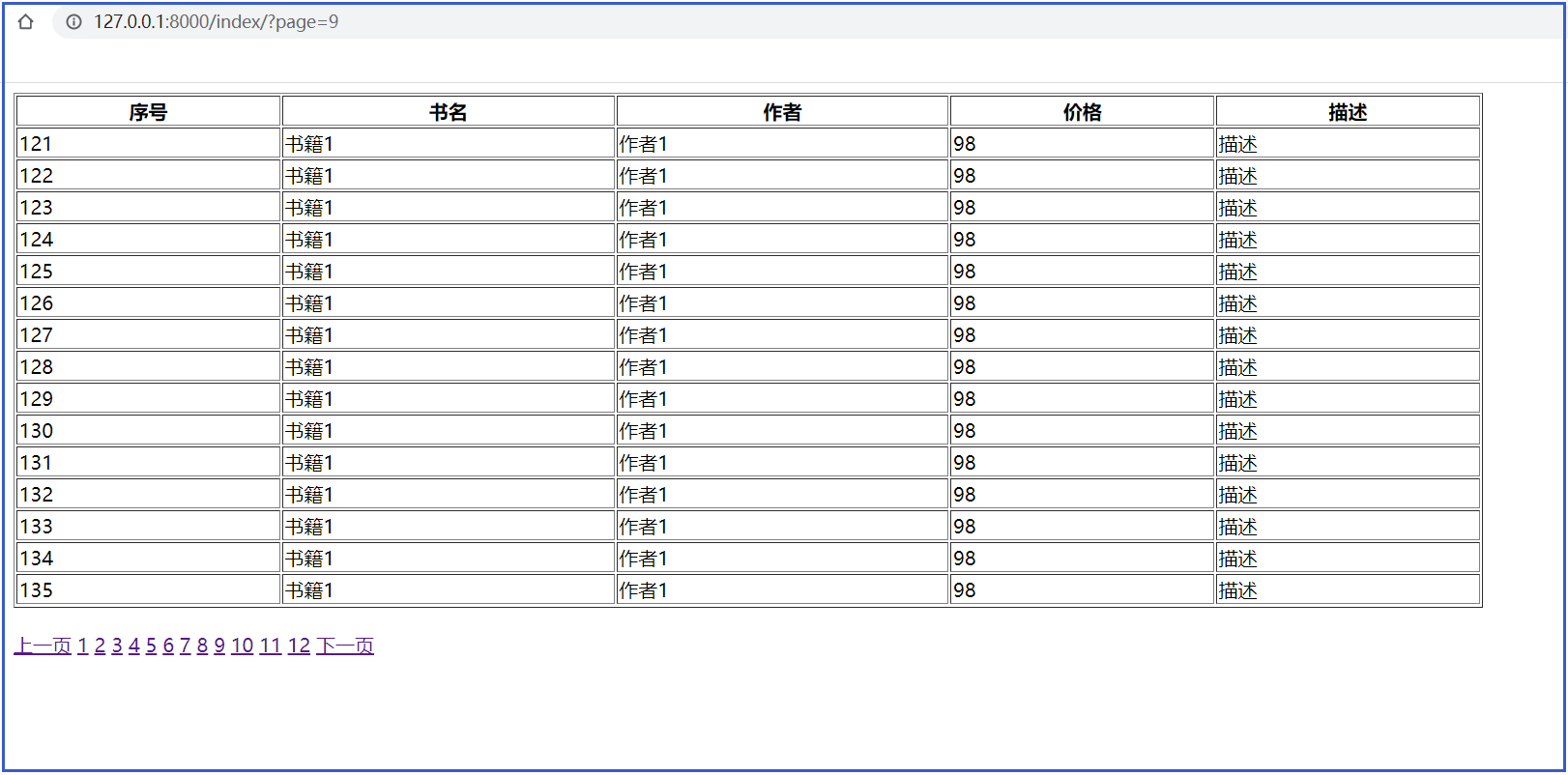
6、效果(没有添加样式,只是实现功能,所以页面比较丑!!!)
原文:https://www.cnblogs.com/zhangyh-blog/p/15221502.html