
1,下载并安装scala,最新版
Download Previous Versions | The Scala
Programming Language
http://www.scala-lang.org/download/all.html
2,eclipse开发环境搭建
先说结论:最简单的方法,下载Scala IDE for Eclipse官网提供的集成scala的eclipse。
下载页面:
Download Scala IDE for Eclipse - Scala IDE for Eclipse
http://scala-ide.org/download/sdk.html#
建立scala项目
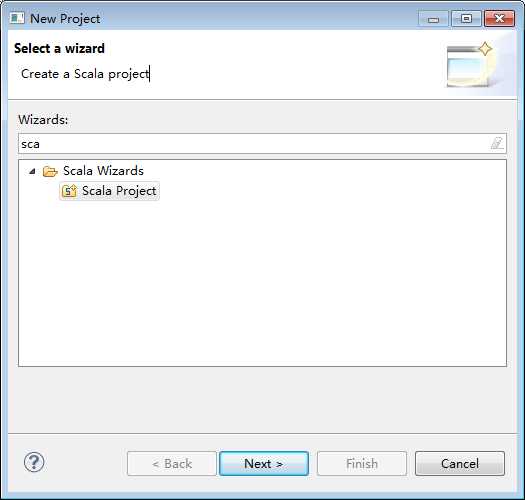
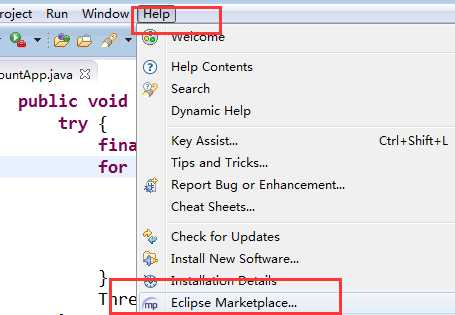
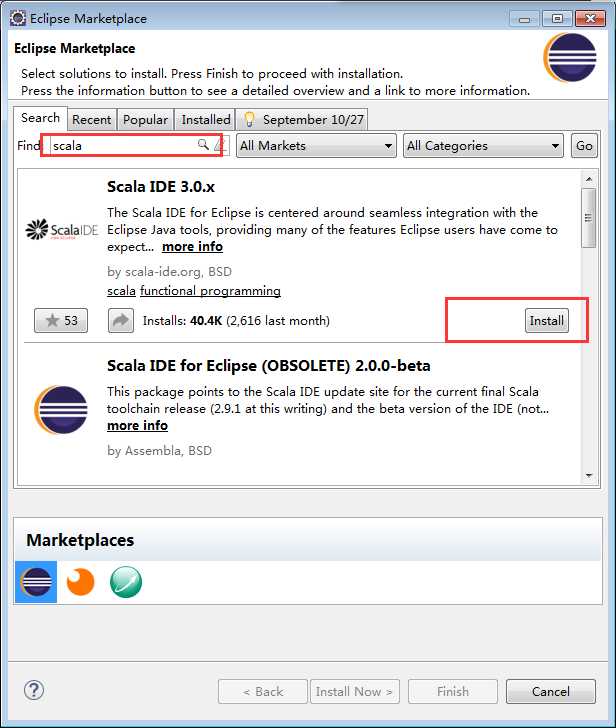
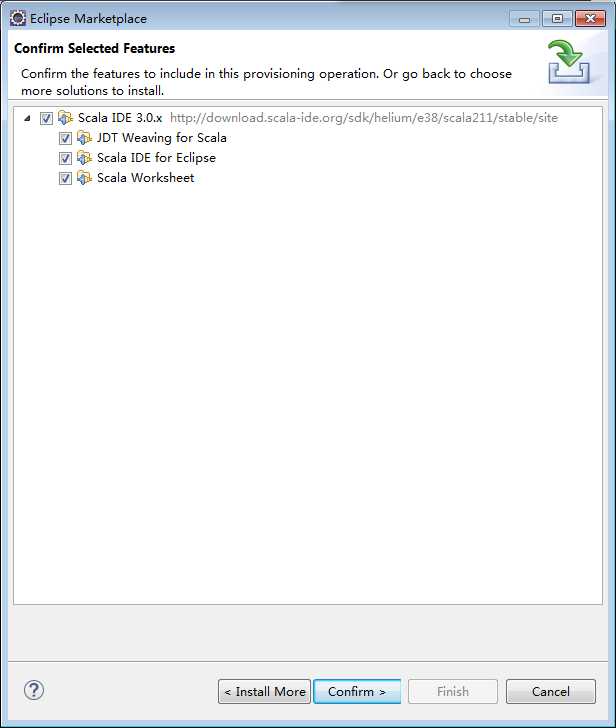
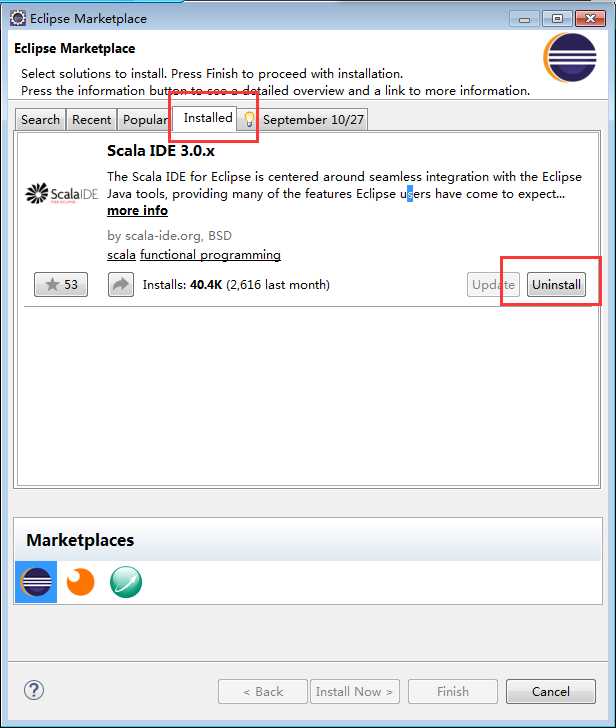
按照上面的方法安装重启eclipse出现:

|
org.osgi.framework.BundleException: Could not resolve
module: org.scalaide.worksheet [878] Unresolved
requirement: Import-Package: scala.tools.eclipse.semantichighlighting ->
Export-Package: scala.tools.eclipse.semantichighlighting;
bundle-version="3.0.4.v-2_11-201407232043-c46f499";
bundle-symbolic-name="org.scala-ide.sdt.core"; version="0.0.0"
org.scala-ide.sdt.core [869] No
resolution report for the bundle.
Unresolved requirement: Import-Package: scala.tools.eclipse;
apply-aspects:="false" ->
Export-Package: scala.tools.eclipse;
bundle-version="3.0.4.v-2_11-201407232043-c46f499";
bundle-symbolic-name="org.scala-ide.sdt.core";
version="0.0.0" Unresolved
requirement: Require-Bundle: org.scala-ide.sdt.core;
bundle-version="[3.0.4.v-2_11-201407232043-c46f499,3.0.4.v-2_11-201407232043-c46f499]" ->
Bundle-SymbolicName: org.scala-ide.sdt.core;
bundle-version="3.0.4.v-2_11-201407232043-c46f499";
singleton:="true" Bundle was
not resolved because of a uses contraint violation.
org.osgi.service.resolver.ResolutionException: Uses constraint
violation. Unable to resolve resource org.scalaide.worksheet [osgi.identity; osgi.identity="org.scalaide.worksheet";
type="osgi.bundle";
version:Version="0.2.3.v-2_11-201407232049-4f7988d";
singleton:="true"] because it is exposed to package ‘javax.xml.bind‘ from resources org.eclipse.osgi
[osgi.identity; osgi.identity="org.eclipse.osgi";
type="osgi.bundle";
version:Version="3.10.0.v20140606-1445"; singleton:="true"] and javax.xml.bind [osgi.identity;
osgi.identity="javax.xml.bind"; type="osgi.bundle";
version:Version="2.1.9.v201005080401"] via two dependency chains. Chain 1:
org.scalaide.worksheet [osgi.identity;
osgi.identity="org.scalaide.worksheet";
type="osgi.bundle"; version:Version="0.2.3.v-2_11-201407232049-4f7988d";
singleton:="true"] require:
(osgi.wiring.bundle=org.eclipse.core.runtime) | provide:
osgi.wiring.bundle: org.eclipse.core.runtime
org.eclipse.osgi [osgi.identity;
osgi.identity="org.eclipse.osgi"; type="osgi.bundle";
version:Version="3.10.0.v20140606-1445";
singleton:="true"] Chain 2:
org.scalaide.worksheet [osgi.identity;
osgi.identity="org.scalaide.worksheet";
type="osgi.bundle";
version:Version="0.2.3.v-2_11-201407232049-4f7988d"; singleton:="true"] require:
(osgi.wiring.bundle=org.scala-ide.sbt.full.library) | provide:
osgi.wiring.bundle;
osgi.wiring.bundle="org.scala-ide.sbt.full.library";
bundle-version:Version="0.13.2.v-2_11-20140723-2242"
org.scala-ide.sbt.full.library [osgi.identity;
osgi.identity="org.scala-ide.sbt.full.library";
type="osgi.bundle";
version:Version="0.13.2.v-2_11-20140723-2242"] import:
(osgi.wiring.package=javax.xml.bind) | export:
osgi.wiring.package: javax.xml.bind
javax.xml.bind [osgi.identity;
osgi.identity="javax.xml.bind"; type="osgi.bundle";
version:Version="2.1.9.v201005080401"] at
org.eclipse.osgi.container.Module.start(Module.java:434) at
org.eclipse.osgi.container.ModuleContainer$ContainerStartLevel.incStartLevel(ModuleContainer.java:1582) at
org.eclipse.osgi.container.ModuleContainer$ContainerStartLevel.incStartLevel(ModuleContainer.java:1561) at
org.eclipse.osgi.container.ModuleContainer$ContainerStartLevel.doContainerStartLevel(ModuleContainer.java:1533) at
org.eclipse.osgi.container.ModuleContainer$ContainerStartLevel.dispatchEvent(ModuleContainer.java:1476) at
org.eclipse.osgi.container.ModuleContainer$ContainerStartLevel.dispatchEvent(ModuleContainer.java:1) at
org.eclipse.osgi.framework.eventmgr.EventManager.dispatchEvent(EventManager.java:230) at
org.eclipse.osgi.framework.eventmgr.EventManager$EventThread.run(EventManager.java:340) |
eclipse Luna4.4版本比较新,参考官方文档的解释是不兼容。
Scala IDE for Eclipse官网在安装需求中说支持3.7,4.2
官方文档eclipse、jdk、scala版本选择说的很清楚。
Getting Started — Scala IDE 0.1-SNAPSHOT documentation
http://scala-ide.org/docs/current-user-doc/gettingstarted/index.html
常见问题:
Frequently Asked Questions — Scala IDE 0.1-SNAPSHOT documentation
http://scala-ide.org/docs/user/faq.html
版本代号 平台版本 主要版本发行日期 SR1发行日期 SR2发行日期
Callisto 3.2 2006年6月26日 N/A N/A
Europa 3.3 2007年6月27日 2007年9月28日 2008年2月29日
Ganymede 3.4 2008年6月25日 2008年9月24日 2009年2月25日
Galileo 3.5 2009年6月24日 2009年9月25日 2010年2月26日
Helios 3.6 2010年6月23日 2010年9月24日 2011年2月25日
Indigo 3.7 2011年6月22日 2011年9月23日 2012年2月24日
Juno 3.8及4.2 2012年6月27日 2012年9月28日 2013年3月1日
Kepler 4.3 2013年6月26日 2013年9月27日 2014年2月28日
Luna 4.4 2014年6月25日 N/A N/A
选择个能用的eclipse
Eclipse downloads - mirror selection
还是直接下载集成scala的吧!
直接就能在eclipse运行,连scala本身都不用下载安装了。
原文:http://www.cnblogs.com/xfly/p/4117638.html