
演示使用swig工具创建c语言的java接口,生成.so库和java接口文件。
在此之前先要安装swig,安装方法:sudo apt-get install swig
1.使用eclipse创建工程。

2.创建包名。

3.在包中创建c文件和swig接口文件。
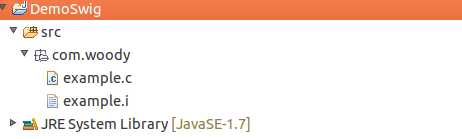
文件内容:
example.c
|
1
2
3
4
5
6
7
8
9
10
11
12
13
14
15
16
17
18
19
20 |
/* File : example.c */#include <time.h>double My_variable = 3.0;int fact(int
n) { if
(n <= 1) return
1; else
return n*fact(n-1);}int my_mod(int
x, int y) { return
(x%y);} char *get_time(){ time_t ltime; time(<ime); return
ctime(<ime);} |
example.i
|
1
2
3
4
5
6
7
8
9
10
11
12
13
14 |
/* example.i */%module example%{/* Put header files here or function declarations like below */extern double
My_variable;extern int
fact(int
n);extern int
my_mod(int
x, int y);extern char
*get_time();%}extern double
My_variable;extern int
fact(int
n);extern int
my_mod(int
x, int y);extern char
*get_time(); |
4.使用命令行创建
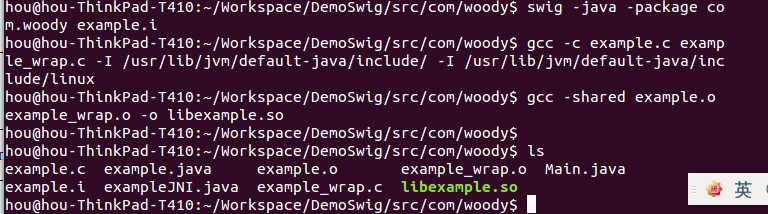
/usr/lib/jvm/default-java/include/ 是jni.h 的路径
/usr/lib/jvm/default-java/include/linux 是jni_mb.h 的路径
命令运行成功之后 .so 文件已经生成了。然后刷新一下eclipse中的工程。如下(生成的java代码没有加package,自己加上):
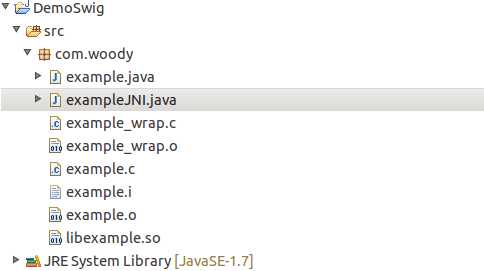
将libexample.so 复制到根目录下边,然后创建测试入口文件 Main.java
目录结构如下:
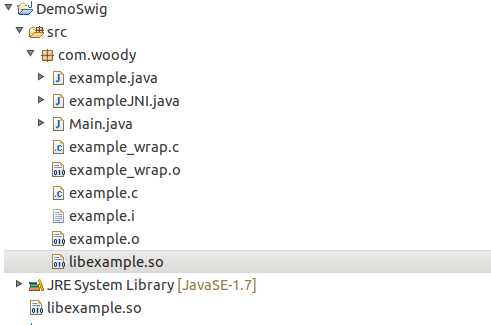
Main文件代码:
|
1
2
3
4
5
6
7
8
9
10
11
12
13
14
15
16 |
package
com.woody;public class Main { static
{ System.loadLibrary("example"); } public
static void main(String[] args) { System.out.println(example.getMy_variable()); System.out.println(example.fact(5)); System.out.println(example.get_time()); }} |
Run it !
out put :
3.0
120
Fri Feb 28 16:55:47 2014
运行成功 :)
资料:
http://www.swig.org/Doc1.3/Java.html
原文:http://www.cnblogs.com/ihou/p/3573967.html