
首先添加用户控件:
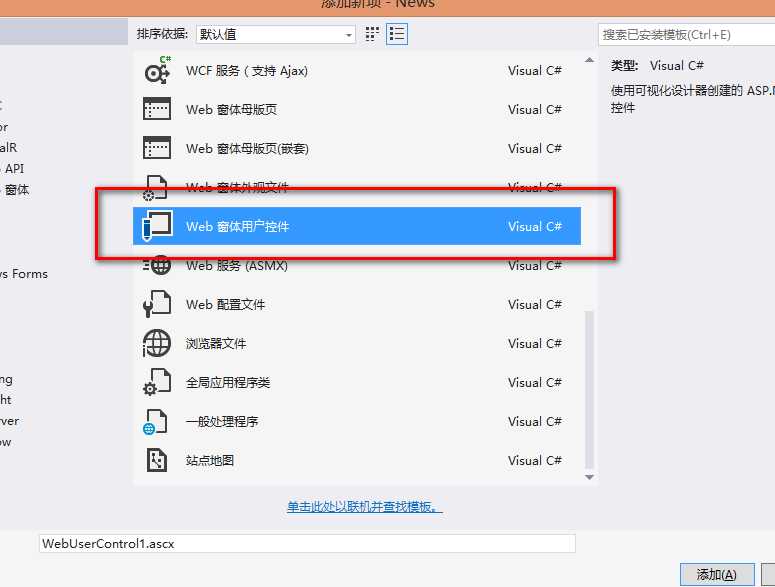
在里面写上代码:
<%@ Control Language="C#" AutoEventWireup="true" CodeBehind="NewsCategory.ascx.cs" Inherits="News.Control.NewsCategory" %>
<!--新闻分类-->
<div id ="category" class ="Frm">
    <h4>新闻分类</h4>
    <ul>
        <li><a href ="Default.aspx">首  页</a></li>
        <asp:Repeater ID="rep_CategoryInfo" runat="server">
            <ItemTemplate>
                <li><a href ="NewsList.aspx?id=<%#Eval("ID")%>"><%#Eval("Name")%></a></li>
            </ItemTemplate>
        </asp:Repeater>
    </ul>
</div>
后台cs代码:
protected void Page_Load(object sender, EventArgs e)
{
    if (!Page.IsPostBack)
    {
        BLL.CategoryBLL categorybll = new CategoryBLL();
        //绑定新闻分类信息
        this.rep_CategoryInfo.DataSource = categorybll.SelectAllNewsCategory();
        this.rep_CategoryInfo.DataBind();
    }
}
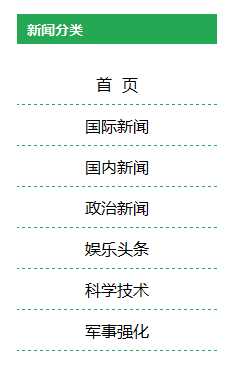
最终效果:
原文:http://www.cnblogs.com/KTblog/p/4630385.html